Category Archives: Android Development

How To Design Battery-Efficient Geolocation Apps

The ability for smartphones to offer location services fostered major opportunities for app developers looking to create new apps and enhance functionality of existing apps. Tinder, FourSquare, & Waze use geolocation in the center of their functionality to great success. In combination, these three apps can help a user determine a dinner companion, restaurant of choice, and route to the restaurant. By delivering location-sensitive information to users regardless of where they are in the country, these apps appeal to massive audiences.

Programming geolocation services into an app will have a major impact on the overall quality of the app—and it’s easier said than done. Inefficient geolocation services drain device battery life and deliver inaccurate location data. When apps drain battery life, users uninstall them. In order to determine the best method of programming geolocation services, it is vital for app developers to know who is going to be using the app and how they are going to use it.

Location can be determined by a smartphone in a number of ways. The most widespread include:

GPS: All modern iOS & Android smartphones are equipped with GPS technology. GPS can use at least four satellites to determine a user’s location within about 60 feet.

Cell ID: When GPS isn’t available, phones can use Cell ID, information from cellular towers, to determine location. Cell ID is ideal in big cities with vast amounts of cell towers. Serial fans should be familiar with how cellular tower information can be vital in identifying one’s location. GPS & Cell ID can also work in conjunction to deliver a more precise GPS location.

Wi-Fi: Devices can detect Wi-Fi networks in the same way they can detect cellular towers, but Wi-Fi is more precise as Wi-Fi networks cover smaller regions. Devices can use RSSI (Received Signal Strength Indication) to refer signals from the phone with Wi-Fi points database. Devices can also use the user’s frequently visited places, a profile or wireless fingerprint based on locations in Wi-Fi networks frequented by the user. Wi-Fi can identify a user’s position within 2 meters of accuracy.

The decision of how an app should prioritize these three methods to determine location is a vital one. If users are located in the city, that means both dense Wi-Fi router and cell tower coverage will open up options. If the app is being used primarily in a domestic situation, Wi-Fi might be both the most accurate and efficient method. Apps designed for rural areas may have to use Wi-Fi due to lack of cell towers.

Geofencing Graphic from Applidium

GEOFENCING

Geofencing utilizes a device’s GPS to determine a user’s distance from a particular point. Geofencing can sense when a user enters within a set radius defined by the coordinates of its center. Geofencing will sense when users are inside or outside of a retailer and offer action prompts for either space. There are three types of geofencing:

Static geofencing is based on a user’s position in relation to a specific place. For example, a retailer app sends a message to users who pull into the parking lot of a mall containing the retailer.

Dynamic geofencing takes into account both a user’s location and a changing data stream. For example, a parking app sends the user a message about a recently evacuated parking space that the user is approaching.

Combined geofencing determines when a user enters into a location in relation to other users. For example, apps like Yelp, Facebook, or FourSquare send notifications if a friend checks into a nearby merchant .

CREATING BATTERY-EFFICIENT APPLICATIONS

Making a geolocation app battery-efficient is one of the biggest challenges  app developers face in the programming stage. Developers must create a comprehensive strategy based on their audience.

ACTION THRESHOLDS: Defining accurate action thresholds and use-cases for an app’s geolocation services will dictate its level of battery-efficiency. The more precise your location accuracy requirements, the greater the battery drain. Action thresholds and use-cases define how an app is intended to be used, allowing a framework for developers to enact an efficient model of internal processes for location determination.

COMPREHENSIVE TESTING: Testing the app aggressively to gather a large amount of data is the only way to know the most efficient action thresholds. The more the developer understands how an app is being used, the more they can refine their programming. After release, continuing to gather analytics from user behavior and refine tactics based on how users are getting value from the app becomes a crucial ongoing process.

POLLING FREQUENCY: One of the major variables dictated by action thresholds is polling frequency. The more an app polls for locations, the better its location accuracy. The necessary level of location accuracy varies depending on the app. The precision of location accuracy necessary for an app to be functional can vary. A restaurant app, for example, might be able to get away with accuracy from 200 meters to a few kilometers, while an app that locates friends might need accuracy within 10 – 20 meters.

Evaluating the most efficient polling frequency requires thorough use-cases and some creativity. Programmers can design algorithms to reduce polling frequency if an app hasn’t changed locations for several minutes. Programmers can also analyze the speed of the device and use this data to change polling frequencies. A developer may elect to increase polling frequency as a car accelerates to ensure they maintain location accuracy within a selected radius.

DEFERRING TO OS: Many major mobile platforms will share geolocation information at an operating system level. As a result, any app that is listening can receive location updates requested by other apps. By deferring to other apps already polling for location data, apps can minimize battery drain while still retaining acceptable location data.

Check out Apple and Android’s developers’ sites for more information on best practices for programming location services.

How Mobile Commerce Is Changing Retail Sales

Smartphones have brought about unparalleled convenience in our daily lives. We are constantly connected to our rolodex of contacts with a variety of methods of communication. We can access all the information available on the world wide web anytime. Consumers looking to make purchases on the go can find the nearest store with ease. For businesses, the mobile platform represents not only a major avenue for advertising, but an opportunity to give customers the ultimate convenience when purchasing products.

According to Internet Retailer, mobile commerce represents 30% of all US e-commerce and rose by 38.7% from 2014 to 2015. Mobile commerce drives sales, and businesses lacking a mobile strategy are missing out on a major opportunity to increase revenue. Here are the top mobile commerce trends for 2016:

INTEGRATING PHYSICAL WITH DIGITAL

Although the digital world is virtually omnipresent in households, the appeal of immediately receiving one’s purchases by shopping in store remains attractive. Retailers are increasingly offering a variety of online + in-store options to capitalize on the convenience of digital and the immediacy of making a physical purchase.

Apps like Curbside have partnered with Target & Kroger’s to enable customers to reserve their purchases and skip the line when picking up products.

Beacon-enabled features like geo-targeted offers and loyalty rewards are becoming more and more popular. Geo-targeted offers can drive in-store traffic when delivered effectively. According to Target Marketing Magazine, 85 of the top 100 retailers are planning to adopt beacon technology by the end of 2016. Business Insider has predicted beacons will directly influence over $44 billion in US retail sales in 2016.

PERSONALIZED MOBILE PAYMENTS DRIVE LOYALTY

Although services such as Apple Pay and Android Pay were once hailed as the future, they have had a hard time receiving mass adoption. While mobile payment services haven’t gained popularity, the mobile wallet has made a major impact on commerce. Starbucks drives 16% of transactions through its mobile app. Walmart Pay arrived in December 2015, and now Target is next in line to develop their own payment app.

WEARABLES ON THE RISE

According to Arc, there will be a 61% growth in wearable ownership in 2016. App developers and retailers are still plotting on how to capitalize on wearables. Many anticipate a hands-free shopping experience in which one can simply walk out with their purchases and have automatic charges through wearable devices. Malls and large stores like Walmart may use wearables to make it easier for consumers to navigate stores. Wearables represent a major avenue for retailers to create innovative strategies and dictate trends to come.

THE MOBILE WEB DRIVES PURCHASES

While about 85% of time spent on mobile devices occurs in apps, the mobile web has actually proven to be a more successful in driving website traffic. While app usage is prevalent, consumers spend 80% of their app time on their top 3 apps. The mobile web drives twice the amount of site traffic than mobile apps. With 82% of smartphone users looking to their phones in stores when deciding what to buy, many anticipate the mobile web to surpass apps as the largest revenue driver in the next few years.

HOW CAN MOBILE COMMERCE HELP YOUR BUSINESS?

With technology in constant flux, the potential to drive revenue with a refined mobile strategy is constantly growing. Mobile strategies must be created, enacted and reevaluated with every new OS and device. Mobile is an ongoing investment. Understanding the value of a mobile strategy and how each device can enrich a customer’s interaction with your business will lead to long-term revenue growth.

Nougat OS: Everything You Need to Know Android’s Latest Treat

With all the fuss about iPhone 7, iOS 10 and the new Pixel, it’s easy to forget Android recently unveiled their latest OS: Nougat. In line with Android’s other dessert-themed software titles (Marshmallow, Lollipop, KitKat, etc.), Nougat is a treat. It’s a refined version of Marshmallow with improved UX, specs and a lot more. Both iOS fans and app developers take note, here are Android Nougat’s top features:

MULTI-WINDOW MULTITASKING

The most notable feature of Nougat is Multi-Window Multitasking. Unlike iOS, Nougat allows users to run multiple apps on their screen at once, allowing users to watch a movie while they text, view a recipe while they keep their eyes on the timer, or use any number of applications. Multi-Window Multitasking can be utilized with three display options: Split-Screen, Picture-In-Picture and Freeform Mode.

Split-Screen mode splits the screen across the bottom when held vertically, or across the middle when held horizontally.

Picture-In-Picture mode will be optimized for Android TV and will eliminate the controls and interface elements while keeping the content portion to scale.

Freeform mode will allow users to customize the size of each application, like one can with a desktop or laptop computer.

REFINED NOTIFICATIONS SETTINGS

Notifications Settings via How To Geek

Android has always been a major advocate of customizing notifications, and Android Nougat improves their system. Users customize their quick settings to ensure they are only alerted to the top-level notifications. Users can also maintain conversations within the notifications bar to make it easier to chat without having to go back and forth into apps.

Bundled notifications allow users to see what is happening within their apps at a glance without clogging their feed. Simply tap to expand the box and view more info without going directly into the app.

FASTER PERFORMANCE, MORE BATTERY, LESS MOBILE DATA

The best improvements of Nougat OS are not flashy new features, but overall improved functionality. Google’s “Project Doze,” designed to increase phone battery length, was introduced with Marshmallow, but gets a big upgrade with Nougat. Doze shuts down CPU and network activity while the phone screen is off. Previously, Doze only worked when the device was motionless, but now it can operate whenever the screen is off.

Data overages can add up quickly. Google seeks to counter the threat of overages with Data Saver, a program which kicks in whenever the user is on a metered data connection and limits apps and background processes to a set amount of data. Rather than cutting off data usage at a  preset limit, Data Saver makes Android phones more efficient with constant refinement.

Both Data Saver and Project Doze are bolstered by minor technical improvements to Project Svelte, Android’s device optimization initiative, creating a more efficient phone.

SEAMLESS UPDATES

Android isn’t trying to reinvent the wheel. Their Nougat OS functions primarily as a UX improvement over Marshmallow. Android has instilled major security improvements, including file-based encryption. Android has also taken a page out of the Chrome OS playbook by adding seamless updates, which will allow system updates to install in the background.

NEW EMOJIS

On the lighter side of things, Android has installed 72 new glyphs and has revamped their 1,500 emojis to appear more realistic. Nougat is also compatible with Vulkan API, which opens up a world of low-overhead graphical possibilities.

WHEN CAN I GET NOUGAT?

As with any Android update, the real question is: when is it coming to my phone? Nougat is out, but device fragmentation on the Android platform entails a staggered availability based on the hardware. While Google’s Pixel phone could soon alleviate some of these fragmentation problems, Android still cannot move at the speed of iOS—but Nougat’s improved functionality is a welcome addition for both app developers and consumers.

For a full list of Android Nougat release dates, check out this awesome article over at Pocket Lint.

Sink or Swim: Why Google Needs Andromeda to Compete with Apple

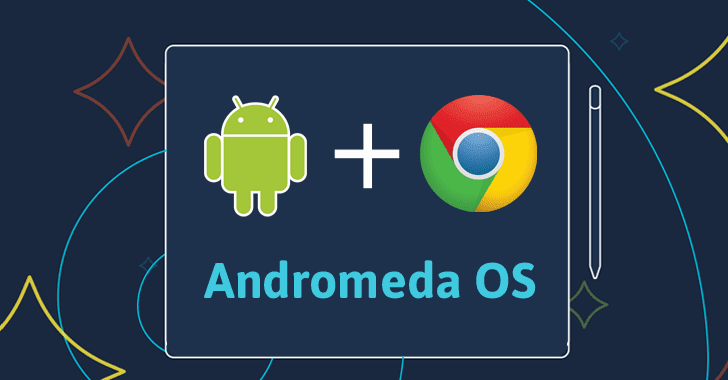
Andromeda summed up in a graphic (Via thehackernews.com)

App developers commonly cite device fragmentation as one of their biggest peeves about the Android platform. While Apple keeps a stronghold on all iOS devices, Android allows third-party developers to create hardware for the platform. With a number of different devices all with different screen sizes, tech specs and OS capabilities, developers cannot efficiently optimize the end user experience of their apps for all devices as they can with iOS. However, Google is making a major move to create a more streamlined app ecosystem with Andromeda.

Rumors of Andromeda began when multiple independent sources revealed it would be announced at Google’s October 4th announcement. When October 4th turned out to be hardware-focused, the heat died down on Andromeda. However, in the big picture, Andromeda represents a necessary move in order to prevent Google from losing potentially billions of dollars to Apple in the years and decades to come.

WHAT IS ANDROMEDA?

The idea of Andromeda is to combine Google’s laptop OS (Chrome OS) and their mobile and tablet OS (Android). Chrome OS is not Google Chrome, the web browser you may or may not use every day, but their desktop operating system which works with Chromebooks. For the skinny on Chrome, check out this awesome breakdown:

https://www.youtube.com/watch?v=0QRO3gKj3qw

Rather than integrate Android features on Chrome OS, Andromeda will do the opposite and enable mobile devices with Chrome OS features. Mobile devices will begin to feel like an extension of one’s desktop. Rumored features include file organization, multi-modal windowing and compatibility between mobile and desktop apps. While the details have yet to be revealed, the concept behind Andromeda makes it a huge, necessary step for Google’s long-term future in the OS market.

WHY IT’S IMPORTANT

Andromeda will put Google in direct competition with the Mac OS X and Windows platforms. Apple has long been focused on device Continuity, the interchangeability between iOS devices. Their mobile (iOS) & desktop (OS X) operating systems are optimized to work together. By merging Google’s mobile platform with their desktop OS, Google increases cross-device functionality  and creates a strong incentive for consumers to keep all their devices within the Google brand.

THE INTERNET OF THINGS MAKES THIS SINK OR SWIM FOR GOOGLE 

The good news for app developers is in Andromeda’s long-term potential. Andromeda will enable developers to create apps which seamlessly function across devices: smartphones, tablets and desktops. As the IoT becomes domesticated, having a unified OS will mean big bucks for software companies looking to capitalize on home automation and commercial IoT products. In 10 years, consumers will be incredulous if they can’t control their coffee machine, change the channel on their TV and lock their doors on any of their devices. They want cohesive simplicity. If Google loses the OS battle with a less cohesive strategy than Apple, they will also lose the smartphone, tablet, TV and laptop.

CONCLUSION

Dennis Jones, CEO of payments technology company Judopay, put it this way for Developer-Tech: “Andromeda will be the foundation for omnipresence for Google-powered hardware, similar to Apple’s ecosystem… Andromeda is the foundation to enable this omnichannel world.”

Without Andromeda, Google would be dead in the water against the future omnichannel world Apple has been developing over the years. Who will execute better? Until the public sees Andromeda in action, the answer remains to be seen.

Are You Cashing Out? Rule the Mobile Game Market with Top Monetization Strategies

The ultra-competitive world of mobile game development leaves many game developers in the red. Less than 1% of mobile game players contribute 48% of revenue to game publishers. With the rise of the Freemium model, many feel paid apps are essentially dead. Without a price to download, app publishers can no longer rely on a single method of monetization.

Here are some of the best methods for mobile game monetization:

SEGMENTATION

Segmentation, the division of profit streams, is key to any mobile game monetization plan. By understanding the many different ways in which one can create a revenue stream out of their game, developers are able to tactically decide which streams they want to pursue and how they want to pursue them.

App monetization revenues stem from three major categories: in-app purchases, subscription-based premium upgrades, and ad revenue. Highly-successful games can also bring in money through sponsorships, merchandise, and even big-budget Hollywood movies, but the bulk of app developers generate revenue from inside the phone. Experienced mobile game developers give individual attention to their apps, analyze what monetization streams will be the most effective, and design individual strategies for each stream.

REWARDED AD FORMAT

Ads and in-app purchases are both great assets to mobile game developers looking to monetize, but what if you could play them off each other to increase both sources of revenue? That’s the idea behind  the rewarded ad format. Games offer its users in-game rewards in exchange for watching full ads. The incentive increases video completion rate as well as ad revenue. By giving users a free in-app purchase, developers are not only able to increase ad revenue, they also preview the premium features, enticing more in-app purchases.

While the rewarded ad format can lead to a surge in both in-app purchases and ad revenue, it still requires strategy. Keeping the audience in mind by ensuring the user will find the ad interesting will increase completion rate. Considering the best time to show the ad also will affect whether the user is frustrated or eager to view the ad. Showing an ad after every level can be overkill and limiting the amount of rewarded ads can help strike a balance between user experience and monetization.

FREEMIUM

The popular Freemium monetization method entails a free download of the most basic form of the app to entice the user, then offering a price for premium services and features. Freemium apps can also profit through ads, but in order to be considered freemium, they must offer in-app purchases or premium versions for a subscription fee.

Apps like Tinder and Candy Crush have capitalized on acquiring a massive user base then enticing users to make in-app purchases and update to premium accounts. Candy Crush also intelligently uses social to allow users to receive premium features in exchange for sharing with their friends.

Candy Crush Social Share via BeatCandyCrushLevel.com

NATIVE ADS

Native ads are advertisements which are designed to match the form and function of their surroundings. Twitter, Facebook, Google, and Instagram all offer native ads and tools to help developers create and customize their ads. Native ad placement increases the chance of engagement by seamlessly blending the design of the ad in with the UI of the app. While many ads stand out in the context of a mobile app, native ads look like they are a part of the app rather than an advertisement. In 2013, Twitter upped their ante on mobile ads with the purchase of MoPub for $350 million.

The debate surrounding the morality of native ads is still ongoing. Some say they are unethical and deceptive, but few argue against the fact that they lead to better customer targeting and enhance content to reach more customers by blending in with surrounding content. The number one rule of native ads is to know your audience. While some will be bothered by the deceptiveness of native ads, if the developer can incorporate relevant content rather than ads for random products, native ads can appear to become more of an enhancement than an interruption.

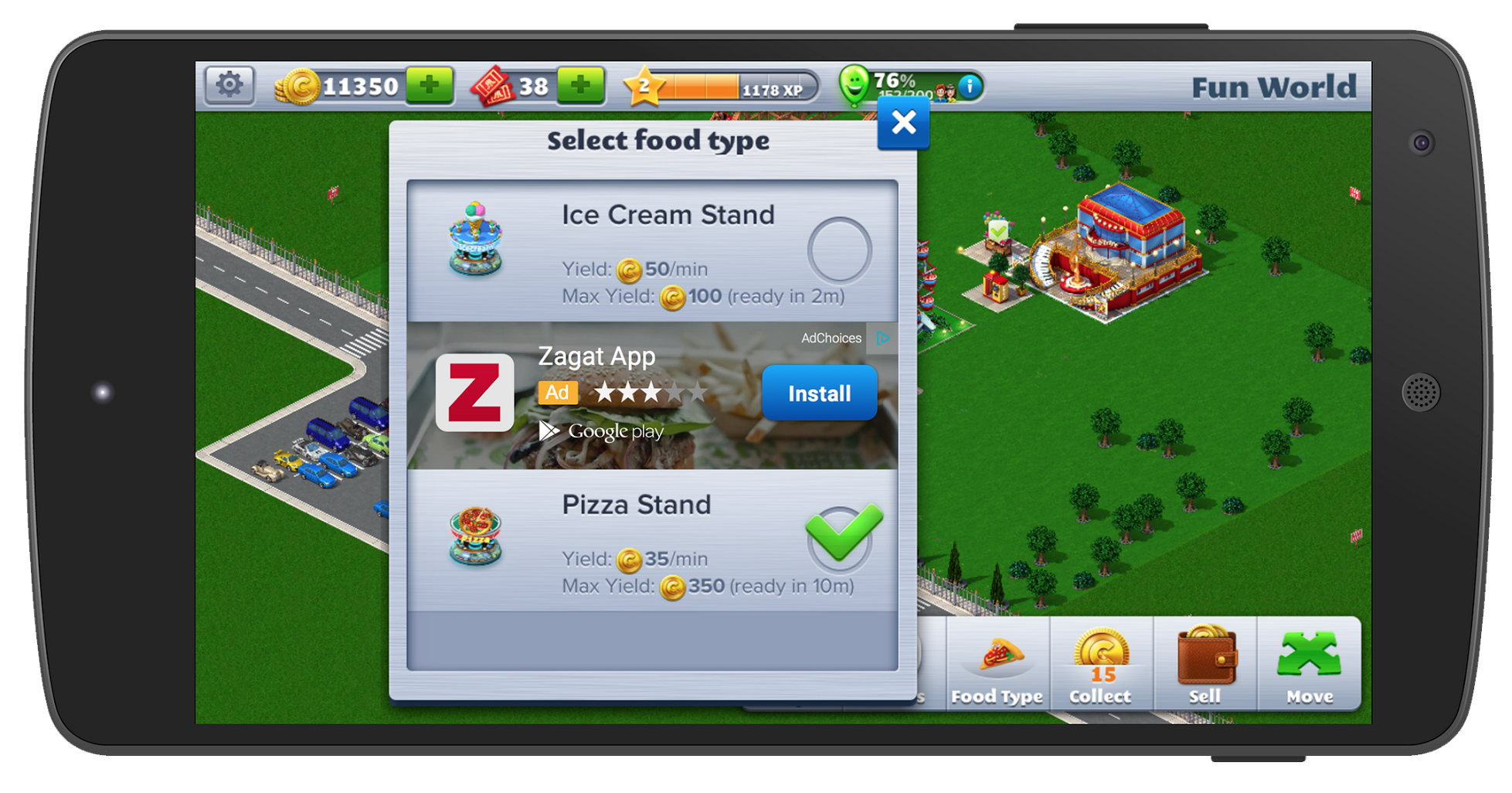
Here is an example of a native ad by Google’s service AdMob:

AdMob Native Ad via The Next Web

FEEDER APPS

Feeder apps are simple games with addicting gameplay which app developers utilize to spread brand awareness. Feeder apps often feature such simple gameplay, in-app purchases and ads would feel intrusive. Instead, push notifications and links in the main menu  redirect users to their company website or another one of their games in iTunes. Many mobile development companies develop a network of feeder apps as a part of their publication and monetization strategy.

By utilizing a well-integrated native ad for the company or the game the developer intends to monetize, developers can turn viral feeder apps into profits. This comprehensive article by Scientific Revenue offers a great example:

ZeptoLab cross-promotes their featured app King of Thieves through their feeder app Cut the Rope.

Succeeding in the world of mobile gaming requires the same intense flare for competition which fuels mobile gamers. Experienced game developers know the stakes and come out swinging, ready to capitalize on every strategy they can to create a revenue stream. With the right combination of smarts, app development, promotion and strategy, mobile game monetization can rake in the big bucks.

For help with your next monetization strategy, contact Mystic Media today by clicking here or by phone at 801.994.6815

Connect with Millennials Through Snapchat

Many questioned Snapchat’s staying power when the company launched in 2011, but unlike the ephemeral nature of the network’s content strategy, Snapchat has proven it’s here to stay. Statistics show Snapchat has over 100 million daily users that combined watch 7 billion videos per day and contribute 8,800 photos per second. In 5 short years, the company has evolved from fad to one of the fastest growing and most intriguing social media networks on the internet. In 2016, Snapchat is projecting $300-$350 million in revenue, over 600% growth from the company’s 2015 projection of $50 million.

Snapchat thrives on allowing users to focus on the moment rather than perfection. Users can send photos and videos which disappear after they have been viewed. They can also craft “Snap Stories” which remain up for 24 hours after they’ve been posted. Snap Stories created an avenue for major corporations to deliver content  to their followers. Media companies like Vice utilize Snap Stories to deliver the news to millennials, while retail companies like Grubhub have had major success creating promotions.

Here are some creative ways companies are utilizing Snapchat:

MARKETING PROMOTIONS

Since Snap Stories disappear after 24 hours, users are motivated to watch stories frequently or risk missing out on an awesome moment. As a company, offering exclusive discounts or deals through a Snap Story is the ultimate incentive to increase snap views. Grubhub gained acclaim for their #SnapHunt Scavenger Hunt, which awarded 10 winners $50 in free food for each challenge. The personal, one-to-one nature of Snapchat makes it ideal for marketing promotions, which in turn increases your daily views and following.

A LOOK BEHIND THE CURTAIN

Many companies utilize social media to take consumers behind the curtain of day-to-day  operations. The spontaneity of Snapchat provides the ultimate network for such interactions. Snap Stories don’t have to be perfect, they don’t have to be major, they can be casual. Some companies utilize Snapchat to broadcast live events. Small events like birthday parties and company outings can make for engaging content.

Musicians often utilize Snapchat to offer glimpses at their new music. Tommy Hilfiger and Michael Kors both have used Snapchat to preview their new lines.

BROADCAST MEDIA

TV Networks like CNN and Comedy Central utilize Snapchat to promote their shows with bite-sized snippets designed to tease the viewer. CNN targets younger audiences with news stories relevant to them through the Discover function. Coca-Cola realized their audience could detect advertising when the company repurposed their TV commercials for the network, at which point they began creating Snapchat-specific content. The change ultimately was received with a 54% increase in video completion rate.

MAXIMIZING INFLUENCER MARKETING

As any social media expert knows, influencer marketing is key to developing a following and gaining access to new audiences. Snapchat’s emphasis on shared, intimate experiences with the individual makes the format ideal for celebrities and other influencers. Social media stars and acclaimed artists like DJ Khaled can document their day-to-day lives, including the clothes they wear, the stores where they shop, and even bizarre instances of getting lost at sea on a WaveRunner. Celebrities use Snapchat to create a narrative of their daily lives, an unparalleled opportunity for companies to incorporate their product or service and acquire positive brand association.

In one of the best uses of influencer marketing, Ben Stiller & Owen Wilson reprised their roles as Derek Zoolander and Hansel during a Valentino show for Fashion Week in Paris.

While Snapchat provides a major opportunity to market promotions, sculpting public perception of your brand in Snapchat requires a large amount of content in order to compete and keep users satiated. Snapchat is still a burgeoning network with an unlimited amount of possibilities. For an amazing look at the potential future of Snapchat, check out this awesome article from TechCrunch.

Scopes: How Ubuntu Is Changing the OS Landscape by Eschewing Apps

In the world of operating systems, Android and Apple reign supreme. According to leading research firm Gartner, about 97% of new smartphones sold are either iPhone or Android devices. While Windows, Firefox OS, and Blackberry all attempted to take a seat at the OS table, no company has been able to top Android & iOS. With the landscape more fixed than ever, Ubuntu has entered the arena with a different strategy which may break through the noise and catch on.

Ubuntu managed to stir up publicity in 2013 when they launched the largest crowdfunding campaign of all time through IndieGoGo—and failed. They attempted to raise $32 million in one month, but only hit $12.8 million and received none of the funds. Regardless, the stunt captured the attention of many and helped make a name for the young company.

Ubuntu has made waves in the tech world with an innovative strategy which eschews traditional OS models. Instead of apps, Ubuntu uses Scopes. Scopes are home-screen dashboards which present content from various sources alongside each other on a page. For instance, the music Scope puts songs stored locally on the device side-by-side with Youtube, Apple Music, and other music library services. The video Scope allows users to search for a title and see where it is available for viewing rather than forcing the user to to search individual video streaming libraries like Netflix and Hulu. Instead of forcing the user to search for content within a specific app, Scopes present the content from all providers that have it available.

If apps are folders in a computer, Scopes allow the user to search through the entire local storage disk rather than have to check each individual folder. The philosophy is intended to provide a more intuitive user experience. When a user wants to find content or information, they care less about where it’s coming from than receiving the content with the highest quality attainable.

Check out this awesome video walkthrough of Scopes functionality to better understand how they work visually:

Scopes are easier and less time-consuming to design than native-apps. Scopes also appeal to mobile developers as they offer more discoverability for their companies than apps in the app store. The lack of division in presenting search results ensures the best content will rise to the top, rather than the most popular brand. Given the lower price of entry and the innovative approach, Ubuntu parent company Canonical has managed to bring name-brand content providers to build Scopes, including Twitter, Facebook, Amazon, Yelp, SoundCloud, and more. Communities are also developing Scopes for other apps, including Dropbox and Spotify, using their APIs.

Meizu launched the Meizu PRO 5 Ubuntu Edition in February 2016. They currently have four phones on the market, including BQ Aquarius E5 HD, and the previous versions of either device. Windows 10 with Ubuntu recently went into public preview. Going forward, Ubuntu must become available on enough devices to gain traction and popularity if they want to compete with Android & iOS. Given the amount of resources at their disposal and the clear innovation on display in Ubuntu’s philosophy, we wouldn’t be surprised if Apple or Android took a shot at figuring out a way of applying Scopes within their OS.

Mobile Website or Mobile App: What Should I Build?

Mobile commerce will reach approximately $142 billion in 2016 according to Mobile Commerce Daily. Promoting business through mobile platforms has become an essential part of many IT and marketing departments worldwide. Mobile phones allow businesses the opportunity to share information about their store, such as hours and nearest location, as well as offer exclusive deals through branded apps as well as third-party apps like Yelp & GroupOn.

The necessity of a mobile presence is evident. When developing for the mobile platform, one has the choice between building a mobile website or a mobile app as the avenue of preference. Obviously developing for both platforms is ideal, but it’s important to realize the strengths of each platform when developing a mobile strategy. Many businesses don’t take into account the importance of the mobile web when it comes to driving revenue.

If you read Cashing Out the Smartphone, you know that while 85% of time spent on mobile devices occurs in apps, 80% of that time is spent on the user’s top 3 apps, a web browser often being one of them. 82% of smartphone users reference their phones when deciding what to buy. When it comes to eCommerce, mobile websites drive twice as much traffic as mobile apps.

Thus, while mobile apps are more expansive, mobile websites are in many ways more important to retailers. Utilizing both in tandem and playing to each platform’s strengths will maximize mobile presence to bring in revenue. Here are the top factors to weigh when deciding between building a mobile website or a mobile app:

DISCOVERABILITY

Due to the omniscience of Google, mobile websites are much more discoverable than mobile apps. Although it is good to have a presence in the app stores, it’s often more important to be discoverable on the web since the web is where the majority of customers go to find information. Mobile websites share a common publication format, making them almost universally accessible across smart devices. As we detailed in our article on Responsive Design & SEO, optimizing a website for mobile is not only a vital SEO practice, it also lowers the price of keywords in Google Adwords.

IMMEDIACY

The immediacy of mobile websites make them an asset to companies looking to disperse information about their products. Mobile websites can be found from any smart device with a single Google search. Mobile websites are quick, easy to find, and direct to the point. Mobile apps, on the other hand, require the user to go to the app store, search, download the app, then often sign up for an account. The distance between initial engagement and action/conversion depletes the chances of a mobile app acquiring new customers without a clever strategy, while mobile websites are more likely to pique new customer interests.

Many retailers have turned to mobile apps to manage loyalty points and increase customer retention through exclusive discounts.

Here are some popular third-party apps for increasing customer loyalty:

Shopkick: Shopkick offers customers rewards the moment they walk into a store. It is the most-used US shopping app connecting shoppers to retailers.

Belly: Belly is a digital loyalty rewards program which serves over 12,000 businesses and has more than 6 million members across the US.

COMPLEXITY

While mobile websites are great for dispersing information, apps typically can do much more. Native apps are designed specifically for a device and OS, thus ensures maximum performance. With mobile commerce on the rise, apps can help make the check-out process seamless. The process of approval required by the app stores assures users that any given mobile apps will be safe and secure. The complexity of mobile apps also makes maintenance more expensive.

Mobile websites are easier and less-expensive to maintain since they have a common code across platforms. Developers can release and update without worrying about being approved by the app marketplace. Mobile websites can only utilize a limited scope of a given mobile device’s features, although mobile browsers are in the process of getting more powerful and enabling more power over the device.

COST

Mobile websites are less expensive to develop and maintain since they use common code across devices. While cross-platform app development tools ensure a cheaper way to make an app usable across Android, iOS, and other operating systems and devices, they also can dilute the functionality.

In our opinion, it’s often better to start with a mobile website which disperses necessary information and calls attention to the business before creating a mobile app to supplement with additional functionality.

Any given business or organization has unique needs which must be attended to when establishing a mobile presence. Experienced web and app developers should ask the questions which get to the root of what is needed and can design creative solutions which maximize functionality for any given platform in accordance with the project budget. Be it through a mobile website or a mobile app, the mobile platform allows for any number of possibilities which can make any business more efficient, attractive, and profitable.

Cashing Out the Smartphone: How Mobile Commerce Is Changing Retail

This week, we wrap up our five-part series on Top App Development Trends for 2016 with an article on mobile commerce! For a recap, take a moment to review our last four articles on cross-platform app development, cloud integration, mobile security and IoT.

Smartphones have brought about unparalleled convenience in our daily lives. We are constantly connected to our rolodex of contacts with a variety of methods of communication. We can access all the information available on the world wide web anytime. We can find the nearest store of choice anywhere we go. For businesses, the mobile platform represents not only a major avenue for advertising, but an opportunity to give customers the ultimate convenience when purchasing products.

According to Internet Retailer, mobile commerce represents 30% of all US e-commerce and rose by 38.7% from 2014 to 2015. According to The Mobile Playbook, the absence of a mobile presence is the financial equivalent of closing a store for one day a week. Suffice to say, mobile commerce is only on the rise in the coming years. Here are the top mobile commerce trends for 2016:

INTEGRATING PHYSICAL WITH DIGITAL

Although the digital world is virtually omnipresent in households, the appeal of immediately receiving one’s purchases remains attractive. Retailers are offering an increasing variety of online + in-store options. Apps like Curbside have partnered with Target & Kroger’s to enable customers to skip the line when picking up their purchases.

PERSONALIZED MOBILE PAYMENTS DRIVE LOYALTY

Although services such as Apple Pay and Android Pay were once hailed as the future, they have had a hard time receiving mass adoption. This hasn’t stopped the impact of the mobile wallet on commerce. Starbucks drives 16% of transactions through its mobile app. Walmart Pay arrived in December 2015, and now Target is next in line to develop their own payment app.

WEARABLES ON THE RISE

According to Arc, there will be a 61% growth in wearable ownership in 2016. App developers and retailers are still plotting on how to capitalize on wearables. Many anticipate a hands-free shopping experience in which one can simply walk out with their purchases and have automatic charges through wearable devices. Wearables represent a major avenue for retailers to create innovative strategies and dictate trends to come.

MOBILE WEB DRIVES PURCHASES

While about 85% of time spent on mobile devices occurs in apps, the mobile web has actually proven to be a more successful in driving website traffic. Consumers spend 80% of their app time on their top 3 apps. The mobile web drives twice the amount of site traffic than mobile apps. With 82% of smartphone users looking to their phones in stores when deciding what to buy, many anticipate the mobile web to surpass apps as the largest revenue driver in the next few years.

This concludes our five-part series on Top App Development Trends for 2016! Follow the Mystic Media Blog for more awesome articles on app development, website design, strategic marketing and more!

Safety First: Mobile Security Is More Than Worth the Investment

Having established the top mobile app trends for 2016 with our blog App to the Future, the Mystic Media blog is currently exploring each of the top trends in greater detail with a five-part series. This week, in Part 3 of our Top Mobile App Development Trends series, we will be examining security.

2015 saw several major data breaches, including 87 million patient records from Anthem and 21.5 million security clearance apps from the U.S. Office of Personnel Management. The European Union is currently crafting a General Data Protection Regulation designed to strengthen and unify data protection.

Gartner correctly predicted that over 75% of mobile applications would fail basic security tests in 2015. Many mobile companies are sacrificing security to attain quicker turn-around on smaller budgets, and the result has been disastrous for many. Even Apple hasn’t been safe from mobile app hacks.

Mobile application security is an integral part of the app development process worthy of the same level of attention as app creators give to design, marketing and functionality. With that in mind, here are some of the top app security trends for 2016:

DevOps Protocol on the Rise

In a recent RackSpace Survey of 700 IT manager and business leaders, 66% of respondents had implemented DevOps practices and 79% of those who had yet to implement DevOps planned to by the end of 2015.

DevOps is an approach to app development that emphasizes collaboration between software development, IT operations, security and quality assurance through all stages of the app development process under one automated umbrella. Utilizing a DevOps protocol improves app security by bringing the IT security team in at an early stage to guide the development process away from potential security threats. App Developers gravitate toward DevOps since it speeds up the time to market while increasing innovation. Like a conveyer belt, DevOps puts a system of checks and balances in place at all stages to ensure that the product will be sufficient for delivery.

By opening up the app development process, security team members can inject security into the code early in the development process and eliminate vulnerabilities before they become threats.

Security Risks In Wearable Tech

Wearable technology is on the rise not only in the marketplace, but as a major security vulnerability for businesses. With the technology in nascent stages, developers have been more concerned with creating a functional strategy for the wearable platform than they have been with improving security. Health and Fitness apps leave users the most vulnerable by constantly monitoring the user’s heartbeat, movement and location. With limited UI and an emphasis on usability, wearables severely lack in security features. App developers looking to create safe apps for this platform will have to innovate and dictate the trends in order to create apps that don’t put the user at risk.

IoT (Internet of Things) & BYOD (Bring-Your-Own-Device)

With the workplace increasingly becoming virtual, malicious hackers acting through the Internet of Things are targeting personal mobile devices in order to find vulnerabilities in businesses.

Bring-Your-Own-Device (BYOD) has increased in popularity in work cultures, each of which represents a potential vulnerability . Smartphone owners generally don’t invest in security on their personal devices with the same thoroughness as a business would when issuing work devices. Due to the boon of mobile work apps, many app developers are cutting corners to meet demand by sacrificing security in service of quicker turnover.

Wise and experienced app developers know you can’t put a price on safety, and they take the necessary precautions to protect the integrity of the app for its users and the app owner.

Major organizations must understand IoT and how it can improve or threaten their business through their employees’ mobile devices. By encouraging a culture of collaboration and welcoming unique expertise into the app development process at an early stage, DevOps practices help ingrain necessary knowledge about IoT and mobile security into organizations.

That’s it for app security! Be on the lookout for part 4 of our series on the top mobile app development trends for 2016 next week when we explore the Internet of Things.