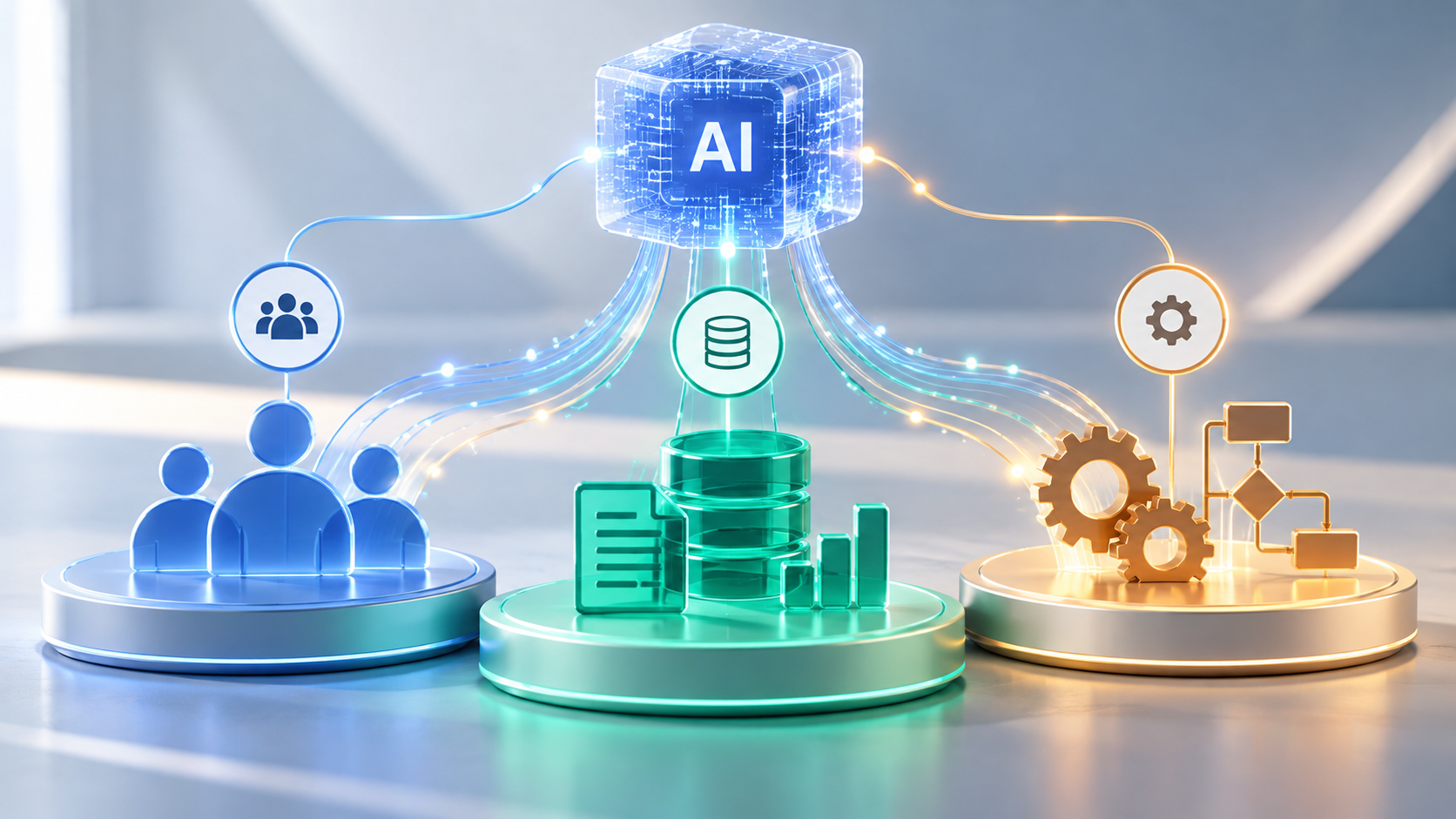

Enterprise AI Adoption Roadmap: Preparing Your Business for Agentic AI

AI Strategy

Introducing AI agents into an organization is not simply a software procurement decision. An agent that can retrieve information, make recommendations, and take actions may change who performs a task, who approves it, and how failures are detected. The real work begins before deployment: understanding existing processes, improving their design, and determining where autonomy is justified.

Microsoft’s 2025 Work Trend Index describes a progression from AI assistance to agents executing tasks under human direction and, eventually, more extensive process automation. It also emphasizes that organizations may occupy multiple stages at once. Businesses should treat this as a framework for planning, not a timetable they must follow. The following eight stages provide a practical path from initial evaluation to controlled deployment and long-term adoption.

1. Establish the Business Case Before Choosing Tools

Begin with a business outcome: shorter customer response times, faster processing of routine requests, fewer manual handoffs, or improved accuracy. Document the current process, its volume, cost, delays, and failure points. Without a baseline, teams may celebrate the number of tasks an agent completes without knowing whether the overall operation improved.

Separate opportunities that need content generation, conventional rules-based automation, and truly agentic decision-making. A predictable data transfer may be better handled by an existing integration. Agents make more sense when tasks involve varied inputs, contextual interpretation, or choosing among permitted actions. Use the least autonomy required to achieve the result.

2. Map the Workflow as It Actually Operates

AI Workflow

Process diagrams often show the intended sequence rather than the exceptions employees navigate every day. Interview the people doing the work and trace real examples from request to resolution. Identify the source of each input, the systems involved, handoffs, rework, approvals, and informal workarounds.

Pay particular attention to where human judgment adds value. A service team may apply a policy automatically to routine requests but escalate disputes or unusual account histories. Those exception paths are part of the workflow, not edge cases to discover after launch.

3. Redesign the Process Before Automating It

Automating a fragmented process can make its weaknesses move faster. Before adding agents, remove duplicate approvals, clarify ownership, standardize data fields, and eliminate steps that exist only because systems do not communicate. Define a clean handoff between people, software rules, and AI assistance.

Consider a purchasing department where employees receive requests by email, copy details into a spreadsheet, and enter approved purchases into an ERP system. Before introducing AI, the organization establishes one authoritative request record, standardized data fields, and clear approval thresholds. An authorized agent can then check incoming requests for missing details, consult purchasing policies, and prepare recommendations. Employees remain responsible for approving spending. Redesigning the process first removes avoidable handoffs and clarifies accountability before introducing autonomy.

This stage is often where the largest organizational questions emerge: Who owns an exception? What happens when an agent is uncertain? Which actions require approval? If those questions have no clear answers for employees, an automated system will not resolve them reliably.

4. Assess Data, Integration, and Security Readiness

Once a workflow is redesigned, the next question is whether the existing technical environment can support it reliably. Agents need dependable access to the information and systems necessary for their tasks. Review data quality, permissions, ownership, API availability, and whether business rules are documented. Evaluate how integrations behave when a service is unavailable, records conflict, or a request is retried. Systems that update operational data need safeguards against duplicate actions, traceable logs, and procedures for detecting and correcting failures. Inconsistent records or policies can undermine an otherwise capable model.

Treat access as a design decision. Start with read-only capabilities where possible, and grant write permissions only for explicitly approved operations. Use scoped credentials, logging, transaction limits, and confirmation before irreversible actions. The NIST AI Risk Management Framework provides a useful structure for considering governance, measurement, and risk management alongside deployment.

Also establish what information may be processed by external AI services, which tools employees may use, and how sensitive outputs are handled. An approved path for experimentation helps reduce the incentive for unmanaged shadow AI without assuming that policy alone prevents it.

5. Design Human Oversight Into the Workflow

Human Oversight in AI

The goal is not to remove people indiscriminately. Assign a business owner to each automated process and define the agent’s authority in operational terms: what it may read, draft, recommend, create, update, or send. For decisions involving payments, legal commitments, account access, or material customer impact, determine where a human checkpoint is required.

Oversight should be useful rather than ceremonial. Reviewers need the source information, the proposed action, reasons for escalation, and an easy way to reject or correct an output. Document who can disable the agent, how incidents are reported, and how a process returns to manual operation.

6. Pilot One Bounded Workflow and Measure Outcomes

Choose an initial workflow with sufficient volume to measure, manageable risk, clear data access, and an accountable team. Build a representative evaluation set that includes standard cases, incomplete information, conflicts, and failed integrations. Test the complete sequence of retrieval, reasoning, tool use, review, and downstream updates.

Before launching a pilot, establish measurable acceptance criteria and conditions that would prevent wider deployment. Measure completion rate, cycle time, error and escalation rates, reviewer effort, cost per completed task, and effects on customers or employees against the original baseline. For example, a customer-support workflow may need accurate policy interpretation, reliable escalation of unusual cases, and lower total resolution time. A solution that completes more requests but increases complaints or correction costs should not be considered successful.

Use gradual rollout with monitoring, permissions appropriate to each stage, and a rollback procedure. Where agents can change business records, confirm that failed operations can be detected and reconciled. Pilot success should mean the process operates reliably, not simply that the demonstration worked.

7. Prepare Teams for New Responsibilities

Employees need practical training in supervising AI-assisted work: verifying outputs, recognizing uncertain results, handling exceptions, and knowing when to bypass the system. Managers need to redesign performance expectations as responsibilities shift from producing routine work toward checking outcomes and resolving complex cases.

Invite employees into workflow design rather than announcing a finished tool. They often know the undocumented rules, customer sensitivities, and failure conditions that a project team misses. Give teams a channel to report problems and propose improvements. Adoption depends on trust that concerns will lead to visible corrections.

8. Scale Through Reusable Standards, Not Isolated Experiments

After a successful pilot, document its integrations, evaluation tests, access controls, failure procedures, operating costs, and owner. Create reusable standards for new workflows, including approval thresholds and change management. Reassess controls whenever an agent receives a new capability or permission.

Expand to adjacent processes only when data quality, integration reliability, and support capacity can sustain the workload. Not every department requires the same model, tool, or degree of autonomy. A portfolio of narrowly scoped assistants and agents may be safer and easier to maintain than one system expected to manage everything.

Build an Adoption Roadmap Around Operational Readiness

A roadmap becomes actionable when each phase produces a clear deliverable. The following checklist summarizes the evidence teams should have before expanding the scope of automation.

Roadmap stage Expected deliverable
1. Business case Defined objective and baseline metrics
2. Workflow mapping Documented handoffs, exceptions, dependencies
3. Process redesign Simplified workflow and clear ownership
4. Readiness assessment Data and security readiness
5. Human oversight Approvals, escalation, ownership
6. Pilot and measurement Evaluation results against acceptance criteria
7. Employee preparation Training plan and feedback process
8. Responsible scaling Reusable operating standards

Successful enterprise AI adoption depends on redesigned workflows, clear accountability, and evidence of operational value. The goal is a dependable operating model in which employees, conventional software, and AI systems each handle the work they are best equipped to perform.

Related reading: Which AI Software Is Right for Your Business? An In-Depth Look

AI in Software Development: Planning to Production

AI-assisted development is often reduced to code generation. Its more consequential effect is how engineering teams move information and decisions through the entire software development lifecycle (SDLC). Requirements become test cases, prototypes inform architecture, code changes trigger reviews, and operational feedback shapes the next release. AI can assist at every handoff—but only when teams retain clear ownership of the decisions.

Google’s 2025 DORA research describes AI as an amplifier of organizational strengths and weaknesses. That is a useful lens: accelerating one stage of development does not automatically produce better software or faster, safer releases. The opportunity lies in connecting AI-assisted work to a disciplined delivery process.

1. Discovery and Requirements: Turning Ambiguity into a Plan

Software projects routinely begin with incomplete requests, competing priorities, and undocumented assumptions. AI can help analyze stakeholder notes, summarize interviews, group feature requests, draft user stories, and identify requirements that need clarification. For an existing application, it may also help teams understand documentation and trace likely dependencies.

The meaningful deliverable is not a polished requirements document produced in seconds. It is a set of decisions that stakeholders can validate: intended users, acceptance criteria, business rules, integrations, accessibility needs, and constraints. Have product owners confirm those decisions before they become implementation instructions.

2. Prototyping and UX: Exploring Alternatives Earlier

UX Design

AI can accelerate early experiments by generating interface concepts, sample content, interaction flows, and disposable prototypes. That shortens the distance between a verbal idea and something stakeholders can inspect. It also makes comparing multiple approaches less expensive than committing immediately to one design.

A prototype, however, does not establish production readiness. Generated interfaces still need research with actual users, accessibility checks, responsive behavior, and validation against real workflows. Teams should label experimental code clearly so a quick demonstration is not silently promoted into a maintained product.

3. Architecture and Technical Planning: Testing the Design Before Building

AI assistants can help engineers compare architecture options, outline service boundaries, document API contracts, surface migration questions, and explore the operational implications of a design. Used effectively, AI-assisted planning can reveal architectural trade-offs earlier in the development process: centralized versus distributed components, managed services versus custom infrastructure, or synchronous versus event-driven integrations.

The architect still needs to evaluate scalability, security boundaries, data ownership, cost, maintainability, and team expertise. A convincing AI-generated diagram cannot verify that an architecture fits a company’s legacy systems. Treat the output as a set of alternatives and questions for technical review, not an approval authority.

4. Implementation: Coding With Context and Constraints

In development environments, AI can suggest functions, explain unfamiliar code, generate boilerplate, propose refactors, and help developers navigate large repositories. Agentic tools can sometimes work across multiple files and prepare changes for review. GitHub documents AI assistance across planning, coding, review, testing, and shipping workflows, illustrating that the tool’s role now extends beyond autocomplete.

Coding assistants are more useful when teams maintain clear project documentation, repository-specific instructions, consistent coding standards, and reliable automated tests. Ask for small, reviewable changes linked to approved requirements and verify them against existing interfaces. Keep the connection between requirements, implementation changes, and corresponding tests traceable throughout review. Keep changes in version control, inspect dependencies, and apply the same engineering standards regardless of who—or what—drafted the code.

5. Testing and Quality Assurance: Expanding Coverage, Not Lowering Standards

AI can propose unit tests, identify untested paths, generate representative test data, and help translate acceptance criteria into automated checks. During review, it can flag suspicious changes or explain why a failure may have occurred. GitHub’s Copilot documentation, for example, describes AI-generated pull-request review suggestions.

But test generation is not the same as test adequacy. A system may generate tests that merely confirm its own incorrect assumptions. Engineers still need independent expectations, meaningful integration tests, security scanning, performance testing, and human judgment for high-risk functionality. The strongest workflow uses AI to broaden the search for defects while maintaining objective pass/fail gates.

6. Deployment and Release: Connecting Changes to Operational Evidence

AI can assist with deployment manifests, infrastructure templates, release notes, runbook drafts, and explanations of failing CI/CD pipelines. It can also summarize changes across pull requests so release managers understand what is moving into production.

Production changes should still pass controlled build pipelines, automated checks, approval gates, and rollback planning. Credentials and infrastructure access require explicit limits. An AI assistant may recommend a deployment action; that is different from granting it unrestricted authority to execute one. Rehearsing failures and validating recovery paths are more valuable than accelerating a release that cannot be safely reversed.

7. Maintenance and Modernization: Learning From Software in Use

After launch, AI can help triage incident reports, cluster recurring support issues, summarize logs, locate likely fault paths, and draft documentation. It can also support legacy modernization by explaining old components, mapping dependencies, and suggesting incremental refactors.

Here, context quality matters especially. A diagnosis based on incomplete telemetry or outdated documentation may send developers in the wrong direction. Correlate AI suggestions with observability data, reproducible defects, and actual user impact. Prefer incremental changes supported by regression tests over wholesale rewrites generated from partial understanding.

An End-to-End Example: Developing an Enterprise Customer Portal

AI Enterprise Workflow

The value of AI across the SDLC becomes clearer when these applications are considered as parts of a single project. Consider a team building a customer portal that connects to an existing enterprise platform. During discovery, AI can organize stakeholder interviews into candidate requirements and flag unclear acceptance criteria. Designers can use the approved requirements to explore interface concepts while engineers assess authentication, data access, and integration choices. Coding assistants can then help implement small, reviewable features and suggest tests tied to the requirements. After release, AI can help analyze support tickets and performance logs to identify improvements for later iterations. Product owners, designers, engineers, and release managers remain accountable for validating outputs and approving decisions throughout.

SDLC stage AI assistance Human responsibility
Discovery Requirements analysis, user stories Validate business requirements
Prototyping and UX Interface ideas and prototypes Test usability and accessibility
Architecture Compare designs and integrations Approve technical decisions
Implementation Code suggestions and refactoring Review code and dependencies
Testing Test ideas and defect analysis Verify coverage and quality
Deployment Release notes and CI/CD support Authorize and monitor release
Maintenance Incident triage and legacy analysis Validate fixes and improvements

Making AI Useful Across the Entire Lifecycle

A fragmented rollout can make one developer faster while creating more downstream review, integration, and maintenance work. A feature drafted in half the usual time can still slow delivery if it introduces defects, requires extensive review, or breaks an integration. DORA’s 2025 findings emphasize that gains depend on the surrounding organizational system, including strong engineering practices and feedback loops. Measure dependable software delivery, not simply the quantity of generated code.

Start with a few high-friction tasks, such as requirements clarification, test design, or incident triage. Establish approved tools, repository access rules, review responsibilities, and quality gates. Then measure end-to-end results: lead time, rework, escaped defects, deployment stability, and time spent on meaningful engineering work. Compare those results with a baseline rather than relying only on self-reported productivity.

The most durable use of AI is as a continuous engineering assistant, not a replacement for product judgment or technical accountability. The greatest value comes from connecting AI-assisted planning, development, testing, and operations into a reliable, continuously improving software delivery process.

Key Benefits of Generative AI in Business

Generative AI for BusinessGenerative AI has moved beyond experimentation. Businesses are using it to draft materials, interpret information, accelerate development, and make specialized knowledge easier to access. The challenge is no longer finding something AI can do. It is identifying work where AI makes a measurable difference.

A useful AI strategy starts with the work itself: who performs it, what slows it down, what quality standards matter, and what happens when the output is wrong. Without that discipline, organizations risk accumulating tools and demonstrations that never become dependable parts of daily operations.

Where Generative AI Fits into Business Operations

Generative AI is particularly suited to information-heavy work involving drafting, summarizing, classification, translation, analysis, and code generation. These activities appear across departments, but the best implementations address a specific workflow rather than applying the same assistant to every task.

Marketing and Communications

Marketing teams can develop early campaign concepts, adapt copy for different channels, analyze customer feedback, and prepare content briefs. AI is most useful here as an accelerator of research and production, not an independent source of brand strategy. Human review remains essential for originality, accuracy, claims, and tone.

Customer Support and Internal Knowledge

Support representatives can use AI to find relevant knowledge-base material, summarize long conversations, and draft responses. For example, a software support team could connect an assistant to an approved knowledge base so it can retrieve troubleshooting steps and prepare responses for employees to verify before sending. Other departments can similarly use AI to search policies, manuals, and project documentation. In every case, the benefit depends on current, accessible information and clear links to trustworthy sources.

Software Development and Product Teams

Developers can generate initial code, documentation, test suggestions, and explanations of existing systems. Product teams can organize requirements and explore prototype concepts. These tools can reduce repetitive work, but architectural design, code reviews, security, and release decisions remain engineering responsibilities.

Research, Finance, and Administration

AI can summarize lengthy reports, compare supplied documents, help organize meeting notes, and prepare preliminary analyses. In financial and operational work, generated explanations should be checked against authoritative records. A fluent summary is not evidence that the underlying numbers or conclusions are correct.

The Benefits That Matter Most

Gen AI Benefits

Speed is an obvious attraction, but speed alone is a weak success metric. If a draft takes five minutes to generate and thirty minutes to correct, the business case changes. The useful measure is the effort required to produce an acceptable final result—and whether that improvement reduces delays across the complete workflow. Faster drafting creates little value when downstream approvals remain the bottleneck.

There is evidence of meaningful gains in certain environments. A study by Erik Brynjolfsson, Danielle Li, and Lindsey Raymond examined a generative AI assistant introduced to customer support agents. The researchers reported an average productivity increase of about 14%, measured by issues resolved per hour, with larger gains among less experienced workers. That finding is specific to the studied workplace and should not be treated as a universal productivity forecast.

Generative AI may also help organizations make expertise more accessible. A new employee can obtain explanations of unfamiliar procedures, while an experienced specialist can spend less time producing routine documentation. These benefits are strongest when the system draws on accurate information and employees know when to challenge its output.

Another opportunity is consistency. Shared templates and approved reference materials can help teams maintain terminology, documentation standards, and communication practices. But consistency should not be confused with correctness: a system can repeat the same mistake reliably.

Where Generative AI Falls Short

Generative models can produce confident but incorrect claims, invented references, incomplete analysis, and code with subtle defects. Their outputs may vary with prompting, context, and model changes. These limitations matter most when the resulting content informs financial, legal, technical, or customer-facing decisions.

Data handling deserves equal attention. Employees may enter confidential documents, customer records, or proprietary code into tools without understanding retention, access, or contractual controls. Organizations need approved environments, clear usage rules, and appropriate data restrictions before sensitive workflows are introduced.

The NIST Generative AI Profile identifies risks including confabulation, privacy issues, and other potential harms. Those categories provide a useful basis for evaluating where verification, access controls, documentation, and human oversight are required.

How to Identify High-Value Opportunities

The strongest starting points are often frequent, time-consuming tasks with clear quality criteria and manageable consequences when AI makes an error. Examples include preparing internal summaries, organizing research, creating first drafts, or assisting with noncritical documentation.

Rather than asking each department to suggest AI ideas, map one existing process from input to approved output. Record how long it takes, where handoffs occur, what information is needed, and how errors are caught. This exposes the difference between a task that feels repetitive and one that can safely be improved with AI.

Then distinguish three options. A standalone assistant may suffice when employees need occasional help drafting or summarizing. AI embedded in an existing business application fits recurring work already managed there. A custom system is more appropriate when tasks depend on proprietary data, specialized workflows, or controls unavailable in standard tools. The added flexibility also brings maintenance, integration, and security obligations.

Implementation: People, Data, and Process

AI for People, Data, and Processes

Start with a bounded pilot that has a responsible owner, a documented use case, and a clear definition of success. Select representative examples, including difficult cases, rather than evaluating the tool only on ideal inputs. Establish what employees should verify and when they should stop using an output.

Next, decide which information the system may access. Public material may need little additional integration, while internal knowledge may require retrieval-augmented generation (RAG). This approach retrieves relevant documents and supplies them as context to the language model rather than relying solely on its training. Effective RAG still depends on accurate sources, reliable retrieval, permission-aware access, and testing. Information access should reflect actual business needs rather than being granted by default. In practice, dependable source data, integration design, and validation can matter more to an application’s usefulness than the model’s standalone capabilities.

Employee training is part of implementation, not an optional follow-up. Teams need to recognize unsupported assertions, protect confidential information, review outputs, and report recurring errors. Managers should also make the purpose of the tool clear: which work it should improve and which decisions still belong to people.

Finally, choose the simplest technical approach that meets the requirement. A supported business application may be sufficient for document drafting. A specialized internal knowledge assistant may require integrations. A custom solution makes sense when workflows, data controls, or user experience cannot be accommodated effectively by existing tools.

Measure Results Before Scaling

Compare pilot outcomes against a baseline established before deployment. Useful measures include end-to-end task time, accepted-output rate, correction effort, error frequency, user adoption, and total operating cost. For example, a team might compare the time required to draft, verify, and approve technical reports before and after introducing AI. Faster drafts deliver little value if corrections consume the time saved. For customer-facing applications, monitor service quality rather than assuming faster responses automatically mean better experiences.

Include the hidden costs: subscriptions or usage fees, integration work, training, security review, monitoring, and ongoing changes. A pilot that saves time for one employee may still be uneconomical if the wider process requires extensive review or frequent troubleshooting.

Expand only after the results justify it. Successful examples can become repeatable workflows with documentation, ownership, and periodic evaluation. Failed pilots are still useful when they reveal poor source data, unclear requirements, or work that should remain primarily human-led.

Building a Sustainable Generative AI Strategy

A sustainable strategy requires ongoing reassessment, not just a successful initial deployment. Model capabilities and costs change, business information becomes outdated, and workflows evolve. Teams need clear ownership and periodic reviews of quality, access, and operational impact.

Generative AI is a capability within business operations, not a strategy by itself. Its long-term value depends on adapting the technology and surrounding processes as the business changes.

Find the Best LLM for Your Business

Comparing Gen AI Models

A model can impress in a demonstration and still be wrong for production. Businesses need to weigh answer quality against latency, cost, deployment constraints, and the consequences of errors. For this reason, the most useful comparison is not a universal ranking; it is an assessment of which model fits a specific workflow.

This guide compares five leading model families—OpenAI GPT, Anthropic Claude, Google Gemini, Meta Llama, and Mistral—and explains where each deserves consideration. Their offerings change quickly, so these are capability and deployment comparisons, not verified head-to-head rankings.

Leading LLMs for Business Applications

Most managed AI APIs charge for tokens, the units of text a model processes or generates. Input tokens represent instructions and supplied context; output tokens represent the model’s response. Actual costs depend on request volume, model tier, caching, tool calls, and other provider-specific charges. Prices below are illustrative standard rates; therefore, verify current pricing and terms before deployment.

OpenAI GPT Models

OpenAI Logo

Strengths: OpenAI offers a broad model range, from lower-cost GPT-6 Luna for high-volume tasks to GPT-6.1 Sol and more capable models for complex work. Its developer platform supports structured outputs, function calling, and application integrations. The range makes it useful when one product needs different model tiers for different tasks.

Limitations: Choosing the most capable tier for every request can raise costs and introduce unnecessary latency. Additionally, access, tool compatibility, and processing behavior vary by model and API configuration.

Best fit: Custom applications combining reasoning, coding, and tool use. Compare premium and lower-cost tiers.

Pricing: OpenAI charges separately for input and output tokens. As an example, its standard short-context GPT-6.1 Sol rate is listed at $2 per million input tokens and $10 per million output tokens; the smaller GPT-6 Luna tier is $0.10 and $0.50, respectively. Higher-capability models, long context, and specialized processing can cost more.

Anthropic Claude Models

Claude Logo

Strengths: Claude’s differentiated Opus, Sonnet, and Haiku tiers let businesses test advanced coding and multistep agent workflows against faster, lower-cost alternatives. Its tool-use capabilities make it worth evaluating for repository-aware development and document-heavy workflows requiring multiple steps and checks.

Limitations: More computationally intensive configurations can be slower and more expensive than necessary for routine classification or extraction. Capabilities and prices vary substantially across tiers.

Best fit: Repository-aware coding, document analysis, and multistep workflows. Evaluate the appropriate Claude tier for each task.

Pricing: Anthropic’s published standard API rates illustrate the tier spread: Claude Opus 5.5 is $4 per million input tokens and $20 per million output tokens; Sonnet 5.5 is $2 and $10; Haiku 5.5 starts at $0.10 and $0.50 for prompts up to 100,000 tokens. Longer Haiku prompts and certain routing options cost more.

Google Gemini Models

Gemini Logo

Strengths: Gemini’s multimodal options allow supported models to interpret text alongside images, audio, or video. This matters for workflows involving visual documents, recorded interactions, or mixed media rather than text alone. Its long-context and Flash tiers offer additional options for balancing capability, speed, and cost.

Limitations: Modality support, tools, context limits, and costs depend on the chosen model and endpoint. Furthermore, a large advertised context window does not guarantee accurate recall of every detail in a long document.

Best fit: Multimodal and long-document workflows. Test retrieval quality and response time with your own materials.

Pricing: Google’s standard Gemini 3.1 Pro Preview pricing is $2 per million input tokens and $12 per million output tokens for prompts up to 200,000 tokens, rising to $4 and $18 for longer prompts. Lower-cost Flash tiers are available; caching, grounding, and other features can add charges.

Meta Llama Models

Llama Logo

Strengths: Meta’s Llama models offer downloadable weights and deployment through self-managed or third-party infrastructure. This provides an alternative to relying entirely on a proprietary hosted API and can support environment-specific customization when the license permits it.

Limitations: Hosting requires compute capacity, operational monitoring, security maintenance, and performance engineering. Importantly, Llama models are subject to their applicable community licenses; downloadable weights do not mean unrestricted open-source use.

Best fit: Organizations needing hosting control and equipped to manage model operations. Compare infrastructure costs against managed APIs.

Pricing: Downloading weights does not create a per-token API charge from Meta, but neither does it make inference free. Budget for GPUs or hosted infrastructure, capacity during idle periods, engineering time, monitoring, and support. Alternatively, a third-party Llama API may instead charge its own usage rates.

Mistral AI Models

MistralStrengths: Mistral combines managed APIs with selected open-weight models and specialized offerings. Unlike a purely self-hosted approach, organizations can compare a managed integration against deploying a licensed model themselves. Model-specific licenses and infrastructure demands remain central to the choice.

Limitations: Features, hardware needs, and licensing vary by specific model. Some open-model licenses have additional conditions, so businesses must review the relevant model card rather than applying one assumption to the entire family.

Best fit: Organizations weighing managed APIs against open-weight deployments. Compare hosting requirements, licenses, and operating costs.

Pricing: Mistral Large 3 is listed at $0.50 per million input tokens and $1.50 per million output tokens on its standard API tier. Mistral Large 4, released in public preview, has separate pricing that should be checked against its model page before use. It also describes a 50% discount for batch processing and potential cached-input savings. Self-hosted deployments carry infrastructure and licensing costs instead of a single universal token rate.

A Practical Comparison at a Glance

Model family Primary advantage Deployment / trade-off
OpenAI GPT Broad model tiers and developer integrations Hosted API; select tier by cost and latency
Anthropic Claude Coding and multistep agentic workflows Hosted API/cloud partners; tier trade-offs
Google Gemini Image, audio, video and document workflows Hosted API/cloud; verify modality support
Meta Llama Downloadable weights and hosting control Self-hosted/third party; infrastructure and license
Mistral Managed services plus open-weight alternatives Hosted/self-hosted; check model-specific terms

These are starting points, not rankings. Test models against your own business tasks.

Key Considerations Beyond Model Performance

Evaluate response time under realistic traffic, not just a single successful call. Measure both first-response latency and total completion time. Estimate total spend using input and output tokens, retries, caching, tool calls, and expected request volumes. Current pricing should come from each provider’s official documentation: OpenAI, Anthropic, and Google publish different rates by model or processing tier.

Security requires a separate review. Check retention and training-use terms, data location, access controls, auditability, and whether the intended deployment satisfies contractual obligations. Hosted APIs reduce infrastructure work but add provider dependency. Self-hosting increases control while shifting maintenance and security responsibilities to your team.

Also test integrations: structured outputs, tool calling, monitoring, model versioning, and compatibility with existing software. Standalone performance does not guarantee production suitability. Choosing a model is only part of developing a reliable product. A smaller model backed by accurate retrieval, validated business data, and effective error handling may deliver better end-to-end results than a more capable model working with incomplete information. Teams must also design integrations and monitoring as requirements evolve.

How to Choose the Right LLM for Your Business

Consider a company developing an AI assistant to analyze internal documents and answer employee questions. One candidate might provide more accurate responses but take longer to process requests; another might offer acceptable results at a substantially lower cost. Testing both on the same documents and questions allows the team to compare answer quality, response time, reviewer effort, and operating costs before making a selection.

Build a test set from real tasks: typical requests, difficult exceptions, ambiguous inputs, and cases where the correct answer is to request clarification. Give each candidate the same relevant business context and judge answers against defined requirements. For coding, run tests and inspect security as well as readability. For document work, verify statements against the underlying sources.

Score quality, reviewer effort, latency, production cost, and policy compliance. Weight the criteria according to the application: a regulated document assistant may prioritize traceability and security, while high-volume routing may favor speed and consistent formatting. Establish non-negotiable minimums so a low price cannot offset a critical failure.

Pilot the strongest candidates in a controlled workflow before rollout. Where tasks vary widely, routing routine requests to lower-cost models and complex requests to more capable ones may improve economics, provided the additional orchestration is maintainable.

Plan for Model Changes

Model capabilities, prices, and availability evolve. Avoid making the entire application dependent on one vendor-specific behavior. Maintain regression tests, track model versions, and reassess results when requirements change. A fallback provider or model may be worthwhile for workflows where interruption is costly.

The right LLM is the one that completes your business task reliably within practical limits—not the one with the most recognizable brand or the highest public benchmark score. By evaluating models against real business needs and building applications that can adapt as technology evolves, organizations can make better AI investments without depending on a single model or provider.

Generative AI vs. Agentic AI: Understanding the Differences

Futuristic AI Creative Workflow Nexus

Generative AI is changing how businesses create content, analyze information, and develop software. Agentic AI extends those capabilities into workflows that can retrieve information, use tools, and take authorized actions toward a defined goal. This creates opportunities for businesses to automate complex processes, reduce manual work, and improve operational efficiency.

For businesses evaluating AI investments, the important question is not which technology sounds more advanced. It is whether employees need better information, automated execution, or a combination of both. Understanding that difference helps organizations avoid unnecessary integrations and identify where AI can produce measurable results.

Generative AI vs. Agentic AI: What Changes?

Gen AI vs. Agentic AI

Generative AI is primarily concerned with producing or transforming information: drafting documents, generating code, summarizing research, or analyzing supplied material. An employee usually directs the interaction and decides how to use the result.

Agentic AI is organized around an objective. An agent may break a request into steps, select tools, retrieve information, perform authorized actions, assess the outcome, and adjust its next step. It can coordinate a process rather than simply prepare material for someone else to use.

Generative AI and agentic AI are not entirely separate technologies. Many AI agents use generative models to interpret instructions, analyze results, and decide what step to take next. Conversely, a generative AI application with tool access may behave like an agent. The more useful distinction is what the overall system is designed and authorized to accomplish.

Generative AI vs. Agentic AI at a Glance

Capability Generative AI Agentic AI
Primary purpose Create and analyze information Complete goals through actions
Interaction Responds to prompts and requests Can plan and execute multiple steps
Tool usage May use connected tools Uses tools within coordinated workflows
Human role Reviews and applies outputs Supervises, approves, handles exceptions
Typical uses Writing, research, coding assistance Support, reporting, operational processes

How Agentic AI Works in Practice

Consider a sales director asking why a product line underperformed last quarter. A generative AI assistant could interpret figures supplied by the director and draft a report. An appropriately configured agent could take the broader goal, obtain sales records, compare inventory and pricing changes, investigate anomalies, and assemble evidence-backed findings.

The hardest part of deploying an agent is often not generating a plausible response but connecting it to accurate business data, reliable integrations, and accountable decisions. Building an effective AI agent therefore involves more than connecting a language model to business software. Several components need to work together:

  • Planning and orchestration: Decide which steps and tools to use, track progress, and handle unexpected results.
  • Integrations: Connect to approved systems such as CRMs, ERPs, databases, and reporting platforms.
  • Context and business rules: Understand relevant definitions, permissions, policies, and relationships between company data.
  • Evaluation and escalation: Check outcomes, detect uncertainty, and request human review when appropriate.

AI agents can operate through a repeating cycle of planning, executing actions, evaluating results, and adjusting their approach based on new information. For example, an agent might identify falling sales but recommend the wrong response if it confuses stock on hand with inventory already reserved for orders. Mapping business definitions and validating results are therefore essential parts of engineering reliable workflows.

Where Generative AI Delivers Business Value

Generative AI works well when employees need faster ways to produce, interpret, or refine information. Common applications include first drafts of communications, document summaries, research assistance, technical documentation, design concepts, and software development support.

In software engineering, AI assistants can suggest functions, explain unfamiliar code, propose tests, and help developers explore implementation options. These contributions can speed up portions of the work, but they do not replace architectural judgment, security reviews, or systematic testing. Code that appears convincing can still contain defects or fail to meet business requirements.

Generative AI also tends to be a practical starting point for organizations that want employee assistance without granting an AI system permission to make changes across operational tools. Its value can be substantial even when a person remains responsible for every final action.

Where Agentic AI Changes Business Operations

Agentic AI for Business Operations

Agentic AI becomes relevant when work requires several dependent decisions across software systems. The biggest opportunity is often the handoff between tasks: retrieving data, identifying exceptions, routing approvals, and keeping records consistent. Those handoffs should be measured before they are automated.

Customer Service

Consider an online retailer handling hundreds of inquiries about delayed shipments. With generative AI, a service representative could supply order details and request a draft response. An authorized AI agent could go further: retrieve the order, check shipment tracking, compare the delivery address, consult replacement policies, and prepare the next action. Under carefully defined rules, it might complete a routine update automatically while sending disputed transactions, refunds, or costly replacements to an employee for approval. This is an illustrative workflow, not a claim that an off-the-shelf agent can perform every step.

Sales and Operations

An agent might assemble account history, identify follow-up opportunities, and prepare CRM updates. Another could investigate inventory shortages by checking warehouse quantities, open purchase orders, and historical demand. Success depends on consistent business definitions and reliable connections to live systems.

Reporting and Internal Support

Agents can be designed to pull information from separate tools, reconcile discrepancies, produce management reports, or guide approved IT troubleshooting procedures. In more complex processes, several specialized agents may divide the work. Multi-agent architectures are useful in some cases, but introduce additional coordination, latency, and operating costs.

When Should a Business Use Agentic AI Instead of Generative AI?

Start with the workflow, not the technology. If employees need help writing, researching, analyzing, or coding, a generative AI assistant may solve the problem with fewer moving parts. If a process requires retrieving data, choosing among actions, and updating connected systems, an agentic approach may be worth evaluating.

A practical assessment should address four questions:

  • What outcome matters? Define a measurable result, such as faster case resolution or fewer manual handoffs.
  • What information is required? Identify source systems, data quality issues, and business definitions the system must understand.
  • What actions are permitted? Set access rights, approval checkpoints, and escalation rules before deployment.
  • What happens when it fails? Plan for inaccurate outputs, unavailable systems, unexpected inputs, monitoring, and recovery.

Not every process needs an autonomous agent. Predictable tasks often belong in conventional automation, with AI reserved for interpreting ambiguous inputs or investigating exceptions. Repeated model calls, API requests, and result checks can make an agent slower and more expensive than a simpler workflow. Design for the least autonomy that achieves the desired result.

Reliability, Security, and Human Oversight

Greater autonomy increases the consequences of poorly designed integrations. A generated paragraph can be corrected before publication; an unauthorized change to customer records or a mistaken financial transaction can have immediate operational effects.

Production systems need scoped permissions, reliable data, audit logs, testing, monitoring, and clear ownership. Human approval is often appropriate for high-impact actions, while lower-risk tasks can operate within predefined rules. The NIST AI Risk Management Framework offers a useful foundation for evaluating reliability, security, and accountability.

Teams should also evaluate agent performance after deployment. Accuracy, task-completion rates, intervention frequency, operating cost, and user experience can reveal whether automation is producing meaningful benefits or simply moving work into a different system.

The Direction of Business AI

Generative and agentic capabilities will increasingly appear together inside business applications. Employees may request an analysis, review an agent’s proposed plan, authorize selected actions, and receive a report showing what was completed. The division of labor will depend on the risks and complexity of each process.

Businesses should judge AI by completed work, error rates, and the cost of human intervention—not by the number of decisions an agent makes independently. A narrowly scoped agent that reliably resolves routine cases may create more value than an ambitious system that frequently needs correction.

Choosing AI That Delivers Business Value

The decision should begin with a specific business outcome. Identify the information employees need, the actions a system may safely take, and the evidence required to judge its performance. A successful implementation reliably improves the workflow, with clear ownership of the results.

Mystic Media is a Summer 2026 Clutch Global Award Winner!

We’re proud to announce that Mystic Media has been named a Summer 2026 Clutch Global Award winner for API Development, placing us among the top 15 providers worldwide in our category on Clutch. This recognition reflects the quality of the solutions we build and the trust our clients place in us.

What are the Clutch Global Awards?

Clutch powers how businesses discover, evaluate, and hire the right B2B service partners. The Clutch Global Awards honor the very best firms based on verified client reviews, market presence, and demonstrated expertise. This summer, only the top 15 companies in each IT and development category earned this distinction, making it one of the most selective recognitions in the industry.

“The pace of innovation in IT and software development continues to accelerate, and these firms are setting the standard through the results they deliver for clients,” said Mike Beares, Founder and CEO of Clutch. “A Clutch Global Award is earned through exceptional service and the voices of real customers.”

Built on Real Client Feedback

The Clutch Global Awards are rooted in verified client reviews, not self-nominations or popularity. This recognition reflects the confidence our clients place in us and the outcomes we achieve together. Every review on our Clutch profile represents a genuine partnership and a successful engagement.

Mystic Media is an AI‑accelerated software partner for teams that need to move fast without compromising reliability. We combine human expertise with modern tooling, code copilots, automated testing, CI/CD, and observability, to double throughput on scoped tasks while maintaining review gates and security.

Thank you to our team and our clients for making this achievement possible. Our success is built on your trust, collaboration, and shared commitment to excellence.

“Receiving this Clutch Award is a meaningful recognition of our team’s commitment to delivering exceptional results and building lasting client partnerships. We’re grateful to our clients for their trust and feedback, and we look forward to continuing to help them succeed.”

Ready to Partner with an Award-Winning Team?

Visit our Clutch profile to read client reviews, or contact us to discuss your next project.

AI Token Optimization: A Developer’s Guide to Faster, Smarter, Cost-Efficient AI Software

AI Tokenization

AI tokens are one of the most important concepts to understand when adding AI to a software project.

At a simple level, a token is a small piece of text that an AI model reads or writes. A token might be a full word, part of a word, a number, a punctuation mark, or even a symbol. When you send a prompt to an AI model, that prompt is broken into tokens. When the model responds, the answer is also generated as tokens.

Why does this matter?

Because tokens affect cost, speed, accuracy, and scalability.

Every request you send to an AI model has an input cost and an output cost. The more text you send, the more tokens you use. The longer the model’s response, the more tokens it generates. In small experiments, this may not feel important. But in a real software project, where an application may process thousands of requests per day, inefficient token usage can quickly become expensive.

Tokens also affect performance. Larger prompts take longer to process. Longer responses take longer to generate. If your application depends on AI to power chat, search, support, document analysis, workflow automation, or internal tooling, slow responses can create a poor user experience.

Most importantly, tokens affect the quality of the result. Sending more information does not always lead to a better answer. In many cases, sending too much information gives the model more room to misunderstand the task, focus on the wrong details, or produce inconsistent output.

Good AI engineering is not about giving the model everything. It is about giving the model the right information at the right time.

Token Optimization Is a Software Architecture Problem

Token optimization is often treated like a prompt-writing problem. That is part of it, but it is not the whole story.

In a production software system, token usage is shaped by architecture. It depends on how you store data, retrieve context, format prompts, handle memory, manage user history, structure model responses, and decide when AI should be used at all.

A developer should think about tokens the same way they think about database queries, API calls, caching, logging, and background jobs. Token usage is a resource. If it is unmanaged, it can become a bottleneck.

For example, imagine a customer support application that uses AI to respond to incoming messages. A simple implementation might send the full customer history, every previous ticket, all available product documentation, and the current message into the prompt.

That may work in a demo.

But in production, it is wasteful. Most of that information will not be relevant to the current request. The model may spend tokens processing old tickets, outdated policies, or duplicate data. The response may become slower, more expensive, and less accurate.

A better approach is to retrieve only the most relevant customer details, include a short summary of recent interactions, pull a few matching documentation sections, and give the model a clear instruction for the task.

That is token optimization in practice.

Better Context, Not More Context

One of the biggest mistakes teams make is assuming that more context always improves AI output.

It does not.

AI models work best when the prompt is focused. If the task is to summarize a contract clause, the model probably does not need the entire contract history, every email about the contract, and the company’s full legal playbook. It needs the relevant clause, the business objective, any rules that apply, and the desired output format.

The goal is not to minimize context blindly. The goal is to maximize useful context.

This distinction matters. If you remove too much information, the model may not have enough to produce a good answer. If you include too much, the model may get distracted. Effective token optimization sits between those two extremes.

Developers can improve context quality by filtering unnecessary fields, removing duplicates, summarizing older content, trimming irrelevant metadata, and using retrieval systems to select the most relevant documents.

For example, instead of passing an entire database object into a prompt, pass only the fields the model needs. Instead of sending a full chat transcript, pass the current user question and a concise summary of prior context. Instead of including every document in a knowledge base, use search or embeddings to retrieve the few sections most likely to answer the user’s question.

The model should not have to search through a messy prompt. Your application should do that work first.

Treat Prompts Like Software Interfaces

Optimize AI Tokens

A production prompt should not be treated like a casual message. It should be treated like an interface.

When developers design an API, they think about inputs, outputs, validation, edge cases, and error handling. Prompts deserve the same discipline.

A strong prompt usually includes a clear role, a specific task, relevant context, business rules, and a defined output format. It avoids unnecessary repetition. It separates instructions from user data. It tells the model exactly what to do when information is missing.

This structure reduces wasted tokens and improves reliability.

For example, a vague prompt might say:

“Look at this customer message and help them.”

A better prompt would say:

“You are a customer support assistant. Classify the customer’s issue, identify the likely product area, and draft a concise response. Use only the provided policy information. If the answer is not available, say that the issue should be escalated.”

The second version is more useful because it gives the model boundaries. It reduces guesswork. It also creates a response that is easier for the application to parse and use.

Formatting matters too. Labeled sections, compact JSON, bullet points, and consistent field names can help the model understand the prompt more efficiently. This does not mean every prompt needs to be rigid or overly engineered, but structure usually improves both token efficiency and output quality.

Summarization Is a Key Optimization Tool

Many AI applications need memory. A user may have a long conversation with a chatbot. A project management assistant may need to understand weeks of updates. A sales assistant may need context from multiple emails, meetings, and CRM notes.

The simple solution is to keep sending everything.

The better solution is summarization.

Summaries allow your system to preserve important information while reducing token usage. Instead of storing and resending an entire conversation, you can maintain a running summary that captures user preferences, decisions, unresolved questions, and important facts.

This is especially useful when conversations become long. Older messages may still matter, but they rarely need to be included word for word. A well-designed summary can preserve the important context in a fraction of the tokens.

There are a few important rules for summarization. First, summaries should be updated carefully. If the summary loses important details, the model’s future responses may degrade. Second, summaries should distinguish between facts, assumptions, and open questions. Third, summaries should be structured enough for the application to use.

For example, a project assistant might maintain a summary with sections for goals, stakeholders, deadlines, decisions, blockers, and next steps. This is far more efficient than replaying every message in the project history.

Retrieval Beats Bulk Prompting

When an application needs external knowledge, retrieval is usually better than bulk prompting.

Instead of stuffing large documents into the prompt, use a retrieval system to find the most relevant sections. This approach is commonly used in retrieval-augmented generation, or RAG.

The idea is straightforward. Documents are split into chunks. Those chunks are indexed. When a user asks a question, the system searches for relevant chunks and sends only the best matches to the model.

This reduces token usage and improves answer quality. The model receives focused context instead of a large pile of loosely related information.

However, retrieval must be designed carefully. Chunk size matters. If chunks are too small, they may lose context. If they are too large, they may waste tokens. Ranking matters too. If the retrieval system sends irrelevant chunks, the model will still struggle.

In practice, good retrieval often requires testing. Developers should evaluate whether the right documents are being selected, whether the chunks contain enough surrounding context, and whether the model can cite or explain where its answer came from.

RAG is not just a cost-saving technique. It is a reliability technique.

Optimize the Output

Optimize AI OutputInput tokens get most of the attention, but output tokens matter too.

If your system asks the model to write long responses when short ones would work, you are wasting tokens. You may also be making the product harder to use.

For internal workflows, structured outputs are often better than paragraphs. If the task is classification, routing, extraction, scoring, or validation, the model should return a predictable format. JSON is often useful because it can be parsed directly by the application.

For user-facing features, response length should match the experience. A technical support chatbot may need a short answer with steps. A document analysis tool may need a detailed explanation. A notification system may only need one sentence.

Developers should be intentional about this. Define the desired response length. Specify the format. Ask the model not to include unnecessary explanation when the application only needs a value.

For example, if the model is deciding whether a support ticket should be escalated, the response does not need a full essay. It may only need:

  • escalation_required: true
  • reason: “Customer reports data loss”
  • priority: “high”

That is cheaper, faster, and easier to use.

Cache What You Can

Not every AI request needs to be generated from scratch.

If your application repeatedly asks the same or similar questions, caching can reduce token usage significantly. Common examples include product descriptions, policy explanations, generated summaries, classification results, and document extractions.

Caching is especially useful when the input data does not change often. If a model has already summarized a document, store that summary. If it has already classified a support category, store the classification. If a user asks a common question, reuse a verified answer when appropriate.

Of course, caching must be handled carefully. Stale AI output can create problems. Your system should know when source data has changed and when cached responses should expire.

Still, for many software projects, caching is one of the simplest ways to reduce cost and improve speed.

Use the Right Model for the Task

Token optimization is not only about reducing token count. It is also about using the right model.

Not every task requires the largest or most expensive model available. Simple classification, formatting, extraction, and rewriting tasks can often be handled by smaller or faster models. More complex reasoning, code analysis, planning, or high-stakes decision support may require a stronger model.

A thoughtful AI architecture may use multiple models. A lightweight model can classify intent. A retrieval system can gather context. A stronger model can handle the final response only when needed.

This kind of routing can make an application more efficient without sacrificing quality.

The key is measurement. Developers should test model performance against real examples. If a smaller model performs well enough for a task, it may be the better production choice. If it fails on edge cases, the cost savings may not be worth it.

Measure Token Usage Early

Measure Token Usage Early

Teams should measure token usage from the beginning of a project, not after the bill becomes a problem.

Track average input tokens, average output tokens, cost per request, latency, error rates, and output quality. Look for outliers. A few unusually large prompts may account for a significant portion of total cost.

Logging is important here. Developers should be able to inspect what context was sent, what the model returned, and how many tokens were used. This makes it easier to debug both cost and quality issues.

Token optimization should be part of the development cycle. Build, measure, adjust, and repeat.

Final Thoughts

AI can add significant value to a software project, but it needs to be engineered with discipline. Token optimization is a major part of that discipline.

The goal is not to make prompts as short as possible. The goal is to make every token useful.

Send the model the right context. Structure prompts clearly. Summarize long histories. Retrieve relevant knowledge instead of bulk-loading documents. Limit output when appropriate. Cache repeatable work. Choose the right model for each task. Measure everything.

When developers approach AI this way, they build systems that are faster, more affordable, and more reliable.

That is the difference between an AI demo and an AI-powered product that is ready for real users.

Using AI to Build Software: Risks, Security Concerns, Copyright Issues, & What Businesses Should Know

Vibe Coding and Coding with AI

AI tools like Claude, ChatGPT, GitHub Copilot, and other coding assistants are changing software development fast. They can generate code, explain bugs, suggest refactors, draft documentation, and help teams build features much faster than traditional workflows. For many companies, that sounds like a major advantage.

And it can be.

But there is a difference between moving faster and building safely.

AI can absolutely help developers ship software more quickly. It can also help them ship bugs, security issues, weak architecture decisions, and legal uncertainty more quickly. That is why businesses should be careful before assuming AI-generated code is automatically production-ready, secure, or legally low-risk.

This is especially true when software is complex, security-sensitive, connected to hardware, or built for clients who expect reliability and accountability.

AI Is Fast, but Fast Does Not Mean Correct

One of the biggest risks with AI-generated code is that it often looks polished.

The structure is usually clean. The comments can sound thoughtful. The explanation is often confident. To a busy founder, product owner, or developer, that can create the impression that the code is solid and ready to deploy.

But polished is not the same thing as correct.

AI coding systems predict likely patterns. They do not truly understand your application, your users, your architecture, or your real-world constraints the way an experienced engineer does. As a result, they can produce code that appears professional while still failing in important ways.

AI-generated code may:

  • Work for the common case but fail on edge cases
  • Misuse frameworks or libraries
  • Generate logic that compiles but does not match your architecture
  • Create tests that only reinforce the same bad assumptions
  • Look complete while missing key validation or failure handling

That is part of what makes AI-assisted development risky. The mistakes are not always obvious.

AI Works Best on Simple Tasks, Not Deeply Complex Systems

AI Coding

AI is often most useful on simple, well-defined engineering tasks.

It can be genuinely helpful for boilerplate, CRUD operations, helper functions, repetitive UI patterns, documentation drafts, basic test scaffolding, and straightforward integrations. In those cases, the requirements are usually clearer and the coding patterns are more common.

The problems start when the functionality becomes more complex.

As complexity increases, AI tends to struggle more with multi-step logic, unusual edge cases, state-heavy systems, tightly coupled dependencies, and behavior that only makes sense in a specific production context. This becomes even more important when software has to interact with hardware, embedded systems, firmware, sensors, serial communication, industrial controllers, or custom peripherals.

In those environments, small mistakes can break real-world functionality.

AI may misunderstand timing requirements, make bad assumptions about device state, overlook memory or power constraints, mishandle interrupts or retries, or generate code that looks right but fails when run against actual hardware. That is because these problems are not just software problems. They are integration problems, environment problems, and testing problems.

AI can still be useful in these situations as a helper. It can assist with troubleshooting ideas, draft code, protocol explanations, or documentation. But it should not be blindly trusted to design or implement complex hardware-adjacent functionality without expert review and real-world validation.

The more your software touches firmware or physical devices, the less safe it is to assume AI fully understands what it is building.

Some Software Companies Claim Engineers Review All AI Code, but Do They?

Software Developer Using AI

Many development firms say the right things.

They tell clients that AI is only used to improve speed, that engineers review every line, and that security remains under control. That sounds reassuring. But the more important question is whether those review processes are actually happening consistently under deadline pressure.

Recent survey data suggests there is a real gap between adoption and verification. Sonar’s 2026 State of Code Developer Survey, based on 1,149 professional developers, found that 72% of developers who have tried AI coding tools use them every day, AI accounts for 42% of committed code, and 96% do not fully trust AI-generated code to be functionally correct. Yet only 48% said they always verify AI-assisted code before committing it.

That matters because many company claims imply there is always a strong human review layer. The survey data suggests that, across the industry, review is often not as consistent as the marketing sounds. That is an inference from the adoption and verification numbers, not a direct statement from Sonar.

There are also policy and governance gaps. Venafi’s 2024 survey of 800 security decision-makers found that 83% said developers in their organizations use AI to help generate code, 66% said security teams cannot keep up with AI-powered development, and 92% said they have concerns about the use of AI-generated code. The same reporting said fewer than half, 47%, reported having policies in place to ensure the safe use of AI in development environments.

So when a software company says, “We use AI, but our engineers review everything and make it secure,” the honest answer is: maybe. Some companies absolutely do have mature review pipelines, secure SDLC practices, and strong accountability. But the broader data suggests that many organizations are still struggling to match those claims with day-to-day reality.

AI-Generated Code Can Introduce Real Security Risks

IOB Risk and Fraud Management

Security-sensitive code is where careless AI use becomes especially dangerous.

Authentication, authorization, file uploads, payments, session handling, password resets, admin permissions, webhook validation, encryption, and API access control all require careful design. Small mistakes in those areas can create large vulnerabilities.

AI may suggest code that seems common or convenient but is not actually secure. It may omit checks, recommend outdated practices, or fail to think through abuse cases.

Veracode’s 2025 GenAI Code Security Report said its testing across 80 coding tasks and more than 100 large language models found security vulnerabilities in 45% of AI-generated outputs. Veracode also reported that larger or newer models did not automatically solve the problem.

That does not mean AI should never be used in software development. It means AI-generated code should be treated as a draft that still needs review, testing, and security validation.

AI Does Not Understand Your Business Rules

Business Rules

Software is not just code. It is business behavior.

Every real application is shaped by pricing logic, approvals, user roles, edge cases, compliance requirements, operational workflows, reporting assumptions, and historical exceptions. Those details are often what separate working software from expensive mistakes.

AI does not truly know your business logic unless you explain it in detail, and even then it can miss nuance. That means it can generate code that technically satisfies a prompt while still violating the real rules your business depends on.

A feature may look complete while still:

  • Calculating pricing incorrectly
  • Mishandling permissions
  • Processing refunds the wrong way
  • Violating compliance expectations
  • Breaking reporting logic
  • Creating bad outcomes for long-time users

These issues are often harder to detect than syntax errors because the software still runs. It just runs incorrectly.

Blind Copy-and-Paste AI Development Is a Trap

AI is most useful when it helps people think better and work faster.

It becomes risky when it replaces understanding.

A developer asks an AI tool for a solution, gets plausible code, pastes it in, sees it basically work, and moves on. That feels productive in the moment. But if nobody on the team fully understands that code, the business has taken on hidden risk.

Now there is logic in the system that no one really owns. It becomes harder to debug, riskier to refactor, and more expensive to maintain. Over time, that is how AI can quietly add technical debt even while making short-term delivery look faster.

The problem is not AI-assisted development. The problem is unexamined AI-assisted development.

Copyright and Public Code Risks Should Not Be Ignored

There is also a legal and intellectual property issue that many businesses overlook.

AI coding tools are trained on large amounts of existing material, and public discussions around those systems have repeatedly raised questions about copyrighted works, open-source code, attribution, licensing, and whether model outputs can sometimes resemble existing material too closely. The U.S. Copyright Office has been studying these issues in a multi-part AI report and said in May 2025 that its training report was released in pre-publication form because of congressional and stakeholder interest, which underscores that the legal questions remain important and active.

The safest way to describe the current situation is this: there is still legal uncertainty.

The U.S. Copyright Office has said generative AI systems train on vast quantities of preexisting human-authored works, and it has also reaffirmed that copyright protection in the United States requires human authorship. In its January 2025 report, the Office said questions about the copyrightability of AI outputs can generally be resolved under existing law, without new legislation, but that does not eliminate ongoing disputes about training data, licensing, or output similarity.

For businesses, the practical concern is not just whether a model provider will eventually win or lose lawsuits. The concern is whether your team may unknowingly accept code that creates licensing, attribution, or ownership questions later.

That risk is higher when:

  • Developers paste AI output directly into production code without review
  • Teams do not check licenses for comparable open-source implementations
  • No one verifies whether generated code is unusually close to known public code
  • Companies assume “AI wrote it” means there are no copyright or license issues

That assumption is unsafe. The law in this area is still evolving, and businesses should not rely on overly confident claims that copyright concerns around AI-generated code are fully settled.

Privacy and Confidentiality Risks Are Also Real

Another major issue is what developers feed into AI tools.

Source code, credentials, logs, customer records, internal documentation, proprietary logic, and infrastructure details may all create security, contractual, or confidentiality risks if shared in the wrong environment.

Before teams use AI in a development workflow, they should know what data is being sent, how it is processed, whether it is retained, and whether internal policy or client obligations restrict that usage. Governance should come before convenience.

The Best Way to Use AI in Software Development

Junior Developers

Used correctly, AI can be a real force multiplier.

It is often valuable for drafting boilerplate, brainstorming options, explaining unfamiliar code, speeding up repetitive tasks, drafting tests, drafting documentation, or helping developers get unstuck.

But the healthiest way to use it is as an assistant, not as a substitute for engineering accountability.

The developer or development company still owns:

  • Correctness
  • Security
  • Maintainability
  • Architecture
  • Compliance
  • Production readiness
  • Long-term code quality

That responsibility does not disappear because the first draft came from an AI model.

Final Thoughts

AI can absolutely help software teams move faster. In fact, Sonar’s 2026 survey suggests AI-assisted coding is already mainstream, with AI accounting for 42% of committed code among respondents.

But faster is not the same as safer.

The real danger is not simply that AI sometimes produces bad code. Human developers do that too. The bigger danger is that AI can produce code that looks polished enough to trust before it has actually earned that trust.

That is when companies end up with bugs, vulnerabilities, legal uncertainty, and technical debt hidden behind a surface of apparent speed.

Use AI to accelerate simple work. Use it to support engineers. Use it to explore ideas. But do not mistake generated code for verified code, and do not assume every company promising “human review” is applying the kind of careful review your software actually needs.

Pioneering a Greener Future with Sustainable Tech in Renewable Energy

A hand grasps a light bulb, from which a vibrant plant grows, representing the fusion of ideas and nature.

In a world increasingly conscious of its ecological footprint, the drive towards sustainable energy solutions is more critical than ever. Understanding the intersection of sustainable technology and renewable energy is key to pioneering a greener future. This blog explores how sustainable tech solutions are transforming the landscape of renewable energy, providing businesses with innovative ways to reduce their carbon footprint and enhance efficiency. By embracing these advancements, organizations can make meaningful strides toward long-term sustainability and resilience.

Powering the Future

The basics of renewable energy sources like solar, wind, and hydro, set the stage for why sustainable energy is essential in our shift away from fossil fuels. With the growing global demand for energy, shifting to renewable sources is not just a choice; it’s a necessity. You’ll discover the impacts of sustainable tech solutions in renewable energy, balanced insights into their pros and cons, and what the future holds for these technologies. Let’s dig deep into this vital topic and see how we can leverage these innovations for a sustainable tomorrow.

The Impact of Sustainable Tech on Renewable Energy

Solar panels absorbing sunlight, representing the transition to solar energy as a key component of future energy solutions. Wind Turbines and powerlines surround the solar panels.

Innovative tech solutions are transforming the renewable energy sector, enhancing efficiency, affordability, and accessibility. These advancements enable us to better harness natural resources like wind, solar, and hydropower, significantly lowering environmental impact while maximizing energy production. They play a pivotal role in reducing dependence on fossil fuels and supporting a sustainable response to global energy demands.

One of the significant effects is the reduction in greenhouse gas emissions. By integrating sustainable tech solutions, businesses can significantly lower their carbon footprint, contributing to cleaner air and a healthier planet. For technology executives, this means not just complying with environmental regulations but leading the way in corporate social responsibility.

Beyond environmental benefits, these solutions offer economic advantages. Advancements in technology have led to a decrease in the costs associated with renewable energy production, making it more competitive with traditional energy sources. This economic shift makes sustainable tech an attractive investment for businesses looking to align their operations with environmentally friendly practices.

Breaking Down the Benefits

A detailed 3D representation of a factory featuring a wind turbine, illustrating the blend of industry and renewable energy.

Adopting sustainable tech solutions in renewable energy presents numerous benefits, from environmental impacts to economic savings. For businesses, these solutions can lead to substantial cost reductions over time, as renewable energy typically results in lower operational expenses compared to traditional energy sources.

The environmental benefits are significant. Sustainable tech solutions help mitigate climate change by reducing carbon emissions, conserving water resources, and decreasing the reliance on depleting resources. This aligns with global sustainability goals and reinforces a brand’s reputation as environmentally conscious.

In addition, these technologies often come with government incentives and tax breaks aimed at promoting green energy adoption. This financial boost can be a compelling reason for CTOs and CFOs to consider integrating them into their existing operations. By doing so, companies not only improve their bottom line but also contribute positively to the community and environment at large.

Expanding the Benefits of Sustainable Tech in Renewable Energy

A handshake between two people over a desk, representing partnership and mutual understanding in a business environment.

The advantages of adopting sustainable tech solutions extend far beyond cost savings and environmental impacts—they encapsulate a strategic transformation for businesses positioned for future growth. By shifting towards renewable energy, companies can diversify their energy portfolios, reducing reliance on finite, fossil-based fuels. As the supply of traditional fuel sources diminishes, leading to increased extraction costs, businesses adopting renewable energy can avoid these escalating expenses. The stable pricing of renewables offers a less volatile energy cost structure, allowing for more accurate and reliable financial forecasting. This financial predictability is crucial in enabling firms to allocate their resources more effectively towards innovation and expansion, ultimately fostering long-term economic growth.

Furthermore, investing in sustainable technologies positions businesses as leaders in innovation and sustainability, reinforcing their brand reputation and competitive edge. As awareness grows about the detrimental impacts of climate change, consumers and stakeholders are increasingly turning their support towards companies that demonstrate a steadfast commitment to environmental stewardship. By showcasing a proactive approach to sustainability, businesses not only enhance their public image but also attract environmentally conscious customers and investors. Additionally, these efforts can facilitate strategic partnerships with other like-minded organizations, leading to collaborations that drive further advancements in sustainable practices. Embracing this forward-thinking approach solidifies a company’s role as a pioneer in the evolving landscape of global energy solutions.

Challenges and Considerations

An individual creates a city model that incorporates wind turbines, emphasizing eco-friendly design and innovation.

While the path to adopting sustainable technology in renewable energy is paved with numerous benefits, it comes with its own set of formidable challenges. Key among these is the considerable initial investment required. Though the promise of long-term savings is a compelling incentive, the hefty upfront costs can present a major financial hurdle, particularly for small and mid-sized enterprises. Businesses must carefully weigh the initial expenditure against the potential for future returns, a task that requires not only financial foresight but also strategic planning.

Infrastructure modification presents another significant challenge. Transitioning to renewable energy solutions often demands substantial overhauls of existing energy systems. This can be a daunting undertaking, necessitating both time and financial resources to reconfigure or upgrade infrastructure to accommodate new technologies. These projects are not only capital-intensive but can also disrupt daily operations, thereby requiring careful planning and execution.

Moreover, the inherent intermittency of renewable energy sources like wind and solar power demands sophisticated energy storage solutions to maintain a consistent energy supply. This challenge calls for the development and integration of advanced storage technologies, which can reliably harness and distribute power even when natural resources ebb. The refinement of these storage solutions is critical for ensuring energy stability and is an area where continual innovation is needed.

Furthermore, the integration of sustainable tech solutions introduces a level of technological complexity that can be daunting for many organizations. This complexity necessitates a well-trained workforce, equipped with the knowledge and skills to manage and operate these advanced systems. Small businesses, in particular, may find it challenging to recruit, train, and retain the necessary personnel, adding another layer of difficulty to the adoption process. The need for specialized knowledge and skills underscores the importance of investing in workforce training and development as part of the transition strategy. Deploying effective educational programs can empower teams to manage these technologies efficiently, unlocking their full potential and ensuring long-term success in a rapidly evolving landscape.

Pros of Sustainable Tech Solutions

An expansive room containing numerous Energy Storage System configurations.

Environmental Impact: Sustainable tech solutions offer a significant reduction in carbon emissions and pollution. By utilizing renewable energy sources such as solar, wind, and hydropower, businesses can contribute to a cleaner and healthier planet. This shift not only helps mitigate the adverse effects of climate change but also supports global efforts to preserve natural ecosystems.

Long-term Cost Savings: Although the initial investment may be substantial, sustainable tech solutions promise considerable savings in the long run. Lower operational costs, coupled with potential government incentives and tax breaks, can lead to financial benefits that outpace those offered by traditional energy sources. Businesses can turn these savings into reinvestments for further sustainability initiatives or operational improvements.

Brand Reputation: Embracing sustainable tech solutions enhances corporate social responsibility and improves public image. Businesses that prioritize environmental stewardship are often viewed more favorably by consumers, stakeholders, and investors. This improved reputation can lead to increased customer loyalty, better brand recognition, and a competitive edge in an increasingly eco-conscious market.

Cons of Sustainable Tech Solutions

Solar panels and wind turbines in a field, showcasing a sustainable energy storage system for renewable energy generation.

Initial Costs: One of the primary drawbacks is the high upfront capital investment required to implement sustainable technologies. The financial outlay can be a significant barrier for businesses, particularly for those with limited budgets. It’s crucial for companies to explore financing options or partnerships that can help alleviate initial financial burdens.

Infrastructure Needs: Integrating sustainable technologies often requires significant modifications to existing systems and infrastructure. This transition can be both time-consuming and expensive, potentially disrupting current operations. Businesses must carefully plan and strategize these changes, ensuring they have the necessary resources and support to manage the transition effectively.

Complexity and Maintenance: Deploying sustainable tech solutions involves technological complexity that requires specialized knowledge and ongoing maintenance. This can present challenges, especially for smaller businesses lacking the resources to hire skilled personnel or provide continuous training. Ensuring the efficient operation of these technologies demands a commitment to maintaining expertise and updating systems as needed.

Balancing these pros and cons is essential for businesses considering the shift to sustainable tech solutions. The decision should be based on a thorough analysis of current operations, budget constraints, and long-term sustainability goals. By weighing the potential benefits against the challenges, organizations can make informed choices that align with their strategic vision for the future.

Future Directions in Sustainable Technology

A hillside adorned with wind turbines, accompanied by graphs depicting the energy storage system's data and trends.

As we look ahead, the future of sustainable tech solutions in renewable energy appears promising. Technological advances are expected to continue driving down costs and improving efficiency, making renewable energy even more accessible. Innovations in energy storage, such as advanced battery technologies, will play a crucial role in overcoming the challenges of intermittency in renewable sources.

Furthermore, the integration of artificial intelligence and machine learning can optimize energy consumption, ensuring maximum efficiency and minimal waste. These technologies can predict energy demand patterns and adjust supply accordingly, reducing energy loss and enhancing system reliability.

Collaboration will be key in this evolving landscape. Industry partnerships and government support will be instrumental in scaling up renewable energy projects, fostering innovation, and creating a regulatory environment that encourages sustainable practices. Business leaders have an opportunity to not only adapt to these changes but to drive the market towards a more sustainable future.

Conclusion

Undoubtedly, sustainable technology solutions are poised to revolutionize the renewable energy sector. By adopting these innovative technologies, businesses have the opportunity to substantially minimize their environmental footprint while also reaping economic rewards. The integration of sustainable technologies allows for a decrease in carbon emissions and enhances the overall efficiency of operations, contributing to a more sustainable planet. Nevertheless, it is essential to navigate the associated complexities and costs with careful consideration and strategic foresight. Companies must evaluate the long-term benefits against the initial investments and operational challenges to ensure a smooth transition.

As we delve deeper into how sustainable tech can reshape industries, our subsequent blog will explore the dynamic interplay between sustainable technologies and energy efficiency. This upcoming discussion will shed light on how these advancements can optimize business operations further, drive sustainability efforts, and ultimately, bolster profitability. Meanwhile, organizations should start contemplating the incorporation of sustainable tech to transition towards a more eco-friendly and economically advantageous future. By doing so, they can not only enhance their corporate reputation but also contribute to a more resilient and sustainable global economy. Stay tuned to discover the myriad ways these technological advancements can elevate your business performance and environmental commitment.

Mastering Mobile App Development Outsourcing for Business Success

An image showing two street signs: one labeled "Outsource" pointing left and the other "In-House" pointing right.

In the fast-paced world of technology, developing a mobile app can be essential for businesses aiming to reach a broader audience and streamline operations. However, not all companies have the expertise or resources to build an app in-house. This is where outsourcing mobile app development comes into play. Whether you’re a CTO, CEO, CMO, or a business owner, understanding how to effectively outsource this critical task can save time, reduce costs, and lead to superior product results.

Before you jump into outsourcing, it’s crucial to understand the process, its benefits, and potential pitfalls. This blog will guide you through everything you need to know about outsourcing mobile app development, from the initial evaluation of development partners to future planning. By the end, you’ll have a solid grasp on how to leverage outsourcing to your advantage.

Understanding the Need for Outsourcing

An individual with their hands on a puzzle of the world map, with wooden figures positioned across different regions.

Outsourcing mobile app development can seem daunting at first, but done right it can be a strategic move for your business. The decision to outsource often stems from a lack of in-house expertise, which can hinder a company’s ability to develop an effective application. By partnering with an external team of experienced developers, businesses can gain access to innovative ideas and expert execution. This collaborative approach is particularly valuable for companies with limited technical staff or those venturing into the mobile market for the first time. A capable outsourced team comes equipped with a breadth of experience across various industries and platforms, which can significantly enhance the quality and functionality of the final product.

Another compelling reason to outsource is cost efficiency. Hiring full-time developers can be prohibitively expensive, especially when you consider not only salaries but also training, benefits, and other overhead costs. Outsourcing allows businesses to contract skilled professionals on a project basis, thereby significantly reducing these expenses. This approach also minimizes the financial risks associated with developing an app internally, as there is no need to invest in costly technologies and infrastructure. By leveraging external resources, companies can allocate their budgets more strategically, investing in other areas of business growth while still ensuring a high-quality application development process.

The speed of development is another critical factor that makes outsourcing appealing. With an outsourced team, businesses can expedite the development process by accessing a pool of developers who are ready to start immediately. This rapid initiation is especially beneficial when time-to-market is crucial for gaining a competitive edge or responding swiftly to market demands. By outsourcing, companies can streamline the development timeline, reduce bottlenecks, and ensure faster deployment of their mobile applications. This strategic advantage allows businesses to stay ahead in a rapidly evolving digital landscape, seizing opportunities without delay.

Choosing the Right Partner

Two business people in suits shaking hands to finalize a deal"

When embarking on the journey of outsourcing your mobile app development, selecting the right partner cannot be overstated. It is the cornerstone of your project’s success. Start by conducting thorough research to identify potential partners who possess a solid track record within your industry. Look specifically for companies that have amassed a considerable portfolio of projects akin to yours. This evidence of past performance serves as a clear indicator of their capability and reliability, offering insight into their adaptability and problem-solving prowess in scenarios similar to what your project might encounter. Don’t hesitate to ask for references or case studies that highlight their past successes and challenges. These can provide invaluable real-world insights that go beyond the polished facade of marketing materials. Websites like Clutch can also serve as a great resource.

Effective communication forms the backbone of any successful outsourcing partnership. It’s imperative that your chosen partner can communicate fluently in your preferred language, ensuring that ideas, concerns, and updates are conveyed with clarity and precision. This eliminates potential misunderstandings which can lead to costly errors or delays. Establishing a structured communication plan is advisable, incorporating regular meetings and the use of collaborative tools.

Slack and Microsoft Teams allow real-time messaging, file sharing, and video calls for seamless interaction. For project management, Trello and Asana offer task boards for tracking progress efficiently. Zoom is great for video conferencing, ensuring clear face-to-face communication. These tools enhance coordination and align teams, improving the success of outsourcing partnerships. This practice fosters transparency and keeps the project aligned with the set goals and timelines, ensuring that no critical updates go unnoticed. Consideration of potential time zone differences is also crucial; aligning schedules to allow for overlap can significantly enhance real-time communication and responsiveness.

Assessing cultural compatibility with your outsourcing partner is essential. Look for a partner who shares a similar set of values and understands the intricacies of your business’s goals; this alignment ensures a seamless integration with your existing team. Creating a harmonious working environment is crucial for fostering a coherent collaboration where both parties are deeply invested in not only achieving but exceeding the set objectives. This synergy often results in the development of an app that is not only functional but also embodies the essence of your brand, resonating well with your target audience.

Equally important, remember that you often get what you pay for. Rather than searching for the cheapest option, prioritize quality and experience. The right partner will have the expertise to anticipate needs, mitigate risks, and add meaningful value throughout the project lifecycle. Look for a partner who asks the right questions to fully understand your requirements and goals from the start. A partner who asks insightful questions will gather the necessary information to accurately define the project scope, saving you time and ensuring alignment on expectations. Ultimately, investing time in building a strong, culturally aligned partnership with an experienced provider can yield a product that truly reflects your business aspirations and stands out in the market.

Managing the Outsourcing Process

A businessman interacts with a digital screen, managing various client networks through touch technology.

Efficient management of the outsourcing process is essential for success. Begin by setting well-defined goals and deliverables that align with your business objectives. Providing a detailed project brief is crucial; it sets expectations and gives the development team a comprehensive roadmap to follow. This clarity not only streamlines decision-making throughout the project’s lifecycle but also aids in evaluating progress and making necessary adjustments. A well-articulated brief can serve as a pivotal reference point for resolving ambiguities and ensuring everyone is on the same page, thereby minimizing potential miscommunications. ​​Based on the project brief, budget, and timeline, your outsourcing partner should create a specific scope of work. This scope of work should outline each feature and milestone within the app, breaking down the project into manageable, measurable steps. This detailed document becomes a key guide, aligning both parties on expectations and providing a framework for accountability, helping to keep the project on track and ensuring that every component is thoroughly planned and executed.

Budget management is another indispensable aspect of outsourcing. Despite its cost-effectiveness, it’s vital to have a transparent financial plan. Clearly defining your budget and discussing it openly with your outsourcing partner helps establish financial boundaries and priorities. Agreeing on payment milestones corresponding with specific phases of the project can offer financial control and reinforce accountability. This structure should be outlined as part of the contract, ensuring that both parties are aligned on expectations and obligations. A contract that includes these financial milestones not only provides a framework for payment but also serves as a safeguard, reinforcing commitment to deliverables and timelines. This practice not only helps in avoiding unexpected expenses but also ensures that resources are allocated efficiently at each stage, which can significantly impact the project’s outcome.

Incorporating quality assurance (QA) as a core component of the outsourcing process is imperative for delivering a successful mobile app. Establishing robust testing protocols and encouraging consistent feedback from the development team ensures that the app functions as intended and meets your quality standards. A reliable outsourcing partner should have their own dedicated QA team to identify and address issues early on, but it’s equally important for your company to have an internal team of testers who can test the app independently and provide valuable feedback to the developers. This dual-layered approach to QA is a crucial step in ensuring that the app not only meets technical specifications but also aligns with user expectations and business objectives. This continuous evaluation can detect discrepancies early, allowing for timely corrections. Allocating adequate time and resources for thorough testing can preempt subpar performance and avert costly post-deployment fixes, ultimately safeguarding the app’s launch integrity and user satisfaction. Integrating QA throughout the development cycle underscores a commitment to excellence, providing a solid foundation for achieving your business goals.

Pros and Cons of Outsourcing

Outsourcing in red, surrounded by business-related doodles.

Outsourcing mobile app development offers numerous benefits but also presents some challenges. One major advantage is access to a global talent pool. This allows you to find experts with specific skills that may not be available locally. You can also benefit from diverse perspectives that can enhance creativity and innovation in your project. Cost savings are another significant benefit. By outsourcing, you can avoid many overhead costs associated with in-house development, such as salaries, benefits, and office space. This enables you to allocate resources to other critical areas of your business.

However, outsourcing can also present challenges. Communication barriers may arise, especially when working across different time zones. This can lead to delays and misunderstandings. To mitigate this, establish clear communication protocols and consider partners who operate in similar time zones or have flexible working hours. There is also the risk of losing some control over the development process. Regular updates and transparent communication can help maintain oversight and ensure that the project stays aligned with your vision.

Planning for the Future

A group of business professionals gathered around a conference table, discussing and brainstorming future company strategies.

Outsourcing is not just a short-term solution; it can be an integral part of your long-term business strategy. Building a robust partnership with your outsourcing team and keeping them informed about your company’s evolving needs ensures a more seamless and efficient collaboration on future projects. Such relationships foster innovation and creativity in addressing future challenges and opportunities. Having a reliable partner who understands your business also offers the flexibility to scale operations up or down, based on project demands. This adaptability can provide a strategic advantage, enabling your business to respond rapidly to changing market conditions.

Consider utilizing feedback and lessons learned from past outsourcing endeavors to hone your approach moving forward. Evaluating what worked well and identifying areas for improvement will refine your strategy and pave the way for even better outcomes in future projects. Such introspection not only bolsters your development processes but also cultivates a culture of continuous improvement within your organization. Additionally, tap into the expertise of your outsourcing partner to stay informed about the latest technological advancements and industry trends. Their insights can help ensure your app remains competitive, modern, and aligned with evolving industry standards.

Embracing a proactive approach by integrating emerging technologies can secure your app’s relevance and effectiveness in delivering value. Your outsourcing partner, equipped with a global perspective and diverse skill set, will be instrumental in navigating these technological shifts. By maintaining consistent communication and setting clear objectives, you ensure your partnership evolves in tandem with market demands. This strategic foresight can profoundly impact your business’s growth trajectory, positioning your app and company at the forefront of innovation and success.

Conclusion

Outsourcing mobile app development can be a game-changer for businesses seeking to expand their digital presence without the overhead of an in-house team. By understanding the process, choosing the right partner, and managing the collaboration effectively, companies can create high-quality apps that meet their strategic goals.
With careful planning and execution, outsourcing can offer both immediate benefits and long-term advantages. It’s a powerful tool for innovation and efficiency that can help your business thrive in the competitive tech landscape. Stay tuned for our next blog on Sustainable Tech Solutions for Renewable Energy, where we’ll explore how technology is transforming the renewable energy sector and contributing to a more sustainable future.