Tag Archives: Agents

Integrating AI Agents with Enterprise Software: MCP, RAG, CRM, and ERP Systems

AI Integrations

An AI agent becomes operationally useful when it can work with the information and systems a business already relies on. A model may interpret a request and propose a next step, but resolving a service case, updating a customer record, or checking a purchase order requires dependable connections to enterprise applications. The central engineering challenge is not simply giving an agent access. It is controlling what information it sees, what actions it may take, and how failures are handled.

Four concepts frequently appear in these designs: APIs for connecting applications, Model Context Protocol (MCP) for exposing tools and resources to AI applications, retrieval-augmented generation (RAG) for grounding answers in organizational knowledge, and integrations with systems of record such as CRM and ERP platforms. They serve different purposes and are often used together.

Start with the Systems of Record

Customer relationship management (CRM) software stores account details, service cases, sales activity, and customer interactions. Enterprise resource planning (ERP) systems manage operational processes such as purchasing, inventory, finance, and fulfillment. An agent assisting either function must distinguish authoritative records from unverified notes and generated summaries.

Consider a business responding to a shipment dispute. The customer-service platform contains the conversation, the CRM identifies the account, and the ERP or order-management system records fulfillment status. The agent may assemble those facts and recommend the next step, but refund eligibility should come from approved policies and current transaction data. A persuasive answer based on stale information can still be wrong.

APIs and Connectors: The Foundation for Agent Actions
APIs Empowering AI

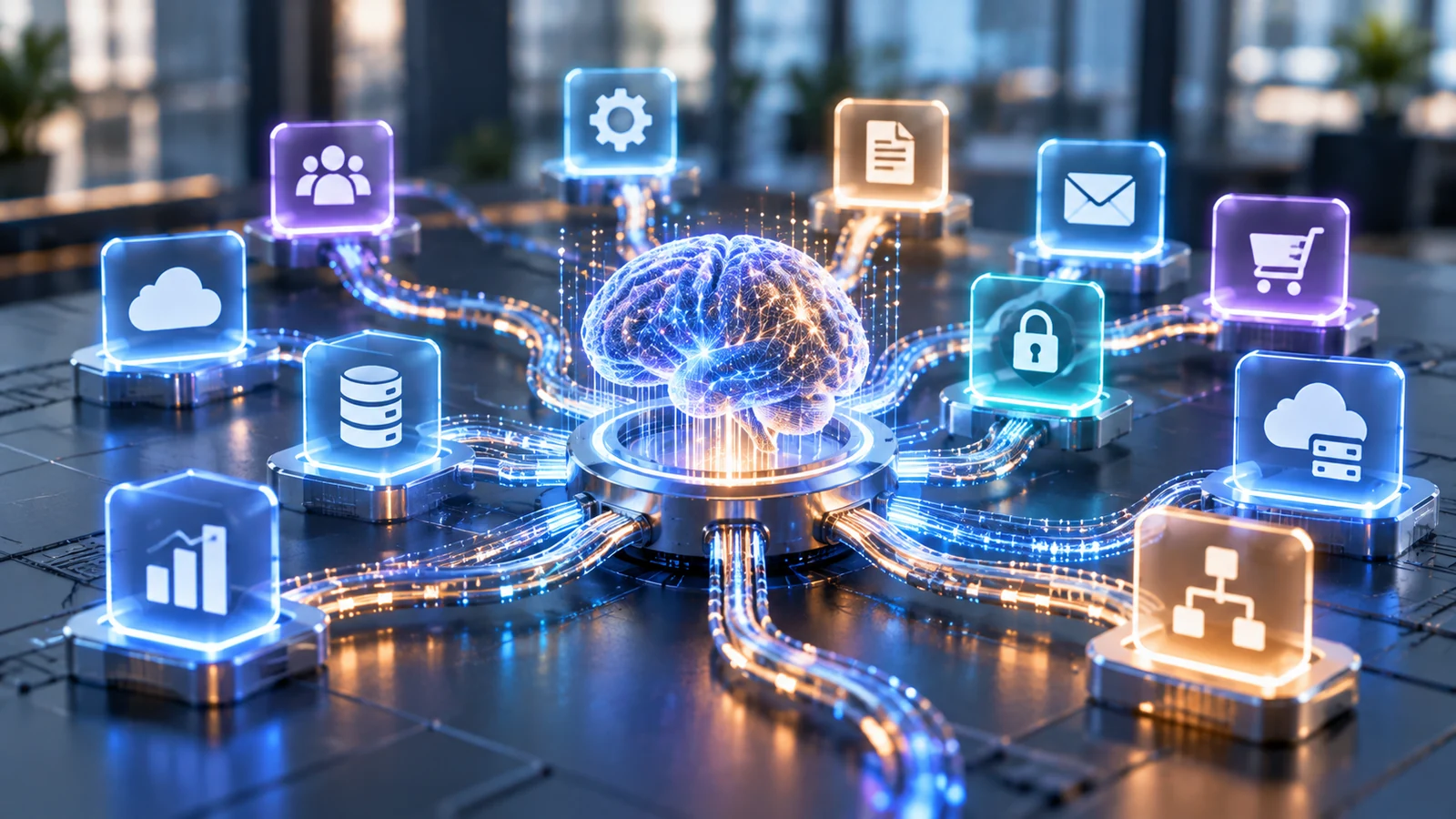
Application programming interfaces allow software to request records or execute defined operations. An enterprise agent typically accesses them through connectors, services, or approved tools rather than obtaining unrestricted database access. Each operation should have a clear purpose, such as retrieving an order, opening a support ticket, or preparing an inventory adjustment.

Read and write operations carry different risks. Reading a customer record may expose confidential information; changing an address, approving a payment, or closing a case affects the business itself. Integrations should validate inputs, honor application permissions, enforce transaction limits, and return explicit success or failure states. A model’s statement that an action succeeded is not a substitute for confirmation from the underlying system.

Reliable connectors must also account for rate limits, network interruptions, duplicate requests, and inconsistent records. For operations that can be retried, developers may need idempotency controls to prevent the same instruction from creating duplicate transactions. Logging should make the sequence of requests and resulting changes auditable.

What Model Context Protocol Adds

Model Context Protocol (MCP) gives AI applications a standard way to discover and use external tools and resources rather than requiring a separate tool interface for every assistant. In a typical arrangement, an MCP client communicates with an MCP server that advertises available functions and exposes structured interfaces. Tool specifications include names and input schemas that an AI application can use to invoke approved operations.

MCP can reduce the need to implement a different tool interface for every model or assistant platform, but it does not eliminate the integrations behind those tools. MCP standardizes how AI applications discover and call available tools, while APIs define how those tools interact with enterprise software. An MCP server may itself call a CRM API, query a knowledge service, or trigger an existing workflow. The enterprise application still controls the authoritative record, and developers remain responsible for authorization and validation.

The MCP specification documents tools, resources, and authorization mechanisms. It also recommends keeping users informed about tool invocations and providing confirmation for consequential actions. Protocol compatibility is not a security certification: an organization must still evaluate each server, its requested permissions, the origin of its data, and the actions it exposes.

Where Retrieval-Augmented Generation Fits

Retrieval-augmented generation helps agents answer questions using relevant information fetched at request time. Instead of relying solely on the model’s trained knowledge, a RAG system retrieves relevant information from approved documents, databases, or other knowledge sources and provides that context to the model when generating a response. This is useful for policy manuals, technical documentation, product information, and internal procedures that change over time.

RAG is not the same as a transaction integration. Retrieving a policy can help determine whether a customer qualifies for an exception; checking whether a refund was actually issued requires an authoritative system query. Documents may explain a process, while APIs reveal current operational state and perform actions. Robust applications often need both.

The quality of RAG depends on document freshness, chunking, retrieval relevance, source attribution, and access controls. Users should not receive confidential passages simply because a search index contains them. Microsoft’s guidance on enterprise knowledge and retrieval emphasizes organization-specific grounding and permission-aware retrieval, while also noting that retrieval has limits and does not guarantee a correct response.

These technologies perform complementary functions within an enterprise AI system. The following comparison summarizes how each contributes to a connected agent workflow.

Technology Primary purpose Role in an AI agent
APIs Expose application operations Retrieve records and perform approved actions
MCP Standardize tool and resource interfaces Discover and invoke structured tools
RAG Retrieve relevant organizational knowledge Ground responses in approved sources
CRM Maintain customer relationship records Provide account and interaction data
ERP Maintain operational records Provide inventory, finance, and fulfillment data

A Practical CRM and ERP Integration Workflow

Imagine a distributor receiving a request to change the delivery date of a major order. The agent first identifies the customer and order through approved CRM and order-management tools. It checks shipment status, inventory allocation, and delivery constraints through ERP or logistics integrations. It then retrieves the applicable service policy through a controlled knowledge search.

If the shipment has not been dispatched and the change falls within documented rules, the agent can prepare an update or propose a permitted action. If changing the delivery date would affect contractual commitments, inventory reservations, or another customer’s allocation, it should stop and route the decision to an authorized employee. After approval, the system should record the change, verify the resulting state, and notify the customer through an approved channel.

The important distinction is between interpreting the request and committing a business transaction. Models may assist with the first; the second requires validated business logic, auditability, and appropriate authorization. For example, an ERP update might succeed even if the subsequent CRM notification fails. The workflow should record the partial completion, confirm the ERP state, and retry or escalate the notification without repeating the original change. That requires reliable state tracking and recovery procedures, especially when services are unavailable or records are edited concurrently.

Designing Security and Governance Into the Connection

Agents should receive the minimum permissions necessary for a specific task. Authentication establishes who a user or system is; authorization determines which records and operations that identity may access. A service agent may be authorized to retrieve order information without receiving permission to modify payment details. A purchasing assistant may draft requests but require managerial approval before committing funds. These boundaries must be enforced by infrastructure and application logic, not only by instructions written in a prompt.

Data retrieved from documents, messages, or external services may contain malicious instructions. Treat that content as untrusted input rather than allowing it to override an agent’s approved role. Limit which tools can be invoked, validate arguments before execution, and separate retrieval from sensitive write operations. Sensitive values should not appear unnecessarily in prompts, logs, or external requests.

The agent also needs an operational owner. Teams should define retention rules, monitor unusual tool usage, maintain a manual fallback, and periodically review credentials and permissions. Salesforce’s guidance on agent actions illustrates why access must be considered at both the end-user and agent-user level, depending on the deployment channel.

Choosing Between Existing Platforms and Custom Integration

Some enterprise platforms already offer supported agent actions, connectors, and knowledge integrations. Those are sensible starting points when their permissions, workflow limits, and vendor support match the requirement. A custom integration becomes more compelling when a business needs specialized rules, legacy-system connectivity, cross-platform orchestration, or independent control over data movement.

Neither approach should be selected only because it is faster to demonstrate. Assess API coverage, licensing implications, identity integration, data residency, logging, recovery procedures, and maintenance obligations. Compare the entire operational workflow rather than the quality of a model’s response in isolation.

Before committing to an integration approach, organizations should assess the technical and operational requirements that determine long-term reliability.

Readiness area Key question
Data quality Are authoritative records accurate and available?
API capabilities Do integrations support required operations?
Access controls Are permissions scoped to each user and agent?
Security Are sensitive data and write actions protected?
Reliability Can retries and partial failures be reconciled?
Monitoring Can decisions and tool activity be traced?
Maintenance Who owns updates, testing, and support?

Testing the Complete Workflow

A useful pilot should include ordinary requests, missing documents, contradictory records, expired credentials, denied permissions, API timeouts, repeated instructions, and cases that require approval. Test whether the agent retrieves the correct evidence, chooses the right tool, respects authorization boundaries, and accurately reports what did or did not happen.

Measure successful end-to-end completion, error and escalation rates, latency, correction effort, and cost per resolved task. Evaluate the final state in CRM or ERP, not merely the generated message. A response can sound correct even when the record was not updated or an operation failed halfway through.

Enterprise agent integration succeeds when the model’s flexible interpretation is combined with dependable data retrieval and controlled application behavior. MCP can standardize tool access, RAG can provide grounded organizational context, and CRM or ERP APIs can expose operational state. The lasting value comes from engineering those pieces into a secure, testable workflow that employees can trust and correct.

Related reading: Which AI Software Is Right for Your Business? An In-Depth Look

Types of AI Agents and Multi-Agent Systems

AI Agents

Not every AI agent makes decisions the same way. Some react to predefined conditions, others maintain context, plan toward objectives, weigh competing outcomes, or adapt through feedback. Modern applications may also coordinate several specialized agents. Understanding these architectural distinctions helps businesses choose systems that fit their tasks without adding unnecessary complexity.

The five traditional types of AI agents describe how a system selects actions. Single-agent and multi-agent architectures answer a different question: how many decision-making components participate and how they coordinate. These classifications overlap rather than representing mutually exclusive products.

The Five Foundational Types of AI Agents

1. Simple Reflex Agents

Simple reflex agents respond to current inputs using predefined condition-action rules. They have no internal memory of earlier states. A basic temperature controller, for instance, may activate heating when a threshold is crossed. This approach is predictable and inexpensive, but it cannot reason about missing context or unfamiliar conditions.

In enterprise software, rule-driven automation can provide similar behavior, though not every rule-based workflow is marketed as an AI agent. When decisions are straightforward, a simple system is often more reliable than a language model interpreting the same rules.

2. Model-Based Reflex Agents

Model-based reflex agents maintain an internal representation of the environment. They combine current observations with remembered state to act when all relevant information is not visible at once. A warehouse robot might track which aisles it has visited or where it encountered obstacles instead of responding to each sensor reading in isolation.

The architecture depends on an accurate state model. If updates are incomplete or delayed, subsequent decisions can be wrong even when the rules themselves are sound.

3. Goal-Based Agents

Goal-based agents evaluate possible actions according to whether they move the system toward a defined objective. Instead of following one fixed response to an input, an agent may select or revise a sequence of steps. An automated planning system, for example, might identify an available route through a warehouse and adjust when a passage becomes blocked.

Goal pursuit does not imply unlimited autonomy. The agent still operates within the actions, information, and policies its developers make available. A clear objective must be accompanied by constraints on how it can be achieved.

4. Utility-Based Agents

A goal may have several acceptable solutions. Utility-based agents evaluate alternatives using a function that represents preferred trade-offs, such as cost, time, energy consumption, or risk. In a logistics system, two routes might both deliver on time, but one may require more fuel or create greater scheduling disruption.

Utility functions make trade-offs explicit, but designing them is difficult. If the scoring criteria omit safety, service quality, or other important factors, the system can optimize a metric while producing a poor operational outcome.

5. Learning Agents

Learning agents change their behavior using experience or feedback. They may update a policy, predictive model, or decision strategy as new evidence becomes available. For example, an adaptive scheduling system might refine forecasts using observed demand and subsequent outcomes.

This differs from an LLM agent remembering earlier messages: task context or plan revision does not necessarily update the underlying model. Production learning also requires evaluation, monitoring, and safeguards against deterioration.

The following table summarizes the defining capabilities and illustrative applications of each agent type.

Agent type Defining capability Illustrative application
Simple reflex Follows condition-action rules Temperature controller
Model-based reflex Maintains internal state Warehouse navigation
Goal-based Plans toward a defined goal Route planning
Utility-based Weighs competing outcomes Logistics optimization
Learning Adapts from feedback Demand-based scheduling

How Modern LLM Agents Fit These Categories

AI Agents

The five-part taxonomy predates today’s LLM-based agents. A language-model agent may combine goal-directed planning, temporary task memory, retrieval, tool calls, and evaluations within one application. Some systems also use fixed rules for high-risk actions or external scoring functions to choose among alternatives.

Consequently, product labels such as coding agent, research agent, or customer-service agent describe what a system does, not a separate foundational decision architecture. The practical design questions are what information the agent can access, how it selects actions, and when it must ask for approval.

Single-Agent vs. Multi-Agent Systems

A single-agent system puts the main planning and action-selection responsibility in one component. That component may call databases, APIs, and deterministic services without becoming a multi-agent system. This is often a sensible starting point because tracing decisions, controlling permissions, and evaluating results are more straightforward.

A multi-agent system separates responsibilities across agents that may have different instructions, tools, or access boundaries. Consider a business handling complex customer service requests. One agent could interpret the issue, a second retrieve approved account records and documentation, and a third check the proposed resolution against company policy. A coordinating component could assemble their findings for an employee to approve. Distinct roles can be evaluated separately, but each handoff adds processing time, expense, and possible communication failures. For simpler requests, one agent using the same approved tools may be sufficient.

Common Multi-Agent Coordination Patterns

Multi-agent designs can be described along several dimensions. Sequential and parallel workflows describe when tasks execute; hierarchical and distributed designs describe how decisions are coordinated; and homogeneous and heterogeneous teams describe whether agents share similar capabilities or have distinct roles. A single system may combine these characteristics, such as a hierarchical coordinator managing heterogeneous specialists in parallel.

Sequential and Parallel Workflows

In sequential orchestration, one agent completes a stage before handing its output to the next. A research agent might assemble evidence before a drafting agent prepares a report. In parallel orchestration, agents work on independent subtasks at the same time, such as analyzing separate document collections before their findings are combined.

Sequential designs simplify dependencies but may introduce delay. Parallel designs can shorten elapsed time when subtasks are truly independent, though combining inconsistent results can create new review work.

Hierarchical and Distributed Coordination

A hierarchical design uses a coordinating agent or controller to delegate tasks, assess progress, and assemble results from specialists. It offers a clear place for overall task ownership, but that coordinator can become a bottleneck or single point of failure.

In a distributed design, agents exchange messages or hand off control without relying on one manager for every decision. This can support flexible collaboration, but shared state, conflicting instructions, and responsibility for the final result become harder to manage. Frameworks may also support group conversations or context-based handoffs as specific orchestration patterns.

Homogeneous and Heterogeneous Agent Teams

Homogeneous systems use agents with similar models and capabilities, sometimes assigning the same process to separate cases or subtasks. Heterogeneous systems combine agents with different tools, models, responsibilities, or access levels. A document workflow might pair a low-cost classification agent with a specialist that performs more demanding analysis.

The value of specialization must outweigh communication overhead and operating costs.

The Engineering Challenges of Multi-Agent Systems

Coordination creates failure modes that a successful single-agent demonstration may not reveal. Agents can pass along unsupported assumptions, disagree about document versions, repeat tool calls, or wait indefinitely for another component. Each handoff needs an explicit contract describing the expected inputs, outputs, error conditions, and responsible owner.

A mistake early in a multi-agent workflow can influence every subsequent decision. For example, an agent may retrieve outdated policy information, another may draft an answer based on it, and a reviewer agent may miss the original problem. Validate evidence at critical handoffs, retain source references, and establish procedures for retries or human escalation.

Important safeguards include scoped credentials, timeouts, limits on tool use, reliable state tracking, and approval before consequential actions. Developers should test not only whether an individual agent performs well but whether the entire chain produces correct, authorized results. Logs must make it possible to reconstruct which component made a decision and what evidence it used.

Microsoft’s Agent Framework describes sequential, concurrent, handoff, group-chat, and manager-coordinated orchestration patterns. These patterns are implementation options, not evidence that every workflow benefits from multiple agents.

Choosing the Right Agent Architecture

Start with the simplest design that meets the operational requirement. Fixed rules can handle predictable inputs; an agent with task context may be enough for variable information requests. Add planning when a process genuinely involves dependent steps, and introduce explicit utility trade-offs only when relevant objectives compete. Learning should be considered when there is a reliable feedback signal and a controlled way to evaluate changes.

Before creating multiple agents, test whether a single well-scoped agent with dependable tools can complete the task. Split responsibilities when there are clear gains from parallel execution, distinct specialist capabilities, separate security permissions, or independent evaluation. Measure end-to-end accuracy, latency, cost, recoverability, and human review effort rather than merely counting agent-to-agent interactions.

Business requirement Architecture to consider
Predictable rules Conventional automation or reflex logic
Context-dependent decisions State-aware agent or LLM-based system
Dependent multistep goals Goal-based planning
Cost, time, and risk trade-offs Utility-based decision-making
Independent specialist tasks Parallel multi-agent workflow
Dependent specialist tasks Sequential multi-agent workflow
Multiple dependent agent roles Hierarchical or distributed orchestration

Agent architecture is ultimately a design choice, not a measure of sophistication. The strongest system is one whose decision process, coordination, and oversight match the work it is authorized to perform.

AI Agents for Business Process Automation: Applications and Use Cases

AI Workflow Automation

AI agents are moving from answering employee questions to carrying out parts of business processes. An agent may gather information from connected systems, choose an approved next step, update records, and escalate an exception when it cannot proceed safely. The business case depends on completing work accurately, not simply automating more steps.

Microsoft’s guidance on core business process transformation emphasizes that agents can execute routine decisions within defined limits while employees handle exceptions and remain accountable for results. Organizations should identify high-friction workflows that benefit from contextual decisions and controlled actions.

Where AI Agents Differ from Conventional Automation

Traditional automation excels when the input, rules, and next step are predictable. Agents become useful when requests vary, relevant information sits across multiple systems, or a process requires interpreting an exception before selecting a permitted action. Language models can help interpret incoming information and select among approved tools, but the available actions still depend on integrations, permissions, and business rules established by developers. Reliable implementations also guard against repeated actions, failed integrations, and incomplete records, escalating when a task cannot be completed safely.

This does not make agents the default choice. Deterministic workflows should stay deterministic where possible. The objective is to improve end-to-end completion rates and reduce costly handoffs without introducing unnecessary uncertainty.

Customer Service: Resolving Routine Issues Across Systems

AI Customer Service

Customer support is a practical starting point because teams already operate repeatable processes with measurable outcomes. Consider an online retailer receiving a complaint about a delayed shipment. An agent connected to an approved knowledge base, order system, carrier tracking, and support platform could retrieve the order, check its status, and review the retailer’s delivery policies. If the parcel is still in transit, it could update the support ticket and prepare a response using verified tracking details. If the shipment appears lost or requires a refund, it would escalate the case to an employee under the retailer’s approval rules.

The value goes beyond drafting a faster response. It comes from reducing how often customers must repeat information or wait while employees move between systems. Measure resolution time, correct completion, customer satisfaction, and the share of cases requiring human correction. Refunds, disputes, and sensitive account changes should receive appropriate approval controls.

Sales and CRM: Keeping Follow-Up Work Moving

Sales teams lose time assembling account context, recording meeting outcomes, and tracking next steps. An agent could review approved meeting notes, consult CRM records, identify follow-up commitments, draft personalized outreach, and propose updates to the opportunity record. Representatives could approve external messages and material changes before they are sent or saved.

Lead qualification can follow a similar pattern. Rather than applying a rigid keyword filter, an agent might interpret an inquiry, confirm available account information, and route the prospect using documented criteria. Success should be judged by CRM accuracy, response time, and qualified opportunities—not by the number of automated emails generated.

Finance and Administration: Handling Exceptions With Auditability

AI for Finance

Finance offers opportunities where document interpretation meets structured business rules. An accounts-payable agent could extract invoice details, match them with purchase orders and receipts, identify discrepancies, and prepare an entry for an authorized employee to review. Routine matches might proceed under a defined policy, while duplicate charges, unusual amounts, or missing approvals require escalation.

Expense reviews, reconciliations, and recurring management reports are additional candidates. Their primary value is maintaining accurate records, resolving discrepancies, and preserving an auditable trail of financial decisions. An agent’s explanation is not evidence that a payment or balance is correct; its actions must be traceable to authoritative records.

Inventory and Supply Chain: Connecting Signals to Decisions

Inventory management spans warehouse systems, purchasing tools, supplier updates, and sales forecasts. An agent could investigate a low-stock alert, check committed inventory and incoming shipments, compare expected demand, and recommend replenishment. It might then prepare a purchase request while leaving spending authorization with an employee.

The challenge is coordinating timely operational decisions across changing data. Stock on hand, available-to-promise quantities, returns, and reserved units are not interchangeable, especially when shipments are delayed or demand changes. Automation built on inconsistent definitions can create more work than it removes. Validate data relationships and test what happens when suppliers, records, or integrations disagree.

HR and Employee Services: Answering Requests and Coordinating Tasks

Internal HR services include frequent requests about policies, benefits, onboarding, equipment, and routine approvals. An agent could retrieve approved policy information, identify missing onboarding steps, create assigned tasks, and coordinate requests with IT or facilities. It can help employees navigate procedures without requiring every department to answer the same administrative questions.

Access to employee information must be narrowly scoped. Questions about compensation, leave, accommodations, or disciplinary matters may require specialist handling rather than automated conclusions. Track request completion, policy accuracy, escalation quality, and employee experience, with a clear route to a human representative.

Internal Operations and IT: Reducing Manual Handoffs

Operational workflows combine ticket intake, status checks, knowledge retrieval, and record updates. An IT service agent could collect diagnostic details, look up approved troubleshooting procedures, check system status, and prepare a ticket with relevant evidence. Low-risk routing may be automated, while account access and production changes require stricter controls.

The same pattern applies to project administration: summarizing meeting outcomes, confirming owners, updating task systems, and flagging overdue work. A polished task summary has limited value if tasks are not recorded accurately or the assigned people never receive them.

Business function Potential agent responsibilities Key consideration
Customer service Order lookups, support updates, case routing Approvals and customer experience
Sales and CRM Lead review, follow-up drafts, CRM updates Record accuracy and external messages
Finance Invoice matching, discrepancies, expense review Audit trails and financial controls
Inventory Stock analysis and replenishment requests Consistent inventory definitions
HR Policy retrieval and onboarding coordination Privacy and sensitive decisions
IT and operations Ticket triage, troubleshooting, task updates Permissions and system reliability

What Makes a Process Worth Automating?

A strong first use case is often a high-volume, low-risk workflow supported by reliable data and clear success measures. Map the existing process from request to completion and identify where information is reentered, decisions stall, or employees move between systems. Separate predictable rules from steps that genuinely benefit from AI interpretation.

Evaluate whether a process occurs frequently enough to justify automation, has trustworthy data, requires interpretation within defined boundaries, and can be connected to approved systems. Errors must be detectable and correctable, with a measurable baseline for time, quality, and cost. A compelling demonstration may still perform poorly if underlying records are incomplete.

Evaluation factor Favorable conditions
Process frequency Enough repetition to justify automation
Data availability Trustworthy information in approved systems
Decision complexity Interpretation needed within clear boundaries
Risk and recovery Errors can be detected, corrected, or escalated
Measurability Baseline for time, quality, and cost
Integration readiness Approved APIs and permissions support actions

Microsoft’s process-transformation guidance places accountability with business owners rather than treating an agent as a stand-alone IT project. The department responsible for outcomes should help set rules, evaluate cases, and own the decision to expand automation.

From Pilot to Operational Value

Start with one bounded workflow and define its limits before deployment. Test routine requests, ambiguous instructions, unavailable systems, conflicting records, and actions that require approval. Give the agent only necessary permissions, record tool use, and maintain a manual fallback.

Measure completed tasks, accuracy, escalation rates, cycle time, customer or employee impact, and cost per successful outcome. Include review effort and the expense of correcting mistakes. A workflow that closes more cases but creates downstream cleanup is not necessarily an improvement.

AI agents can help businesses coordinate work that previously required employees to gather information and move between multiple systems. Their value comes from completing appropriate tasks reliably, not replacing human judgment indiscriminately. Start with suitable processes, establish dependable integrations and safeguards for failures, and expand autonomy only when measured outcomes justify it.

Related reading: Which AI Software Is Right for Your Business? An In-Depth Look

Generative AI vs. Agentic AI: Understanding the Differences

Futuristic AI Creative Workflow Nexus

Generative AI is changing how businesses create content, analyze information, and develop software. Agentic AI extends those capabilities into workflows that can retrieve information, use tools, and take authorized actions toward a defined goal. This creates opportunities for businesses to automate complex processes, reduce manual work, and improve operational efficiency.

For businesses evaluating AI investments, the important question is not which technology sounds more advanced. It is whether employees need better information, automated execution, or a combination of both. Understanding that difference helps organizations avoid unnecessary integrations and identify where AI can produce measurable results.

Generative AI vs. Agentic AI: What Changes?

Gen AI vs. Agentic AI

Generative AI is primarily concerned with producing or transforming information: drafting documents, generating code, summarizing research, or analyzing supplied material. An employee usually directs the interaction and decides how to use the result.

Agentic AI is organized around an objective. An agent may break a request into steps, select tools, retrieve information, perform authorized actions, assess the outcome, and adjust its next step. It can coordinate a process rather than simply prepare material for someone else to use.

Generative AI and agentic AI are not entirely separate technologies. Many AI agents use generative models to interpret instructions, analyze results, and decide what step to take next. Conversely, a generative AI application with tool access may behave like an agent. The more useful distinction is what the overall system is designed and authorized to accomplish.

Generative AI vs. Agentic AI at a Glance

Capability Generative AI Agentic AI
Primary purpose Create and analyze information Complete goals through actions
Interaction Responds to prompts and requests Can plan and execute multiple steps
Tool usage May use connected tools Uses tools within coordinated workflows
Human role Reviews and applies outputs Supervises, approves, handles exceptions
Typical uses Writing, research, coding assistance Support, reporting, operational processes

How Agentic AI Works in Practice

Consider a sales director asking why a product line underperformed last quarter. A generative AI assistant could interpret figures supplied by the director and draft a report. An appropriately configured agent could take the broader goal, obtain sales records, compare inventory and pricing changes, investigate anomalies, and assemble evidence-backed findings.

The hardest part of deploying an agent is often not generating a plausible response but connecting it to accurate business data, reliable integrations, and accountable decisions. Building an effective AI agent therefore involves more than connecting a language model to business software. Several components need to work together:

  • Planning and orchestration: Decide which steps and tools to use, track progress, and handle unexpected results.
  • Integrations: Connect to approved systems such as CRMs, ERPs, databases, and reporting platforms.
  • Context and business rules: Understand relevant definitions, permissions, policies, and relationships between company data.
  • Evaluation and escalation: Check outcomes, detect uncertainty, and request human review when appropriate.

AI agents can operate through a repeating cycle of planning, executing actions, evaluating results, and adjusting their approach based on new information. For example, an agent might identify falling sales but recommend the wrong response if it confuses stock on hand with inventory already reserved for orders. Mapping business definitions and validating results are therefore essential parts of engineering reliable workflows.

Where Generative AI Delivers Business Value

Generative AI works well when employees need faster ways to produce, interpret, or refine information. Common applications include first drafts of communications, document summaries, research assistance, technical documentation, design concepts, and software development support.

In software engineering, AI assistants can suggest functions, explain unfamiliar code, propose tests, and help developers explore implementation options. These contributions can speed up portions of the work, but they do not replace architectural judgment, security reviews, or systematic testing. Code that appears convincing can still contain defects or fail to meet business requirements.

Generative AI also tends to be a practical starting point for organizations that want employee assistance without granting an AI system permission to make changes across operational tools. Its value can be substantial even when a person remains responsible for every final action.

Where Agentic AI Changes Business Operations

Agentic AI for Business Operations

Agentic AI becomes relevant when work requires several dependent decisions across software systems. The biggest opportunity is often the handoff between tasks: retrieving data, identifying exceptions, routing approvals, and keeping records consistent. Those handoffs should be measured before they are automated.

Customer Service

Consider an online retailer handling hundreds of inquiries about delayed shipments. With generative AI, a service representative could supply order details and request a draft response. An authorized AI agent could go further: retrieve the order, check shipment tracking, compare the delivery address, consult replacement policies, and prepare the next action. Under carefully defined rules, it might complete a routine update automatically while sending disputed transactions, refunds, or costly replacements to an employee for approval. This is an illustrative workflow, not a claim that an off-the-shelf agent can perform every step.

Sales and Operations

An agent might assemble account history, identify follow-up opportunities, and prepare CRM updates. Another could investigate inventory shortages by checking warehouse quantities, open purchase orders, and historical demand. Success depends on consistent business definitions and reliable connections to live systems.

Reporting and Internal Support

Agents can be designed to pull information from separate tools, reconcile discrepancies, produce management reports, or guide approved IT troubleshooting procedures. In more complex processes, several specialized agents may divide the work. Multi-agent architectures are useful in some cases, but introduce additional coordination, latency, and operating costs.

When Should a Business Use Agentic AI Instead of Generative AI?

Start with the workflow, not the technology. If employees need help writing, researching, analyzing, or coding, a generative AI assistant may solve the problem with fewer moving parts. If a process requires retrieving data, choosing among actions, and updating connected systems, an agentic approach may be worth evaluating.

A practical assessment should address four questions:

  • What outcome matters? Define a measurable result, such as faster case resolution or fewer manual handoffs.
  • What information is required? Identify source systems, data quality issues, and business definitions the system must understand.
  • What actions are permitted? Set access rights, approval checkpoints, and escalation rules before deployment.
  • What happens when it fails? Plan for inaccurate outputs, unavailable systems, unexpected inputs, monitoring, and recovery.

Not every process needs an autonomous agent. Predictable tasks often belong in conventional automation, with AI reserved for interpreting ambiguous inputs or investigating exceptions. Repeated model calls, API requests, and result checks can make an agent slower and more expensive than a simpler workflow. Design for the least autonomy that achieves the desired result.

Reliability, Security, and Human Oversight

Greater autonomy increases the consequences of poorly designed integrations. A generated paragraph can be corrected before publication; an unauthorized change to customer records or a mistaken financial transaction can have immediate operational effects.

Production systems need scoped permissions, reliable data, audit logs, testing, monitoring, and clear ownership. Human approval is often appropriate for high-impact actions, while lower-risk tasks can operate within predefined rules. The NIST AI Risk Management Framework offers a useful foundation for evaluating reliability, security, and accountability.

Teams should also evaluate agent performance after deployment. Accuracy, task-completion rates, intervention frequency, operating cost, and user experience can reveal whether automation is producing meaningful benefits or simply moving work into a different system.

The Direction of Business AI

Generative and agentic capabilities will increasingly appear together inside business applications. Employees may request an analysis, review an agent’s proposed plan, authorize selected actions, and receive a report showing what was completed. The division of labor will depend on the risks and complexity of each process.

Businesses should judge AI by completed work, error rates, and the cost of human intervention—not by the number of decisions an agent makes independently. A narrowly scoped agent that reliably resolves routine cases may create more value than an ambitious system that frequently needs correction.

Choosing AI That Delivers Business Value

The decision should begin with a specific business outcome. Identify the information employees need, the actions a system may safely take, and the evidence required to judge its performance. A successful implementation reliably improves the workflow, with clear ownership of the results.