

Tag Archives: RPA

AI Agents vs. Traditional Automation: How to Choose the Right Approach

AI Business Automation

A company can automate a task without making it intelligent. A payroll rule, an order-status update, and a scheduled data transfer may operate reliably for years without interpreting language or deciding what to do next. AI agents introduce different possibilities, but they also change the engineering and oversight requirements.

For business leaders, the useful question is not whether AI is more advanced than traditional automation. It is which approach can complete a particular process accurately, economically, and with an acceptable level of risk. The right choice depends on the work.

Traditional Automation Is Still the Foundation

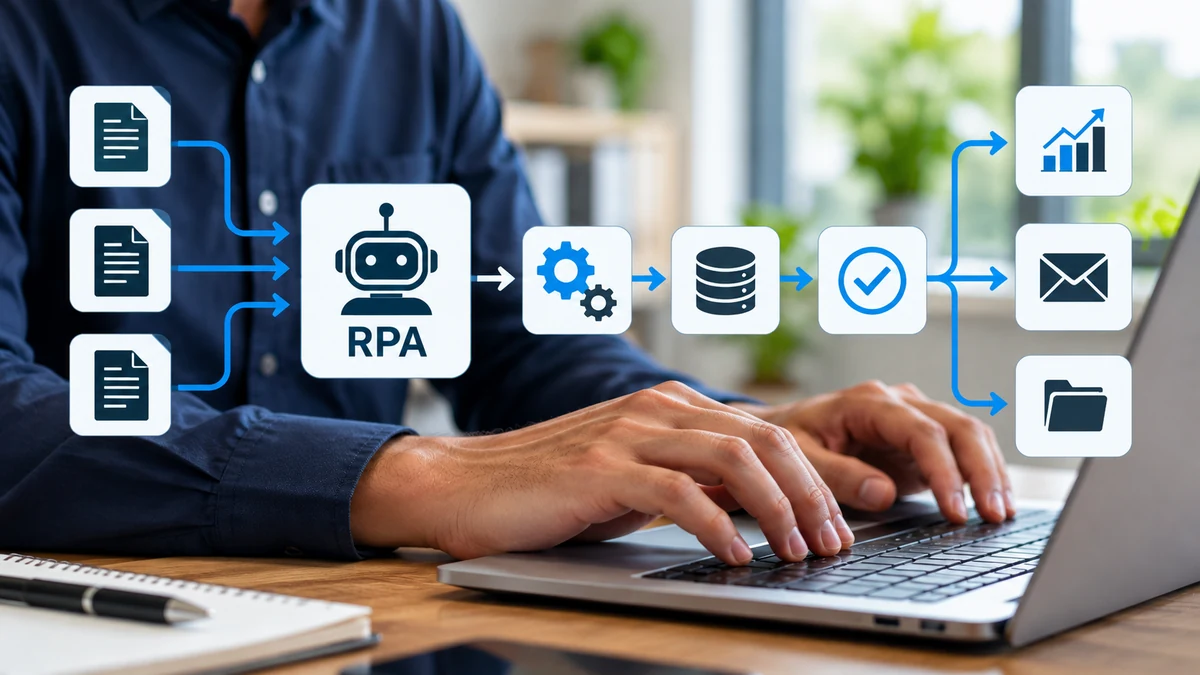
Traditional automation follows instructions established in advance. A workflow can respond to an event, check defined conditions, move information between systems, and record the result. Application programming interfaces (APIs) provide structured connections between applications. Robotic process automation (RPA) can interact with screen controls where a direct connection is unavailable.

These systems are especially effective when input formats are predictable and decisions can be expressed as rules. For example, when a paid invoice reaches an accounting system, a workflow might update its status and notify the account manager. A defined trigger and an unambiguous outcome make this a strong candidate for conventional automation.

Traditional does not mean unsophisticated. A well-designed workflow can include exception queues, approvals, audit trails, retries, and complex business logic. Microsoft documents unattended desktop flows that execute without an employee continuously supervising the screen. Their operation still depends on appropriate access, runtime conditions, and careful configuration.

What Changes When an AI Agent Enters the Workflow?

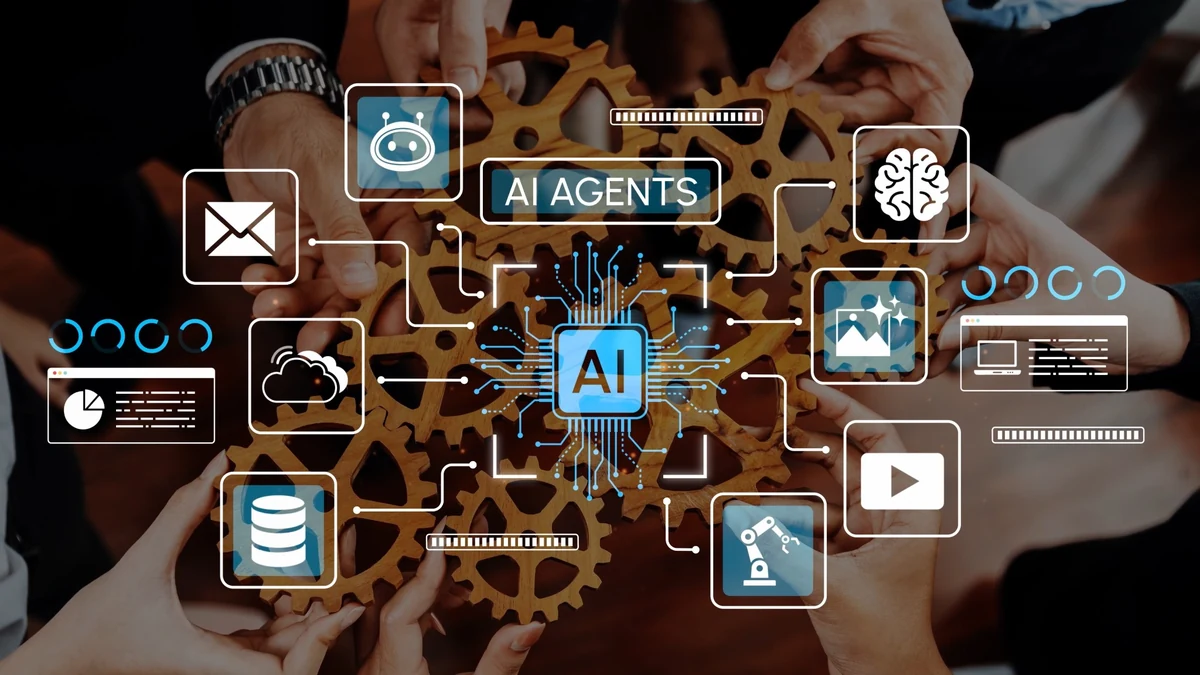
Many AI agents use a model to interpret a goal or changing information, choose among permitted actions, call software tools, and evaluate what happened. Rather than relying exclusively on a prescribed sequence, it may determine its next step from the current context. Google Cloud describes agentic workflows in terms of planning, tool use, and adaptation during execution.

Imagine a purchasing team handling supplier emails. One message contains a standard order confirmation; another announces a delayed shipment in an unfamiliar format. A conventional workflow may reliably process the first message using specified fields. An agent might help interpret the second, identify the affected order, and prepare an escalation. That flexibility is valuable only if the interpretation is checked before it changes records or commitments.

Five Differences That Matter to Businesses
AI Workflow

1. Instructions Versus Interpretation

Rule-based systems perform best when the process can be described as explicit conditions and actions. Agents may help when a task requires reading unstructured material, comparing incomplete information, or deciding which documented procedure applies. Those interpretations still require validation.

2. Predictability Versus Adaptability

A conventional integration usually produces a consistent result from the same valid inputs, assuming the surrounding systems behave as expected. An agent may adapt when a document layout or user request differs from the examples it has seen. But adaptability does not guarantee a correct decision, and repeated runs may not be identical.

3. Direct Connections Versus Tool Selection

APIs let applications exchange data through defined interfaces. RPA operates through screen elements and predefined interactions. Agents may select among APIs, searches, business tools, and interface actions to pursue a goal. This can broaden the workflows they support, while expanding the number of permissions and failure points that must be managed.

4. Development Cost Versus Operating Cost

A conventional integration can require significant development and maintenance, particularly when systems are old or poorly documented. Agents may reduce the need to encode every interpretation as a separate rule, but add model usage, testing, review, monitoring, and exception-handling costs. Lower initial implementation effort does not establish a lower total cost.

5. Traceability Versus Explanation

A rules engine can often show exactly which conditions triggered an action. An agent can log its tool calls, observations, and outputs, but an apparently plausible explanation is not proof that its decision was correct. Businesses need evidence from the destination systems and clear records of human approvals, not just a generated summary.

The following table summarizes the key differences for business decision-makers.

Factor Traditional automation AI agents
Instructions Predetermined rules Context-dependent decisions
Predictability Generally repeatable May vary between runs
Integrations APIs or predefined UI actions Selects from approved tools
Cost considerations Integration, maintenance, testing Development, model usage, oversight, testing
Traceability Explicit rules and logs Tool traces and verified outcomes

Choosing the Right Approach

Recurring Financial Reconciliation

Suppose two systems expose transaction identifiers, amounts, and statuses through supported APIs. A conventional integration can match records using defined rules and send exceptions to employees. Introducing an agent into every transaction would create complexity without necessarily improving the result. An agent could instead help an analyst investigate unusual explanatory notes while the core matching remains deterministic.

Customer Support Intake

Incoming requests may arrive as free-form messages containing varied terminology, missing details, and multiple questions. An agent could classify the request, suggest a response, and identify missing information. A conventional workflow could then open the ticket, assign its category, and enforce service-level rules. Human review remains appropriate for disputes, sensitive requests, and unusual cases.

Legacy Application Updates

A business may depend on a desktop system without a reliable API. RPA can work well if its screens and fields follow stable patterns. When cases require interpreting changing descriptions or navigating different paths, an agent-assisted approach may be worth testing. It should still confirm that each update was saved correctly and avoid retrying actions that could create duplicates.

These hypothetical scenarios show how different technologies can share responsibility.

A Practical Decision Framework

Begin by mapping the process: its inputs, outputs, exceptions, permitted actions, and consequences of failure. Identify which steps follow predictable rules and which require interpretation.

Assess whether records are trustworthy, supported APIs are available, and interfaces are stable enough for RPA. Determine whether variable language genuinely affects the outcome. An agent cannot compensate for unreliable source data.

Then define the acceptable error boundary. A low-risk draft summary may be suitable for agent assistance. Approving a refund, changing a contract, or transmitting confidential information calls for stronger authorization and verification. NIST’s AI Risk Management Framework offers a useful reference for identifying, evaluating, and managing AI-related risks across an organization’s activities.

Use conventional automation for predictable rules and outcomes, and AI assistance when interpreting variable information adds measurable value. Combine them when agents handle uncertainty but validated software enforces transactions and permissions. Compare options on accuracy, exceptions, time, review effort, maintenance, and total cost using representative pilot cases.

Why Hybrid Automation Often Makes More Sense
Hybrid Automation

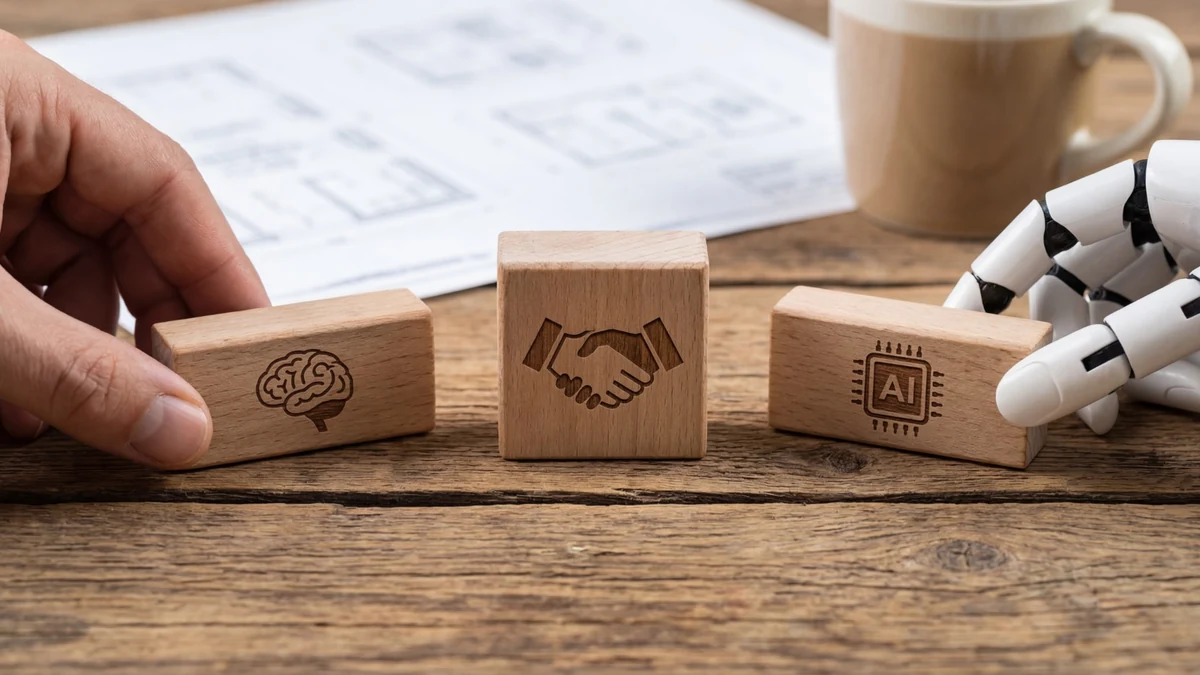
A capable architecture can assign each step to the component best suited to it. An agent interprets an incoming document and proposes structured fields. Validation code checks required values and permissible ranges. An API submits an authorized update. A workflow engine records the event, routes exceptions, and alerts an employee when approval is needed.

In this design, AI handles uncertainty while conventional software enforces boundaries. Its software development team can combine both approaches in a controlled process that remains understandable and maintainable.

Reliability, Security, and Human Oversight

Agents can encounter misleading instructions embedded in documents or websites, known as prompt injection. They may misclassify content, use the wrong tool, or misunderstand whether an action succeeded. These risks can become consequential when an agent has write access to customer records, payments, or communication systems.

Practical safeguards include limiting permissions, segregating testing from production, validating tool arguments, confirming saved outcomes, and requiring approval for high-impact changes. Teams should define timeouts, retry limits, escalation paths, and a way to stop a run. NIST’s generative AI risk profile provides additional considerations for identifying and addressing risks in systems that use generative models.

What to Measure Before Scaling

Measure successful business outcomes rather than the number of steps an agent completed. For a record update, the relevant evidence is the correct saved record; for customer intake, it is accurate classification and a usable next action. Track errors by severity as well as frequency because a rare consequential failure can outweigh many successful routine tasks.

Include the full cost of supervision. If employees must regularly check every result, the apparent automation benefit may shrink. Conversely, targeted review of uncertain or high-risk cases may provide a sensible balance. Compare performance against the existing process using comparable data and conditions.

Final Thoughts

AI agents expand the range of processes businesses can automate, but greater autonomy does not automatically improve results.

Choose the simplest reliable approach for each workflow, combining AI interpretation with conventional controls where appropriate. Measure success by accuracy, cost, reliability, and the ability to correct failures, not by how independently a system operates.

Related reading: Explore Mystic Media’s AI development services and custom software development services, or read more about AI agents for business process automation.

AI Computer Use: The Next Step in Business Automation

AI Computer Use

Businesses have spent decades using software to reduce repetitive work. Yet many everyday processes still depend on employees opening applications, locating information, copying data, and moving between systems. Even when each application works well independently, the work connecting them can remain manual.

AI computer use offers another approach. Instead of relying exclusively on custom integrations or predefined scripts, an AI agent can interact with a software interface to complete a defined task. It also introduces reliability, security, and oversight challenges that businesses need to understand before adopting it.

What Is AI Computer Use?

AI computer use refers to systems that can observe and interact with a computer interface as part of carrying out a task. Depending on the implementation, an agent may interpret screenshots or interface information, navigate pages, select controls, enter text, and assess the results of its actions. Some implementations work within a browser; others can interact with broader desktop environments.

The important distinction is that the agent is working through an interface designed for people. A business user might ask it to review a set of records in a web portal, locate missing fields, and prepare a summary. Rather than requiring a separate integration for every step, the agent can navigate the relevant screens, subject to the permissions and controls provided.

OpenAI’s computer-use documentation describes a cycle of observing an interface, taking an action, and examining the resulting state. This does not guarantee the agent interprets the application correctly.

How Computer-Using Agents Work

AI Agents Computer

A typical workflow begins with a specific objective and an authorized environment. The agent receives instructions, accesses the relevant application, and identifies the next action based on the information available. After interacting with the interface, it observes the updated state and decides whether to proceed, recover from an error, or ask for help.

Consider a service company receiving maintenance requests through a customer portal and managing work orders in a separate legacy application. An agent could open a request, identify the customer and issue, navigate the work-order system, and prepare a corresponding record. If customer details conflict or required fields are missing, it should request employee review rather than invent information.

This hypothetical workflow requires defined permissions, tests, logs, and approvals. Success on a few records does not prove reliability at scale.

How AI Computer Use Differs From Traditional Automation

Traditional automation remains valuable. Application programming interfaces (APIs) let software exchange structured information directly, while robotic process automation (RPA) tools can follow predefined steps through user interfaces. These approaches are often preferable for stable, repeatable operations with well-defined rules.

Microsoft’s Power Automate documentation describes how desktop automation identifies interface controls through UI elements and selectors. Interface changes and application behavior can still disrupt workflows.

AI computer use can interpret interfaces and adapt steps when tasks vary. An agent might identify changed navigation or request review of an ambiguous record, but adaptability does not ensure consistent decisions. Successfully navigating an interface also does not prove the resulting transaction is correct.

Businesses should not frame this as a choice between old automation and new AI. Consider updating customer records: an API is often best when both systems support direct data exchange; an RPA script may suit a fixed sequence of screens; and a computer-using agent may help when an employee must interpret varying interface content. Each option still needs validation and error handling.

Where AI Computer Use Could Help Businesses

Working Across Disconnected Applications

Many organizations rely on software products that were not designed to work together. Employees may have to consult a customer portal, update an internal database, and then record an outcome in a project management system. Computer-using agents may help bridge selected steps when a supported API or integration is unavailable. Before pursuing this approach, businesses should check whether a direct integration would be more dependable.

Handling Variable, Repetitive Tasks

Some processes follow a recognizable pattern but contain differences that make rigid scripts difficult to maintain. An agent could review incoming forms, identify the appropriate workflow, and prepare information for a human decision. Good candidates have limited consequences if an error occurs, clear success criteria, and a reliable way to detect exceptions.

Supporting Research and Administrative Work

An agent may assist with collecting information from approved websites, comparing entries across interfaces, or organizing materials for a report. The value comes from reducing repetitive navigation and preparation, not from assuming every extracted fact is accurate. Information gathered through an interface should still be checked against its source, particularly when it influences customer communications or business decisions.

Testing Software Interfaces

Computer use also has applications in software quality assurance. An agent can navigate a website or application, attempt a user journey, and record unexpected behavior. These capabilities may complement established automated tests and human testers, especially during exploratory evaluation. They should not replace deterministic regression testing where consistent, repeatable results are required.

The Limitations Businesses Need to Consider

AI Human Approval

Reliability and Error Recovery

An agent can click the wrong control, misread a screen, misunderstand a status message, or continue after an earlier mistake. Interfaces can change, sessions can expire, and applications can behave differently depending on user permissions. Organizations should test realistic failure scenarios and define what happens when the agent cannot complete a step.

OpenAI’s computer-use guidance recommends limiting runs and verifying outcomes rather than relying on the agent’s report.

Security, Privacy, and Prompt Injection

An agent acting inside a business application may encounter customer records, internal documents, and privileged controls. Access should be limited to what the task requires. Organizations also need to consider prompt injection, where instructions embedded in a webpage or document attempt to redirect an agent away from the authorized task.

OpenAI’s ChatGPT agent guidance highlights prompt injection and unintended actions. Page content should be treated as untrusted, with restricted environments and confirmation for consequential actions.

Compliance and Accountability

Automating a workflow does not transfer accountability away from the business. Processes involving sensitive personal information, regulated decisions, payments, or irreversible changes require additional scrutiny. Teams should document who authorizes an agent’s actions, how results are reviewed, and how an incident can be investigated. The appropriate controls depend on the industry, the applications involved, and the consequences of an error.

How to Evaluate an AI Computer Use Project

The strongest starting point is a narrow workflow with measurable outcomes. Before selecting a platform, map the current process from beginning to end. Identify which steps are predictable, where people interpret information, what systems are involved, and which actions require approval.

Next, compare the available technical approaches. If an API can complete a transaction reliably, it may be the better foundation. If a legacy application exposes only a user interface, assess whether conventional RPA or an AI-assisted approach is appropriate. Evaluate maintenance needs as well as initial development effort.

A pilot should use representative data and include difficult cases, not just ideal examples. Track completion rate, time per task, human intervention, correction effort, and the severity of errors. Establish a baseline for the existing process so that improvements can be measured rather than assumed. For workflows that create or change records, verify each outcome against the destination application’s saved state, not the agent’s description of its actions. Test expired sessions, duplicate submissions, changed page layouts, and partial completion. Define when the agent should retry, stop, or hand the task to an employee. These checks help distinguish successful navigation from successful business processing.

Finally, build in operational safeguards. Restrict permissions, log important actions, require approval for sensitive changes, and make it easy for employees to stop or take over a task. A reliable implementation needs ongoing monitoring because applications, business rules, and user expectations change.

Why Software Engineering Still Matters

Computer-using agents can make certain automation projects more accessible, but they do not eliminate the need for sound software architecture. Production systems still need identity management, secure credentials, integration design, exception handling, observability, and testing. Teams must decide where AI adds value and where conventional code offers better control.

Engineering teams should assess existing systems, integrate safeguards, and verify completed tasks. The objective is a dependable process, not an impressive demonstration.

Final Thoughts

AI computer use offers another way to automate work across existing applications, especially when conventional integrations are impractical. Its distinguishing advantage is the ability to work through interfaces built for people, but a sequence of successful clicks is not the same as a completed, accurate transaction.

Its value depends on selecting suitable workflows, controlling agent actions, and verifying the saved outcome. Strong implementations combine AI flexibility with established engineering and human accountability. The measure of success is not what the agent appears to do, but whether the underlying business process is completed correctly and can be audited.

Related reading: Explore Mystic Media’s AI development services, custom software development capabilities, and our article on AI agents for business process automation.