

Businesses have spent decades using software to reduce repetitive work. Yet many everyday processes still depend on employees opening applications, locating information, copying data, and moving between systems. Even when each application works well independently, the work connecting them can remain manual.
AI computer use offers another approach. Instead of relying exclusively on custom integrations or predefined scripts, an AI agent can interact with a software interface to complete a defined task. It also introduces reliability, security, and oversight challenges that businesses need to understand before adopting it.
What Is AI Computer Use?
AI computer use refers to systems that can observe and interact with a computer interface as part of carrying out a task. Depending on the implementation, an agent may interpret screenshots or interface information, navigate pages, select controls, enter text, and assess the results of its actions. Some implementations work within a browser; others can interact with broader desktop environments.
The important distinction is that the agent is working through an interface designed for people. A business user might ask it to review a set of records in a web portal, locate missing fields, and prepare a summary. Rather than requiring a separate integration for every step, the agent can navigate the relevant screens, subject to the permissions and controls provided.
OpenAI’s computer-use documentation describes a cycle of observing an interface, taking an action, and examining the resulting state. This does not guarantee the agent interprets the application correctly.
How Computer-Using Agents Work
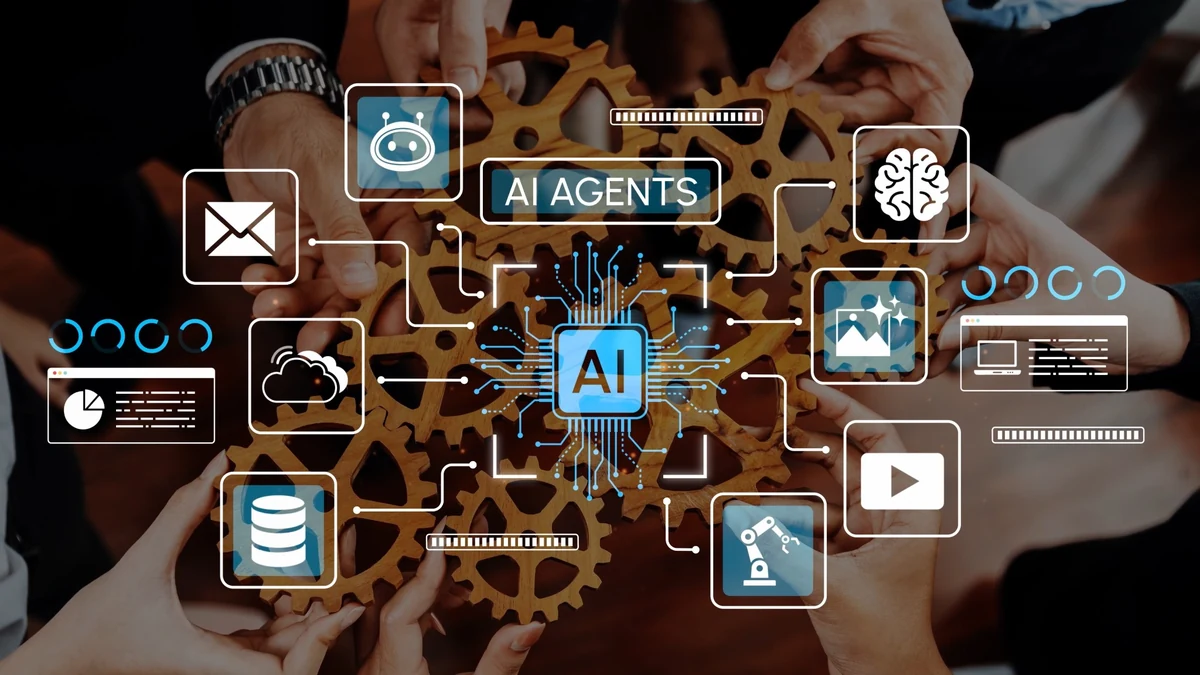
A typical workflow begins with a specific objective and an authorized environment. The agent receives instructions, accesses the relevant application, and identifies the next action based on the information available. After interacting with the interface, it observes the updated state and decides whether to proceed, recover from an error, or ask for help.
Consider a service company receiving maintenance requests through a customer portal and managing work orders in a separate legacy application. An agent could open a request, identify the customer and issue, navigate the work-order system, and prepare a corresponding record. If customer details conflict or required fields are missing, it should request employee review rather than invent information.
This hypothetical workflow requires defined permissions, tests, logs, and approvals. Success on a few records does not prove reliability at scale.
How AI Computer Use Differs From Traditional Automation
Traditional automation remains valuable. Application programming interfaces (APIs) let software exchange structured information directly, while robotic process automation (RPA) tools can follow predefined steps through user interfaces. These approaches are often preferable for stable, repeatable operations with well-defined rules.
Microsoft’s Power Automate documentation describes how desktop automation identifies interface controls through UI elements and selectors. Interface changes and application behavior can still disrupt workflows.
AI computer use can interpret interfaces and adapt steps when tasks vary. An agent might identify changed navigation or request review of an ambiguous record, but adaptability does not ensure consistent decisions. Successfully navigating an interface also does not prove the resulting transaction is correct.
Businesses should not frame this as a choice between old automation and new AI. Consider updating customer records: an API is often best when both systems support direct data exchange; an RPA script may suit a fixed sequence of screens; and a computer-using agent may help when an employee must interpret varying interface content. Each option still needs validation and error handling.
Where AI Computer Use Could Help Businesses
Working Across Disconnected Applications
Many organizations rely on software products that were not designed to work together. Employees may have to consult a customer portal, update an internal database, and then record an outcome in a project management system. Computer-using agents may help bridge selected steps when a supported API or integration is unavailable. Before pursuing this approach, businesses should check whether a direct integration would be more dependable.
Handling Variable, Repetitive Tasks
Some processes follow a recognizable pattern but contain differences that make rigid scripts difficult to maintain. An agent could review incoming forms, identify the appropriate workflow, and prepare information for a human decision. Good candidates have limited consequences if an error occurs, clear success criteria, and a reliable way to detect exceptions.
Supporting Research and Administrative Work
An agent may assist with collecting information from approved websites, comparing entries across interfaces, or organizing materials for a report. The value comes from reducing repetitive navigation and preparation, not from assuming every extracted fact is accurate. Information gathered through an interface should still be checked against its source, particularly when it influences customer communications or business decisions.
Testing Software Interfaces
Computer use also has applications in software quality assurance. An agent can navigate a website or application, attempt a user journey, and record unexpected behavior. These capabilities may complement established automated tests and human testers, especially during exploratory evaluation. They should not replace deterministic regression testing where consistent, repeatable results are required.
The Limitations Businesses Need to Consider

Reliability and Error Recovery
An agent can click the wrong control, misread a screen, misunderstand a status message, or continue after an earlier mistake. Interfaces can change, sessions can expire, and applications can behave differently depending on user permissions. Organizations should test realistic failure scenarios and define what happens when the agent cannot complete a step.
OpenAI’s computer-use guidance recommends limiting runs and verifying outcomes rather than relying on the agent’s report.
Security, Privacy, and Prompt Injection
An agent acting inside a business application may encounter customer records, internal documents, and privileged controls. Access should be limited to what the task requires. Organizations also need to consider prompt injection, where instructions embedded in a webpage or document attempt to redirect an agent away from the authorized task.
OpenAI’s ChatGPT agent guidance highlights prompt injection and unintended actions. Page content should be treated as untrusted, with restricted environments and confirmation for consequential actions.
Compliance and Accountability
Automating a workflow does not transfer accountability away from the business. Processes involving sensitive personal information, regulated decisions, payments, or irreversible changes require additional scrutiny. Teams should document who authorizes an agent’s actions, how results are reviewed, and how an incident can be investigated. The appropriate controls depend on the industry, the applications involved, and the consequences of an error.
How to Evaluate an AI Computer Use Project
The strongest starting point is a narrow workflow with measurable outcomes. Before selecting a platform, map the current process from beginning to end. Identify which steps are predictable, where people interpret information, what systems are involved, and which actions require approval.
Next, compare the available technical approaches. If an API can complete a transaction reliably, it may be the better foundation. If a legacy application exposes only a user interface, assess whether conventional RPA or an AI-assisted approach is appropriate. Evaluate maintenance needs as well as initial development effort.
A pilot should use representative data and include difficult cases, not just ideal examples. Track completion rate, time per task, human intervention, correction effort, and the severity of errors. Establish a baseline for the existing process so that improvements can be measured rather than assumed. For workflows that create or change records, verify each outcome against the destination application’s saved state, not the agent’s description of its actions. Test expired sessions, duplicate submissions, changed page layouts, and partial completion. Define when the agent should retry, stop, or hand the task to an employee. These checks help distinguish successful navigation from successful business processing.
Finally, build in operational safeguards. Restrict permissions, log important actions, require approval for sensitive changes, and make it easy for employees to stop or take over a task. A reliable implementation needs ongoing monitoring because applications, business rules, and user expectations change.
Why Software Engineering Still Matters
Computer-using agents can make certain automation projects more accessible, but they do not eliminate the need for sound software architecture. Production systems still need identity management, secure credentials, integration design, exception handling, observability, and testing. Teams must decide where AI adds value and where conventional code offers better control.
Engineering teams should assess existing systems, integrate safeguards, and verify completed tasks. The objective is a dependable process, not an impressive demonstration.
Final Thoughts
AI computer use offers another way to automate work across existing applications, especially when conventional integrations are impractical. Its distinguishing advantage is the ability to work through interfaces built for people, but a sequence of successful clicks is not the same as a completed, accurate transaction.
Its value depends on selecting suitable workflows, controlling agent actions, and verifying the saved outcome. Strong implementations combine AI flexibility with established engineering and human accountability. The measure of success is not what the agent appears to do, but whether the underlying business process is completed correctly and can be audited.
Related reading: Explore Mystic Media’s AI development services, custom software development capabilities, and our article on AI agents for business process automation.