
Tag Archives: Automation

Types of AI Agents and Multi-Agent Systems

AI Agents

Not every AI agent makes decisions the same way. Some react to predefined conditions, others maintain context, plan toward objectives, weigh competing outcomes, or adapt through feedback. Modern applications may also coordinate several specialized agents. Understanding these architectural distinctions helps businesses choose systems that fit their tasks without adding unnecessary complexity.

The five traditional types of AI agents describe how a system selects actions. Single-agent and multi-agent architectures answer a different question: how many decision-making components participate and how they coordinate. These classifications overlap rather than representing mutually exclusive products.

The Five Foundational Types of AI Agents

1. Simple Reflex Agents

Simple reflex agents respond to current inputs using predefined condition-action rules. They have no internal memory of earlier states. A basic temperature controller, for instance, may activate heating when a threshold is crossed. This approach is predictable and inexpensive, but it cannot reason about missing context or unfamiliar conditions.

In enterprise software, rule-driven automation can provide similar behavior, though not every rule-based workflow is marketed as an AI agent. When decisions are straightforward, a simple system is often more reliable than a language model interpreting the same rules.

2. Model-Based Reflex Agents

Model-based reflex agents maintain an internal representation of the environment. They combine current observations with remembered state to act when all relevant information is not visible at once. A warehouse robot might track which aisles it has visited or where it encountered obstacles instead of responding to each sensor reading in isolation.

The architecture depends on an accurate state model. If updates are incomplete or delayed, subsequent decisions can be wrong even when the rules themselves are sound.

3. Goal-Based Agents

Goal-based agents evaluate possible actions according to whether they move the system toward a defined objective. Instead of following one fixed response to an input, an agent may select or revise a sequence of steps. An automated planning system, for example, might identify an available route through a warehouse and adjust when a passage becomes blocked.

Goal pursuit does not imply unlimited autonomy. The agent still operates within the actions, information, and policies its developers make available. A clear objective must be accompanied by constraints on how it can be achieved.

4. Utility-Based Agents

A goal may have several acceptable solutions. Utility-based agents evaluate alternatives using a function that represents preferred trade-offs, such as cost, time, energy consumption, or risk. In a logistics system, two routes might both deliver on time, but one may require more fuel or create greater scheduling disruption.

Utility functions make trade-offs explicit, but designing them is difficult. If the scoring criteria omit safety, service quality, or other important factors, the system can optimize a metric while producing a poor operational outcome.

5. Learning Agents

Learning agents change their behavior using experience or feedback. They may update a policy, predictive model, or decision strategy as new evidence becomes available. For example, an adaptive scheduling system might refine forecasts using observed demand and subsequent outcomes.

This differs from an LLM agent remembering earlier messages: task context or plan revision does not necessarily update the underlying model. Production learning also requires evaluation, monitoring, and safeguards against deterioration.

The following table summarizes the defining capabilities and illustrative applications of each agent type.

Agent type Defining capability Illustrative application
Simple reflex Follows condition-action rules Temperature controller
Model-based reflex Maintains internal state Warehouse navigation
Goal-based Plans toward a defined goal Route planning
Utility-based Weighs competing outcomes Logistics optimization
Learning Adapts from feedback Demand-based scheduling

How Modern LLM Agents Fit These Categories

AI Agents

The five-part taxonomy predates today’s LLM-based agents. A language-model agent may combine goal-directed planning, temporary task memory, retrieval, tool calls, and evaluations within one application. Some systems also use fixed rules for high-risk actions or external scoring functions to choose among alternatives.

Consequently, product labels such as coding agent, research agent, or customer-service agent describe what a system does, not a separate foundational decision architecture. The practical design questions are what information the agent can access, how it selects actions, and when it must ask for approval.

Single-Agent vs. Multi-Agent Systems

A single-agent system puts the main planning and action-selection responsibility in one component. That component may call databases, APIs, and deterministic services without becoming a multi-agent system. This is often a sensible starting point because tracing decisions, controlling permissions, and evaluating results are more straightforward.

A multi-agent system separates responsibilities across agents that may have different instructions, tools, or access boundaries. Consider a business handling complex customer service requests. One agent could interpret the issue, a second retrieve approved account records and documentation, and a third check the proposed resolution against company policy. A coordinating component could assemble their findings for an employee to approve. Distinct roles can be evaluated separately, but each handoff adds processing time, expense, and possible communication failures. For simpler requests, one agent using the same approved tools may be sufficient.

Common Multi-Agent Coordination Patterns

Multi-agent designs can be described along several dimensions. Sequential and parallel workflows describe when tasks execute; hierarchical and distributed designs describe how decisions are coordinated; and homogeneous and heterogeneous teams describe whether agents share similar capabilities or have distinct roles. A single system may combine these characteristics, such as a hierarchical coordinator managing heterogeneous specialists in parallel.

Sequential and Parallel Workflows

In sequential orchestration, one agent completes a stage before handing its output to the next. A research agent might assemble evidence before a drafting agent prepares a report. In parallel orchestration, agents work on independent subtasks at the same time, such as analyzing separate document collections before their findings are combined.

Sequential designs simplify dependencies but may introduce delay. Parallel designs can shorten elapsed time when subtasks are truly independent, though combining inconsistent results can create new review work.

Hierarchical and Distributed Coordination

A hierarchical design uses a coordinating agent or controller to delegate tasks, assess progress, and assemble results from specialists. It offers a clear place for overall task ownership, but that coordinator can become a bottleneck or single point of failure.

In a distributed design, agents exchange messages or hand off control without relying on one manager for every decision. This can support flexible collaboration, but shared state, conflicting instructions, and responsibility for the final result become harder to manage. Frameworks may also support group conversations or context-based handoffs as specific orchestration patterns.

Homogeneous and Heterogeneous Agent Teams

Homogeneous systems use agents with similar models and capabilities, sometimes assigning the same process to separate cases or subtasks. Heterogeneous systems combine agents with different tools, models, responsibilities, or access levels. A document workflow might pair a low-cost classification agent with a specialist that performs more demanding analysis.

The value of specialization must outweigh communication overhead and operating costs.

The Engineering Challenges of Multi-Agent Systems

Coordination creates failure modes that a successful single-agent demonstration may not reveal. Agents can pass along unsupported assumptions, disagree about document versions, repeat tool calls, or wait indefinitely for another component. Each handoff needs an explicit contract describing the expected inputs, outputs, error conditions, and responsible owner.

A mistake early in a multi-agent workflow can influence every subsequent decision. For example, an agent may retrieve outdated policy information, another may draft an answer based on it, and a reviewer agent may miss the original problem. Validate evidence at critical handoffs, retain source references, and establish procedures for retries or human escalation.

Important safeguards include scoped credentials, timeouts, limits on tool use, reliable state tracking, and approval before consequential actions. Developers should test not only whether an individual agent performs well but whether the entire chain produces correct, authorized results. Logs must make it possible to reconstruct which component made a decision and what evidence it used.

Microsoft’s Agent Framework describes sequential, concurrent, handoff, group-chat, and manager-coordinated orchestration patterns. These patterns are implementation options, not evidence that every workflow benefits from multiple agents.

Choosing the Right Agent Architecture

Start with the simplest design that meets the operational requirement. Fixed rules can handle predictable inputs; an agent with task context may be enough for variable information requests. Add planning when a process genuinely involves dependent steps, and introduce explicit utility trade-offs only when relevant objectives compete. Learning should be considered when there is a reliable feedback signal and a controlled way to evaluate changes.

Before creating multiple agents, test whether a single well-scoped agent with dependable tools can complete the task. Split responsibilities when there are clear gains from parallel execution, distinct specialist capabilities, separate security permissions, or independent evaluation. Measure end-to-end accuracy, latency, cost, recoverability, and human review effort rather than merely counting agent-to-agent interactions.

Business requirement Architecture to consider
Predictable rules Conventional automation or reflex logic
Context-dependent decisions State-aware agent or LLM-based system
Dependent multistep goals Goal-based planning
Cost, time, and risk trade-offs Utility-based decision-making
Independent specialist tasks Parallel multi-agent workflow
Dependent specialist tasks Sequential multi-agent workflow
Multiple dependent agent roles Hierarchical or distributed orchestration

Agent architecture is ultimately a design choice, not a measure of sophistication. The strongest system is one whose decision process, coordination, and oversight match the work it is authorized to perform.
AI in Software Development: Planning to Production

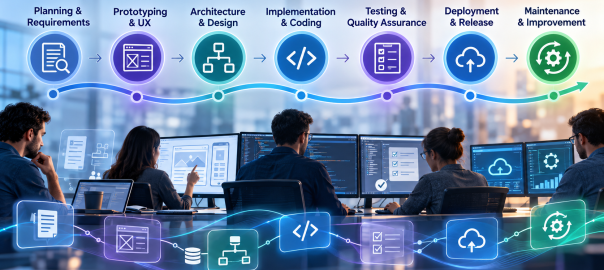
AI-assisted development is often reduced to code generation. Its more consequential effect is how engineering teams move information and decisions through the entire software development lifecycle (SDLC). Requirements become test cases, prototypes inform architecture, code changes trigger reviews, and operational feedback shapes the next release. AI can assist at every handoff—but only when teams retain clear ownership of the decisions.

Google’s 2025 DORA research describes AI as an amplifier of organizational strengths and weaknesses. That is a useful lens: accelerating one stage of development does not automatically produce better software or faster, safer releases. The opportunity lies in connecting AI-assisted work to a disciplined delivery process.

1. Discovery and Requirements: Turning Ambiguity into a Plan

Software projects routinely begin with incomplete requests, competing priorities, and undocumented assumptions. AI can help analyze stakeholder notes, summarize interviews, group feature requests, draft user stories, and identify requirements that need clarification. For an existing application, it may also help teams understand documentation and trace likely dependencies.

The meaningful deliverable is not a polished requirements document produced in seconds. It is a set of decisions that stakeholders can validate: intended users, acceptance criteria, business rules, integrations, accessibility needs, and constraints. Have product owners confirm those decisions before they become implementation instructions.

2. Prototyping and UX: Exploring Alternatives Earlier

UX Design

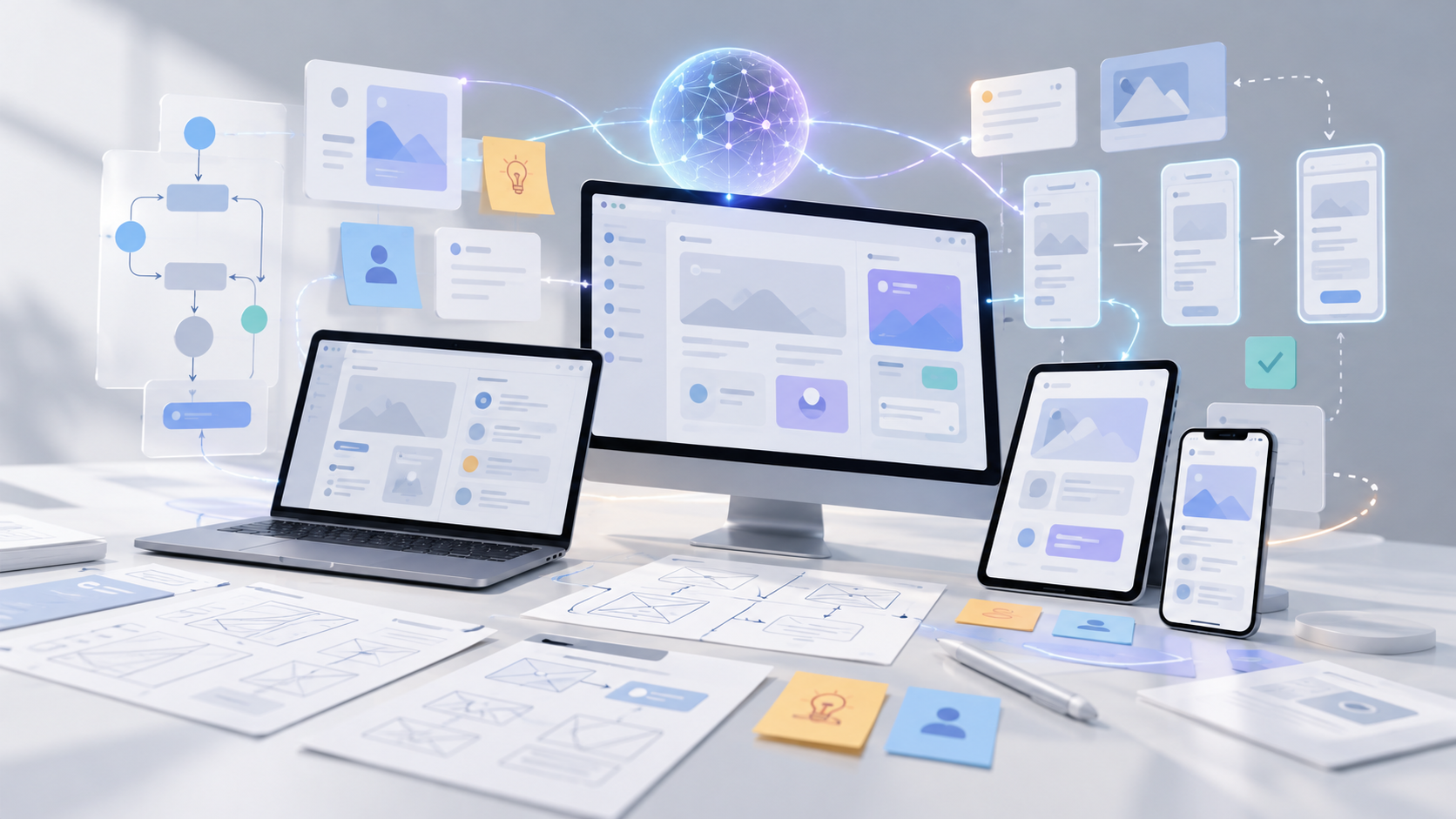
AI can accelerate early experiments by generating interface concepts, sample content, interaction flows, and disposable prototypes. That shortens the distance between a verbal idea and something stakeholders can inspect. It also makes comparing multiple approaches less expensive than committing immediately to one design.

A prototype, however, does not establish production readiness. Generated interfaces still need research with actual users, accessibility checks, responsive behavior, and validation against real workflows. Teams should label experimental code clearly so a quick demonstration is not silently promoted into a maintained product.

3. Architecture and Technical Planning: Testing the Design Before Building

AI assistants can help engineers compare architecture options, outline service boundaries, document API contracts, surface migration questions, and explore the operational implications of a design. Used effectively, AI-assisted planning can reveal architectural trade-offs earlier in the development process: centralized versus distributed components, managed services versus custom infrastructure, or synchronous versus event-driven integrations.

The architect still needs to evaluate scalability, security boundaries, data ownership, cost, maintainability, and team expertise. A convincing AI-generated diagram cannot verify that an architecture fits a company’s legacy systems. Treat the output as a set of alternatives and questions for technical review, not an approval authority.

4. Implementation: Coding With Context and Constraints

In development environments, AI can suggest functions, explain unfamiliar code, generate boilerplate, propose refactors, and help developers navigate large repositories. Agentic tools can sometimes work across multiple files and prepare changes for review. GitHub documents AI assistance across planning, coding, review, testing, and shipping workflows, illustrating that the tool’s role now extends beyond autocomplete.

Coding assistants are more useful when teams maintain clear project documentation, repository-specific instructions, consistent coding standards, and reliable automated tests. Ask for small, reviewable changes linked to approved requirements and verify them against existing interfaces. Keep the connection between requirements, implementation changes, and corresponding tests traceable throughout review. Keep changes in version control, inspect dependencies, and apply the same engineering standards regardless of who—or what—drafted the code.

5. Testing and Quality Assurance: Expanding Coverage, Not Lowering Standards

AI can propose unit tests, identify untested paths, generate representative test data, and help translate acceptance criteria into automated checks. During review, it can flag suspicious changes or explain why a failure may have occurred. GitHub’s Copilot documentation, for example, describes AI-generated pull-request review suggestions.

But test generation is not the same as test adequacy. A system may generate tests that merely confirm its own incorrect assumptions. Engineers still need independent expectations, meaningful integration tests, security scanning, performance testing, and human judgment for high-risk functionality. The strongest workflow uses AI to broaden the search for defects while maintaining objective pass/fail gates.

6. Deployment and Release: Connecting Changes to Operational Evidence

AI can assist with deployment manifests, infrastructure templates, release notes, runbook drafts, and explanations of failing CI/CD pipelines. It can also summarize changes across pull requests so release managers understand what is moving into production.

Production changes should still pass controlled build pipelines, automated checks, approval gates, and rollback planning. Credentials and infrastructure access require explicit limits. An AI assistant may recommend a deployment action; that is different from granting it unrestricted authority to execute one. Rehearsing failures and validating recovery paths are more valuable than accelerating a release that cannot be safely reversed.

7. Maintenance and Modernization: Learning From Software in Use

After launch, AI can help triage incident reports, cluster recurring support issues, summarize logs, locate likely fault paths, and draft documentation. It can also support legacy modernization by explaining old components, mapping dependencies, and suggesting incremental refactors.

Here, context quality matters especially. A diagnosis based on incomplete telemetry or outdated documentation may send developers in the wrong direction. Correlate AI suggestions with observability data, reproducible defects, and actual user impact. Prefer incremental changes supported by regression tests over wholesale rewrites generated from partial understanding.

An End-to-End Example: Developing an Enterprise Customer Portal

AI Enterprise Workflow

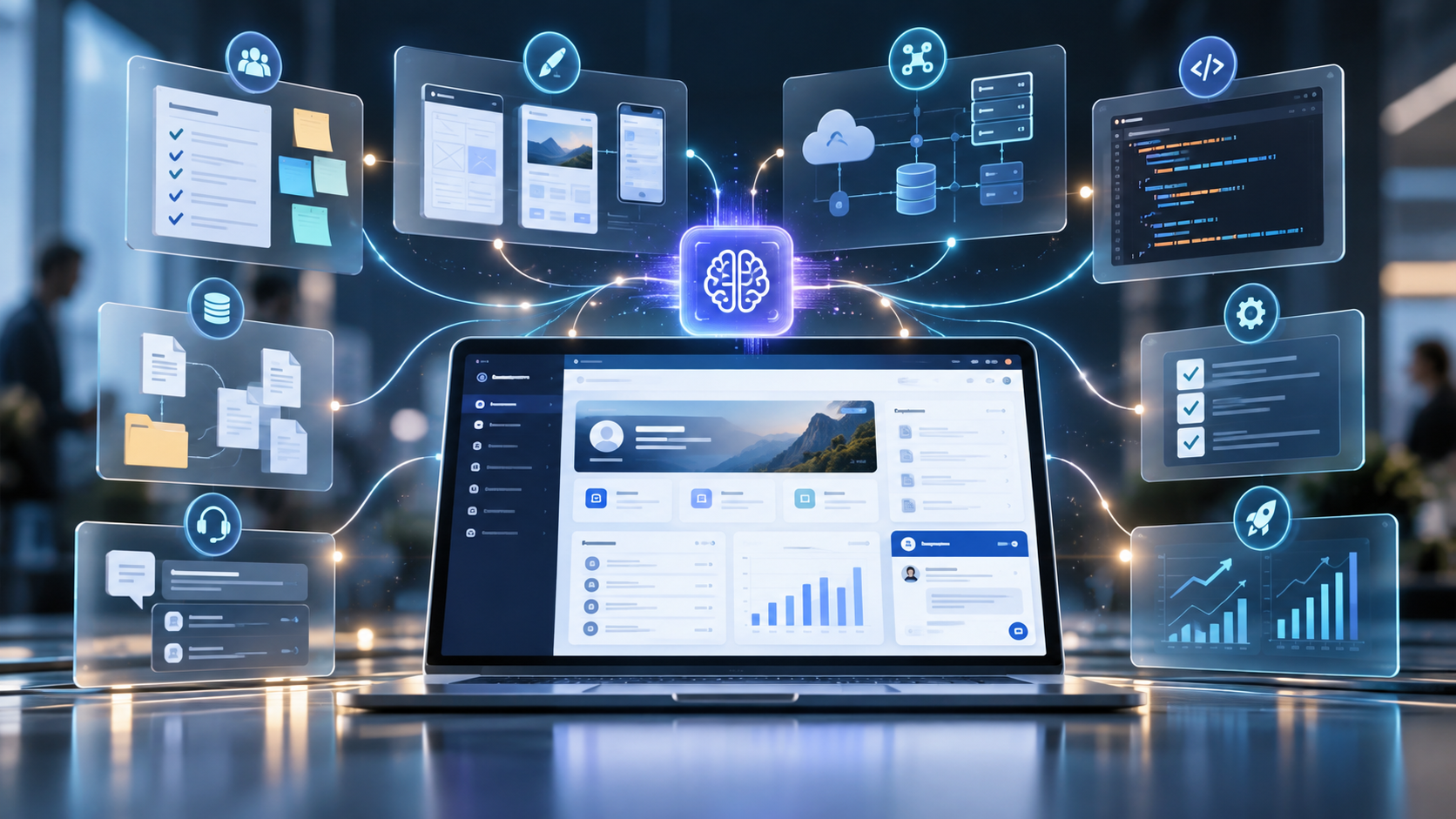
The value of AI across the SDLC becomes clearer when these applications are considered as parts of a single project. Consider a team building a customer portal that connects to an existing enterprise platform. During discovery, AI can organize stakeholder interviews into candidate requirements and flag unclear acceptance criteria. Designers can use the approved requirements to explore interface concepts while engineers assess authentication, data access, and integration choices. Coding assistants can then help implement small, reviewable features and suggest tests tied to the requirements. After release, AI can help analyze support tickets and performance logs to identify improvements for later iterations. Product owners, designers, engineers, and release managers remain accountable for validating outputs and approving decisions throughout.

SDLC stage AI assistance Human responsibility
Discovery Requirements analysis, user stories Validate business requirements
Prototyping and UX Interface ideas and prototypes Test usability and accessibility
Architecture Compare designs and integrations Approve technical decisions
Implementation Code suggestions and refactoring Review code and dependencies
Testing Test ideas and defect analysis Verify coverage and quality
Deployment Release notes and CI/CD support Authorize and monitor release
Maintenance Incident triage and legacy analysis Validate fixes and improvements

Making AI Useful Across the Entire Lifecycle

A fragmented rollout can make one developer faster while creating more downstream review, integration, and maintenance work. A feature drafted in half the usual time can still slow delivery if it introduces defects, requires extensive review, or breaks an integration. DORA’s 2025 findings emphasize that gains depend on the surrounding organizational system, including strong engineering practices and feedback loops. Measure dependable software delivery, not simply the quantity of generated code.

Start with a few high-friction tasks, such as requirements clarification, test design, or incident triage. Establish approved tools, repository access rules, review responsibilities, and quality gates. Then measure end-to-end results: lead time, rework, escaped defects, deployment stability, and time spent on meaningful engineering work. Compare those results with a baseline rather than relying only on self-reported productivity.

The most durable use of AI is as a continuous engineering assistant, not a replacement for product judgment or technical accountability. The greatest value comes from connecting AI-assisted planning, development, testing, and operations into a reliable, continuously improving software delivery process.

Key Benefits of Generative AI in Business

AI Workflow

Generative AI has moved beyond experimentation. Businesses are using it to draft materials, interpret information, accelerate development, and make specialized knowledge easier to access. The challenge is no longer finding something AI can do. It is identifying work where AI makes a measurable difference.

A useful AI strategy starts with the work itself: who performs it, what slows it down, what quality standards matter, and what happens when the output is wrong. Without that discipline, organizations risk accumulating tools and demonstrations that never become dependable parts of daily operations.

Where Generative AI Fits into Business Operations

Generative AI is particularly suited to information-heavy work involving drafting, summarizing, classification, translation, analysis, and code generation. These activities appear across departments, but the best implementations address a specific workflow rather than applying the same assistant to every task.

Marketing and Communications

Marketing teams can develop early campaign concepts, adapt copy for different channels, analyze customer feedback, and prepare content briefs. AI is most useful here as an accelerator of research and production, not an independent source of brand strategy. Human review remains essential for originality, accuracy, claims, and tone.

Customer Support and Internal Knowledge

Support representatives can use AI to find relevant knowledge-base material, summarize long conversations, and draft responses. For example, a software support team could connect an assistant to an approved knowledge base so it can retrieve troubleshooting steps and prepare responses for employees to verify before sending. Other departments can similarly use AI to search policies, manuals, and project documentation. In every case, the benefit depends on current, accessible information and clear links to trustworthy sources.

Software Development and Product Teams

Developers can generate initial code, documentation, test suggestions, and explanations of existing systems. Product teams can organize requirements and explore prototype concepts. These tools can reduce repetitive work, but architectural design, code reviews, security, and release decisions remain engineering responsibilities.

Research, Finance, and Administration

AI can summarize lengthy reports, compare supplied documents, help organize meeting notes, and prepare preliminary analyses. In financial and operational work, generated explanations should be checked against authoritative records. A fluent summary is not evidence that the underlying numbers or conclusions are correct.

The Benefits That Matter Most

Gen AI Benefits

Speed is an obvious attraction, but speed alone is a weak success metric. If a draft takes five minutes to generate and thirty minutes to correct, the business case changes. The useful measure is the effort required to produce an acceptable final result—and whether that improvement reduces delays across the complete workflow. Faster drafting creates little value when downstream approvals remain the bottleneck.

There is evidence of meaningful gains in certain environments. A study by Erik Brynjolfsson, Danielle Li, and Lindsey Raymond examined a generative AI assistant introduced to customer support agents. The researchers reported an average productivity increase of about 14%, measured by issues resolved per hour, with larger gains among less experienced workers. That finding is specific to the studied workplace and should not be treated as a universal productivity forecast.

Generative AI may also help organizations make expertise more accessible. A new employee can obtain explanations of unfamiliar procedures, while an experienced specialist can spend less time producing routine documentation. These benefits are strongest when the system draws on accurate information and employees know when to challenge its output.

Another opportunity is consistency. Shared templates and approved reference materials can help teams maintain terminology, documentation standards, and communication practices. But consistency should not be confused with correctness: a system can repeat the same mistake reliably.

Where Generative AI Falls Short

Generative models can produce confident but incorrect claims, invented references, incomplete analysis, and code with subtle defects. Their outputs may vary with prompting, context, and model changes. These limitations matter most when the resulting content informs financial, legal, technical, or customer-facing decisions.

Data handling deserves equal attention. Employees may enter confidential documents, customer records, or proprietary code into tools without understanding retention, access, or contractual controls. Organizations need approved environments, clear usage rules, and appropriate data restrictions before sensitive workflows are introduced.

The NIST Generative AI Profile identifies risks including confabulation, privacy issues, and other potential harms. Those categories provide a useful basis for evaluating where verification, access controls, documentation, and human oversight are required.

How to Identify High-Value Opportunities

The strongest starting points are often frequent, time-consuming tasks with clear quality criteria and manageable consequences when AI makes an error. Examples include preparing internal summaries, organizing research, creating first drafts, or assisting with noncritical documentation.

Rather than asking each department to suggest AI ideas, map one existing process from input to approved output. Record how long it takes, where handoffs occur, what information is needed, and how errors are caught. This exposes the difference between a task that feels repetitive and one that can safely be improved with AI.

Then distinguish three options. A standalone assistant may suffice when employees need occasional help drafting or summarizing. AI embedded in an existing business application fits recurring work already managed there. A custom system is more appropriate when tasks depend on proprietary data, specialized workflows, or controls unavailable in standard tools. The added flexibility also brings maintenance, integration, and security obligations.

Implementation: People, Data, and Process

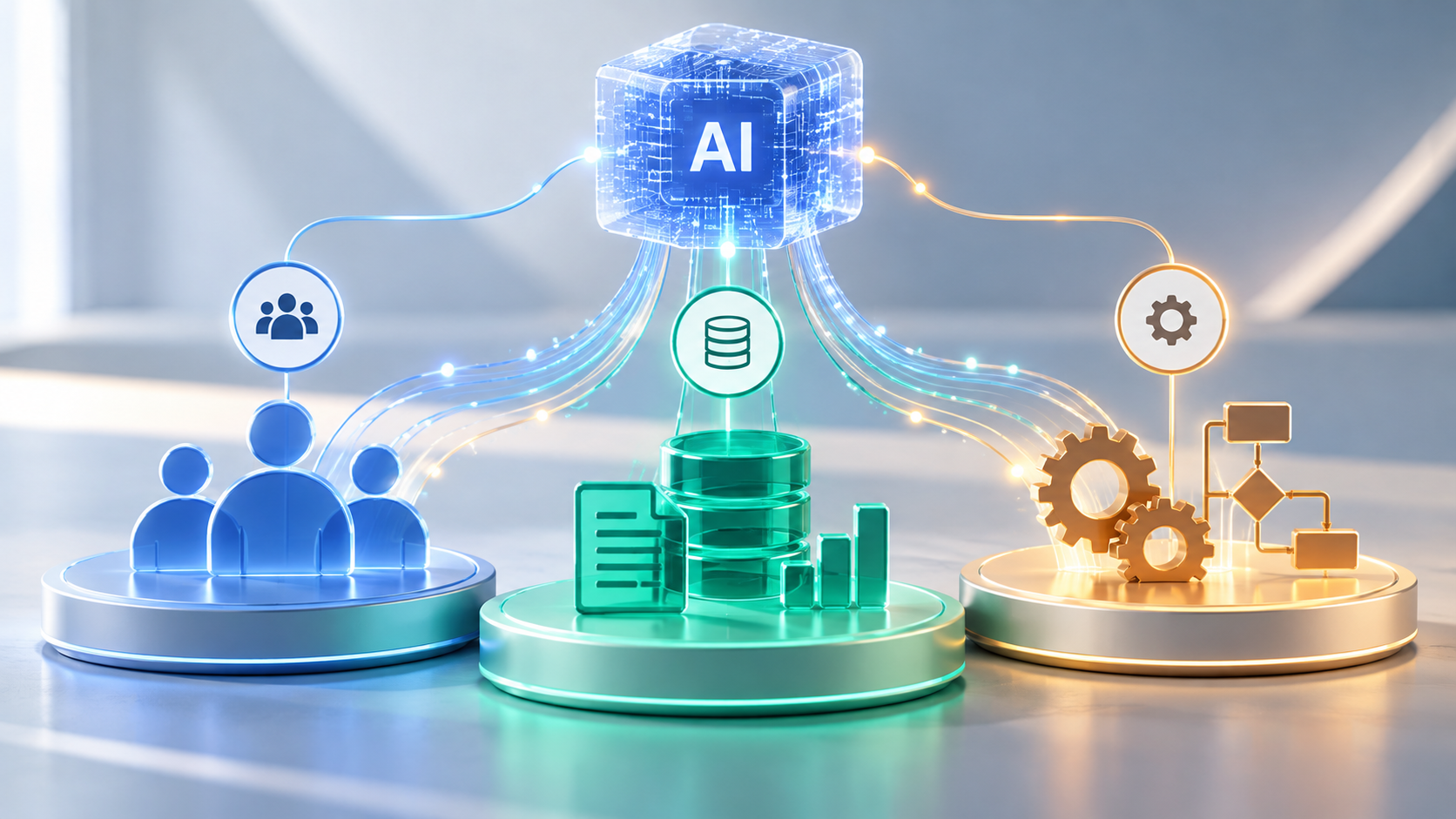
AI for People, Data, and Processes

Start with a bounded pilot that has a responsible owner, a documented use case, and a clear definition of success. Select representative examples, including difficult cases, rather than evaluating the tool only on ideal inputs. Establish what employees should verify and when they should stop using an output.

Next, decide which information the system may access. Public material may need little additional integration, while internal knowledge may require retrieval-augmented generation (RAG). This approach retrieves relevant documents and supplies them as context to the language model rather than relying solely on its training. Effective RAG still depends on accurate sources, reliable retrieval, permission-aware access, and testing. Information access should reflect actual business needs rather than being granted by default. In practice, dependable source data, integration design, and validation can matter more to an application’s usefulness than the model’s standalone capabilities.

Employee training is part of implementation, not an optional follow-up. Teams need to recognize unsupported assertions, protect confidential information, review outputs, and report recurring errors. Managers should also make the purpose of the tool clear: which work it should improve and which decisions still belong to people.

Finally, choose the simplest technical approach that meets the requirement. A supported business application may be sufficient for document drafting. A specialized internal knowledge assistant may require integrations. A custom solution makes sense when workflows, data controls, or user experience cannot be accommodated effectively by existing tools.

Measure Results Before Scaling

Compare pilot outcomes against a baseline established before deployment. Useful measures include end-to-end task time, accepted-output rate, correction effort, error frequency, user adoption, and total operating cost. For example, a team might compare the time required to draft, verify, and approve technical reports before and after introducing AI. Faster drafts deliver little value if corrections consume the time saved. For customer-facing applications, monitor service quality rather than assuming faster responses automatically mean better experiences.

Include the hidden costs: subscriptions or usage fees, integration work, training, security review, monitoring, and ongoing changes. A pilot that saves time for one employee may still be uneconomical if the wider process requires extensive review or frequent troubleshooting.

Expand only after the results justify it. Successful examples can become repeatable workflows with documentation, ownership, and periodic evaluation. Failed pilots are still useful when they reveal poor source data, unclear requirements, or work that should remain primarily human-led.

Building a Sustainable Generative AI Strategy

A sustainable strategy requires ongoing reassessment, not just a successful initial deployment. Model capabilities and costs change, business information becomes outdated, and workflows evolve. Teams need clear ownership and periodic reviews of quality, access, and operational impact.

Generative AI is a capability within business operations, not a strategy by itself. Its long-term value depends on adapting the technology and surrounding processes as the business changes.

Generative AI vs. Agentic AI: Understanding the Differences

Futuristic AI Creative Workflow Nexus

Generative AI is changing how businesses create content, analyze information, and develop software. Agentic AI extends those capabilities into workflows that can retrieve information, use tools, and take authorized actions toward a defined goal. This creates opportunities for businesses to automate complex processes, reduce manual work, and improve operational efficiency.

For businesses evaluating AI investments, the important question is not which technology sounds more advanced. It is whether employees need better information, automated execution, or a combination of both. Understanding that difference helps organizations avoid unnecessary integrations and identify where AI can produce measurable results.

Generative AI vs. Agentic AI: What Changes?

Gen AI vs. Agentic AI

Generative AI is primarily concerned with producing or transforming information: drafting documents, generating code, summarizing research, or analyzing supplied material. An employee usually directs the interaction and decides how to use the result.

Agentic AI is organized around an objective. An agent may break a request into steps, select tools, retrieve information, perform authorized actions, assess the outcome, and adjust its next step. It can coordinate a process rather than simply prepare material for someone else to use.

Generative AI and agentic AI are not entirely separate technologies. Many AI agents use generative models to interpret instructions, analyze results, and decide what step to take next. Conversely, a generative AI application with tool access may behave like an agent. The more useful distinction is what the overall system is designed and authorized to accomplish.

Generative AI vs. Agentic AI at a Glance

Capability Generative AI Agentic AI
Primary purpose Create and analyze information Complete goals through actions
Interaction Responds to prompts and requests Can plan and execute multiple steps
Tool usage May use connected tools Uses tools within coordinated workflows
Human role Reviews and applies outputs Supervises, approves, handles exceptions
Typical uses Writing, research, coding assistance Support, reporting, operational processes

How Agentic AI Works in Practice

Consider a sales director asking why a product line underperformed last quarter. A generative AI assistant could interpret figures supplied by the director and draft a report. An appropriately configured agent could take the broader goal, obtain sales records, compare inventory and pricing changes, investigate anomalies, and assemble evidence-backed findings.

The hardest part of deploying an agent is often not generating a plausible response but connecting it to accurate business data, reliable integrations, and accountable decisions. Building an effective AI agent therefore involves more than connecting a language model to business software. Several components need to work together:

  • Planning and orchestration: Decide which steps and tools to use, track progress, and handle unexpected results.
  • Integrations: Connect to approved systems such as CRMs, ERPs, databases, and reporting platforms.
  • Context and business rules: Understand relevant definitions, permissions, policies, and relationships between company data.
  • Evaluation and escalation: Check outcomes, detect uncertainty, and request human review when appropriate.

AI agents can operate through a repeating cycle of planning, executing actions, evaluating results, and adjusting their approach based on new information. For example, an agent might identify falling sales but recommend the wrong response if it confuses stock on hand with inventory already reserved for orders. Mapping business definitions and validating results are therefore essential parts of engineering reliable workflows.

Where Generative AI Delivers Business Value

Generative AI works well when employees need faster ways to produce, interpret, or refine information. Common applications include first drafts of communications, document summaries, research assistance, technical documentation, design concepts, and software development support.

In software engineering, AI assistants can suggest functions, explain unfamiliar code, propose tests, and help developers explore implementation options. These contributions can speed up portions of the work, but they do not replace architectural judgment, security reviews, or systematic testing. Code that appears convincing can still contain defects or fail to meet business requirements.

Generative AI also tends to be a practical starting point for organizations that want employee assistance without granting an AI system permission to make changes across operational tools. Its value can be substantial even when a person remains responsible for every final action.

Where Agentic AI Changes Business Operations

Agentic AI for Business Operations

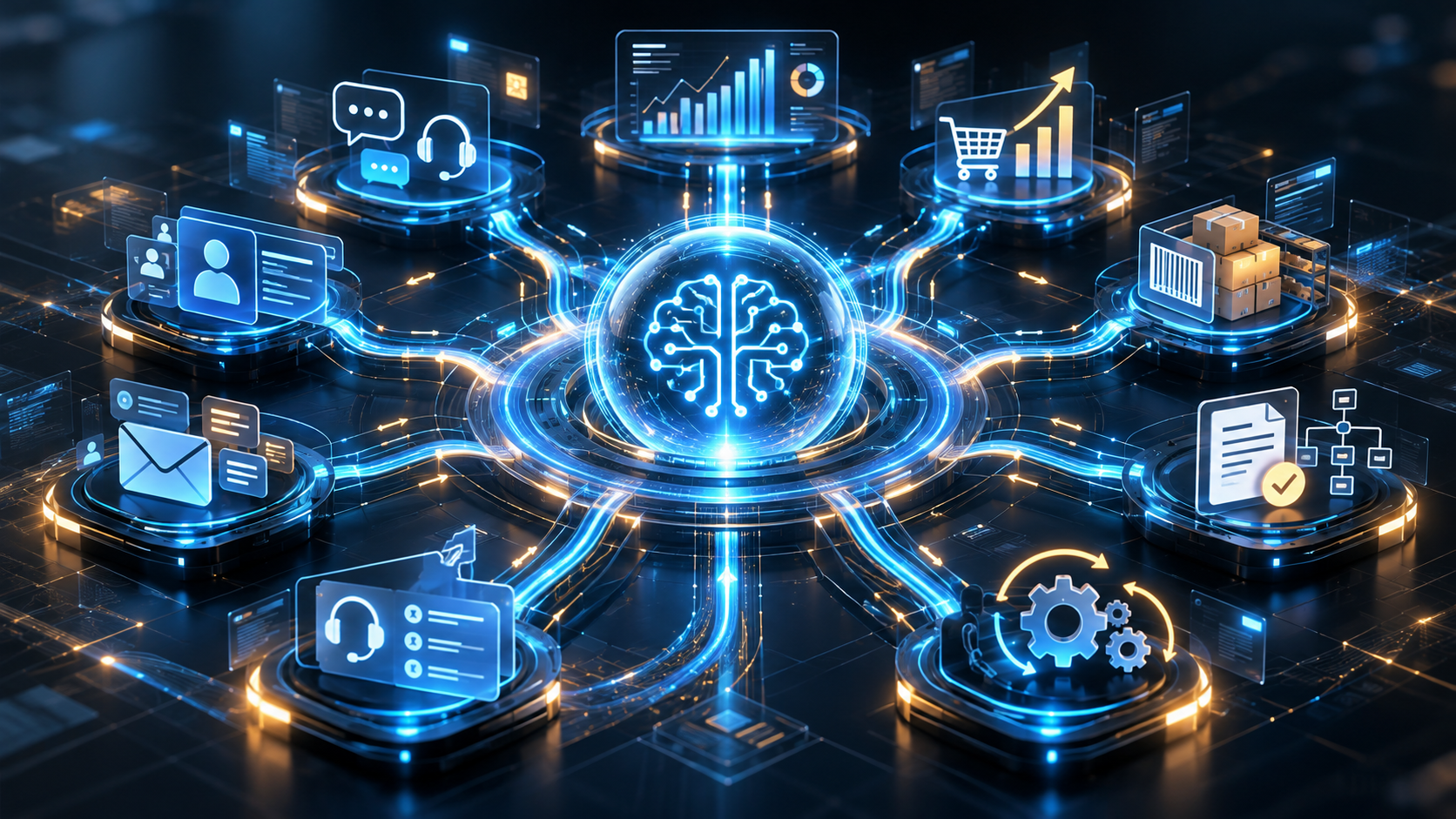
Agentic AI becomes relevant when work requires several dependent decisions across software systems. The biggest opportunity is often the handoff between tasks: retrieving data, identifying exceptions, routing approvals, and keeping records consistent. Those handoffs should be measured before they are automated.

Customer Service

Consider an online retailer handling hundreds of inquiries about delayed shipments. With generative AI, a service representative could supply order details and request a draft response. An authorized AI agent could go further: retrieve the order, check shipment tracking, compare the delivery address, consult replacement policies, and prepare the next action. Under carefully defined rules, it might complete a routine update automatically while sending disputed transactions, refunds, or costly replacements to an employee for approval. This is an illustrative workflow, not a claim that an off-the-shelf agent can perform every step.

Sales and Operations

An agent might assemble account history, identify follow-up opportunities, and prepare CRM updates. Another could investigate inventory shortages by checking warehouse quantities, open purchase orders, and historical demand. Success depends on consistent business definitions and reliable connections to live systems.

Reporting and Internal Support

Agents can be designed to pull information from separate tools, reconcile discrepancies, produce management reports, or guide approved IT troubleshooting procedures. In more complex processes, several specialized agents may divide the work. Multi-agent architectures are useful in some cases, but introduce additional coordination, latency, and operating costs.

When Should a Business Use Agentic AI Instead of Generative AI?

Start with the workflow, not the technology. If employees need help writing, researching, analyzing, or coding, a generative AI assistant may solve the problem with fewer moving parts. If a process requires retrieving data, choosing among actions, and updating connected systems, an agentic approach may be worth evaluating.

A practical assessment should address four questions:

  • What outcome matters? Define a measurable result, such as faster case resolution or fewer manual handoffs.
  • What information is required? Identify source systems, data quality issues, and business definitions the system must understand.
  • What actions are permitted? Set access rights, approval checkpoints, and escalation rules before deployment.
  • What happens when it fails? Plan for inaccurate outputs, unavailable systems, unexpected inputs, monitoring, and recovery.

Not every process needs an autonomous agent. Predictable tasks often belong in conventional automation, with AI reserved for interpreting ambiguous inputs or investigating exceptions. Repeated model calls, API requests, and result checks can make an agent slower and more expensive than a simpler workflow. Design for the least autonomy that achieves the desired result.

Reliability, Security, and Human Oversight

Greater autonomy increases the consequences of poorly designed integrations. A generated paragraph can be corrected before publication; an unauthorized change to customer records or a mistaken financial transaction can have immediate operational effects.

Production systems need scoped permissions, reliable data, audit logs, testing, monitoring, and clear ownership. Human approval is often appropriate for high-impact actions, while lower-risk tasks can operate within predefined rules. The NIST AI Risk Management Framework offers a useful foundation for evaluating reliability, security, and accountability.

Teams should also evaluate agent performance after deployment. Accuracy, task-completion rates, intervention frequency, operating cost, and user experience can reveal whether automation is producing meaningful benefits or simply moving work into a different system.

The Direction of Business AI

Generative and agentic capabilities will increasingly appear together inside business applications. Employees may request an analysis, review an agent’s proposed plan, authorize selected actions, and receive a report showing what was completed. The division of labor will depend on the risks and complexity of each process.

Businesses should judge AI by completed work, error rates, and the cost of human intervention—not by the number of decisions an agent makes independently. A narrowly scoped agent that reliably resolves routine cases may create more value than an ambitious system that frequently needs correction.

Choosing AI That Delivers Business Value

The decision should begin with a specific business outcome. Identify the information employees need, the actions a system may safely take, and the evidence required to judge its performance. A successful implementation reliably improves the workflow, with clear ownership of the results.

How the Revolutionary Mechanics of Blockchain Technology Could Serve Your Business

In the last entry in our cryptocurrency series, we explored how to secure your cryptocurrency with the right wallet. This week, we’ll take a look at the mechanics of the Blockchain across industries.

While the debate over whether Bitcoin will become the dominant cryptocurrency is far from over, the mechanics behind Bitcoin are unquestionably revolutionary. Blockchain technology has the potential to disrupt more than just currency, but industries ranging from healthcare to Wall Street.

The Blockchain is a secure ledger database shared by all parties participating in an established, distributed network of computers. The Blockchain decentralizes the process of validating transactions, allocating the duties to computers throughout the network.

Blockchain is revolutionary because it eliminates the need for a central authority, allowing for a real-time ledger that is not dependent on a single entity governing the transactions.

Imagine if in order to make changes to a text document, you had to email a colleague who would then update the document on Microsoft Word and send the updated file out to all relevant parties on the team. The updating of information would quickly become an inefficient process that is heavily dependent on the central entity (the colleague). Blockchain posits a workflow that is more like Google Docs in that it allows updates to be made in real time and shared across the network instantly without the need of a central authority. Blockchain enacts this principle by relying on computers within the network to independently validate transactions through cryptography. Thus, the validity of the ledger is determined by the many objective computers on the network rather than a single powerful entity.

The idea of decentralization can also be applied to WhatsApp, the popular messaging app that revolutionized texting and cut the cost of transactions globally. WhatsApp cut out the central authority of phone carrier companies by building the same functionality on a decentralized network (the Internet).

If you’re still confused about Blockchain, check out this awesome video by Wired breaking it down in 2 minutes:

https://www.youtube.com/watch?v=Q-UYHvPKt9E

Blockchain has already found usages in many different industries.

  • SMART CONTRACTS

Smart contracts are coded contracts embedded with the terms of an agreement. They are a method for businesses and individuals to exchange money, property, materials, or anything of value in a transparent way that avoids the services of a middleman (such as a lawyer). Smart contracts not only define the rules of an agreement, they automatically enforce the obligations provided in the terms of the contract.

Smart contracts have revolutionized the supply chain and threaten to eliminate the use of lawyers for enforcing contracts. Smart contracts and blockchain ensure data security that could also lead to the transferring of voting to an online system, potentially increasing voter turnout significantly.

  • HEALTHCARE

Within the healthcare industry, Blockchain has the potential to revolutionize data sharing between healthcare providers, resulting in more effective treatments and an overall improved ability for healthcare organizations to offer efficient care. A study from IBM showed that 56% of healthcare executives have a plan to implement a commercial blockchain solution by 2020.

  • SUPPLY CHAIN

Both within the Healthcare industry and elsewhere, blockchain is redefining supply chain management. Blockchain can provide a distributed ledger that tracks the transfer of goods and raw materials across wide-ranging geographical locations and stages. The public availability of the ledger makes it possible to trace the origin of the product down to the raw material used. For this reason, blockchain has also been applied to track organic produce supply chains.

The boon of the Internet of Things and smart objects means that blockchain technology can be extended to process data and manage smart contracts between individuals and their smart devices or even smart homes. Imagine a world where your refrigerator automatically orders eggs when it senses you are running low based on your egg eating habits. This world will be facilitated by a smart contract run on Blockchain technology embedded in an IoT device.

CONCLUSION

While the first blockchain was created for Bitcoin, applications for blockchain are constantly being implemented across industries. As Harvard Business Review smartly points out, the question in most industries is not whether blockchain will influence them, but when.

Many different cryptocurrencies are utilizing variations on Blockchain technology in order to process transactions—some of which are doing so in a more efficient manner than Bitcoin. Next week, we’ll explore the top cryptocurrencies on the market right now and which ones your business should accept.

Apple Brings the Internet of Things Home with HomeKit & iOS 10

Anyone engrossed in the tech scene knows the Internet of Things is one of the trendiest technology topics on the web. The IoT is shaping our world and building fortunes for innovators, futurists and top app development companies. However, in the common household, the IoT has yet to break through to the mainstream. The biggest company in the world is now looking to enact change.

Tim Cook, in his September Announcement, declared that iOS 10’s HomeKit update is the first time home automation has been integrated with a major platform. While Apple introduced HomeKit in 2014 with iOS 8, iOS 10 comes with a dedicated app called Home that controls all home automation devices.

HOME IS A HOME RUN

Home Apple App via Wareable

Home combines IoT technology with the masterful UI of iOS. Previous iterations of iOS and HomeKit required the user to manage each interface separately. So if a phone had 20 HomeKit apps, they would have 20 user interfaces to manage. The Home app unifies HomeKit apps, creating a central control center for all home automation applications.

With over 1 billion active Apple devices across the world, Home enters the market with giant global reach. Virtually every major manufacturer of home automation devices now supports HomeKit. Accessories cross all major categories, from lights and air conditioners to window shades, locks and home security. Commercial IoT companies now have massive domestic reach, and iOS users have more incentive to update their homes than ever before.

HAVE SIRI SET THE SCENE

Siri Scenes via Next Market

One of the coolest features of Home is the Siri integration. Users can control Home from both the Control Center and Siri, but Siri can work at the speed of your language. Siri’s ability to handle multiple requests means users can accomplish their ideal environmental preferences in the speed of a sentence. Apple refers to these combination commands as “scenes” and users can give “scenes” a nickname. A rambunctious user might say “Hey Siri, let’s get funky,” prompting Siri to lock the doors, dim the lights, put Barry White on the speakers at a reasonable volume and provide the most apt customized ambience for the user to rock out.

THE APPLE TV IS THE HEARTH

The fourth generation Apple TV can also act as a hub for the Home app, with the Siri Remote making it easy to control your home on the go. Apple TV’s seamless integration with HomeKit and other iOS products makes it the ultimate smart TV for a smart home, providing yet another reason for consumers to consistently buy iOS products.

BUILDING COMMERCIAL IOT FROM THE GROUND UP

The Home Automation page on the Apple website is a clear indicator of Apple’s intentions to not only be a household name, but to be the name on your household. The company already has a major market share of phones, tablets, computers, TVs and watches. They are rumored to be looking to acquire McLaren as a part of Project Titan. Apple understands that the ubiquity of the iOS platform makes them the most appealing platform for manufacturers of smart devices. Apple also announced that leading home builders, including Brookfield Residential, KB Home, Lennar Homes and R&F Properties, are integrating many HomeKit devices into new homes.

With the Apple Home potentially on the horizon, one can only wonder how much of Apple’s vision of the smarthome will be realized in the next 5-10 years.